
bldeigcbieaclhoogjejelbipeklpckg
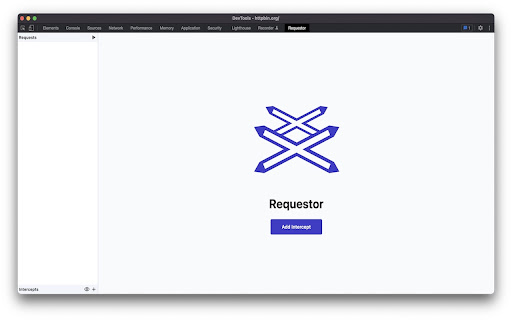


A chrome extension to intercept and modify HTTP requests and responses Requestor allows you to intercept outgoing HTTP requests before they leave your browser, and HTTP responses before they re-enter. Intercepted requests can be edited, including status, headers and body, before continuing resuming. * Intercept requests according to a string pattern or a regular expression matching the URL * Edit request and response body using plain text, or a built-in JSON editor * Mock server responses to test your frontend application * Prevent unwanted requests from leaving your browser

tweak: mock and modify HTTP requests
Mock or modify your HTTP requests to test, develop and demo your web application tl;dr tweak allows you to mock and modify HTTP requests without leaving the browser You can intercept requests/API calls and 🪄 ﹥ Modify ⁃ Response data and headers ⁃ Status code ⁃ Request payload 💸 ⁃ Request headers 💸 ﹥ Delay individual requests/API calls ﹥ Export and import rules to organize and share your configs with your team ﹥ Search requests in the background to import them automatically Premium 💸 ﹥ Modify the response data by writing custom JavaScript ﹥ Organize your workspace with collections ﹥ Change rules in bulk using global custom variables ﹥ Create mock data with random generators ﹥ Use tweak’s breakpoints and logpoints to debug requests/API calls What you CAN’T do with tweak 🚫 ﹥ Replace documents such as HTML/CSS/Images Useful links 🔗 ﹥Getting started https://tweak-extension.com/docs/intro ﹥FAQs https://tweak-extension.com/faqs ﹥Changelog https://tweak-extension.com/changelog ﹥Support help@tweak-extension.com

RestMan
RESTMan is a browser extension to work on http requests. RESTMan is an extension to work on REST APIs over http and https. Click on the RESTMan Icon that displays on your taskbar. Type the url in the main input field and choose the method to use: GET/POST/PUT/DELETE/PATCH. Click on the arrow "Send" or press Ctrl+Enter. You'll see info about the response (time, size, type) and you'll be able to see the content response in the response section. New - #42 Migrate extension to Manifest V3. New: - #25 Share request. - #24 Add OPTIONS to the list of http methods. Fixes: - #11 Different color for every HTTP method. - #18 Extension no longer uses resources when it's not being used. New: - New dark theme! Based on material design colors. - Side by side layout for Body and Response panels. - Options popup page to save theme and layout for future sessions. - Improved history dropdown. Adding ability to move through options with up/down keys, better mouse click handling, options get scrolled into view when out of scroll, pressing enter to select option. - More url space. - Improved "running" indicator. Fixes: - Fixed replacement of line endings in request editor. - Added error message for failed requests. New: - Improved history dialog. It now popus from the url bar, it filters entries based on what's been typed. - New HTML preview for responses. It will render the response as an html. Due to security issues, some scripts, images and other resources might be blocked. - Added extension version in main windows. - Major UI overhaul. - Extension won't duplicate entries in history. - Adding clear all button to headers and form body sections. - Ctrl+Enter sends request. - Pressing enter on url textbox sends request. - Several small fixes. - GET, POST, PUT, PATCH, DELETE requests. - Custom request headers. - Raw and Form data body. - View highlighted response. - View response headers.

REST Client
Use Rest Client – your powerful REST API client tool for testing and debugging HTTP requests both online and locally in Chrome This is an effective tool to simplify your API development. It integrates directly into your browser, eliminating the need for external downloads or installations. This extension offers all the essential tools developers need to efficiently interact with restful services. 🔍 Our chrome extension offers significant advantages over standalone options. Unlike traditional rest api clients, which require separate installation and maintenance, our solution is always available right in your browser. No more switching between applications—just click our icon, and chrome transforms into a fully-featured api testing software in seconds! 🔹 Intuitive request builder for all HTTP methods 🔹 Powerful header management and authentication support 🔹 Response visualization These capabilities make our extension comparable to dedicated api software, eliminating the need for additional api testing tools. 🚀 Perfect for Quick API Testing Need to test api endpoints quickly? Our chrome extension provides the perfect balance of power and simplicity. It's instantly available whenever inspiration strikes, making it a reliable choice for day-to-day testing needs. Our app integrates seamlessly with your development workflow, offering distinct advantages: 🌈 Always available in your browser environment 🌈 Minimal resource usage compared to standalone applications 🌈 Consistent experience across operating systems 🌈 Quick access to testing api during development This integration is particularly valuable for developers who work across multiple machines or need to test handlers quickly. 👨💻 Suitable for All Experience Levels Whether you're new to API development or an experienced engineer, our solution offers functionality for everyone: 🚩 Beginners will appreciate the intuitive interface and helpful documentation 🚩 Intermediate and advanced users will benefit from the streamlined workflow Our Rest Client for chrome browser maintains accessibility while growing with your expertise. 🔒 Focus on Security and Privacy Built with security in mind, our Rest Client is perfect for professional environments where data protection is paramount: 🔐 Local storage of sensitive data with encryption options 🔐 No server-side processing of your data 📈 Continuous Improvements Our rest api client for chrome browser benefits from regular enhancements, ensuring it remains competitive: 🌟 Performance optimizations for speed and reliability 🌟 Bug fixes and stability improvements 🌟 UI refinements for better usability 🚀 Get Started Today Getting started with our browser-based online REST tool is easy.. Install our chrome extension from the Chrome Web Store and begin exploring its capabilities: 🌠 Create your first request in seconds 🌠 Configure environments for different testing scenarios 🌠 Save and organize your requests Join many developers who have discovered that a powerful rest client application can exist right within your browser! 🧠 The Smart Alternative Our Rest Client represents the evolution of api tools, bringing the power of dedicated applications directly into your browser. Build better endpoints more efficiently than ever before, without sacrificing functionality. - 🚀 Postman: The Postman download process can be lengthy, and it requires separate installation, consuming more resources. In contrast, our chrome rest api client is instantly accessible, right within your browser. While there is the postman online service that offers an online version, it doesn't provide the full functionality of the desktop app. - 🌙 Insomnia: As a standalone application, insomnia rest client has a steeper learning curve compared to our integrated rest client in chrome, which is designed for ease of use. - 🆕 Bruno and 🔧 Advanced rest client (ARC): These options offers more complex features, like scripting capabilities, but they also requires installation. Many developers use a range of API testing solutions, such as our Chrome extension, Postman, Insomnia, and Bruno rest clients. However, for quick and efficient development our extension is increasingly becoming the preferred choice among developers.

Request Interceptor
Request Interceptor Extension for Chrome. Request Interceptor: Native HTTP/HTTPS Traffic Manager for Chrome Request Interceptor is a developer tool that allows you to seamlessly intercept, monitor, and route network traffic directly within your browser. Core Features: - Forward, drop, or pause incoming/outgoing requests. - Modify header values and POST payload data on the fly. - Add or delete custom request headers. - Filter interceptions by specific resource types. - Export request details as JSON and browse history. What is New in Version 3.0: - Bulk Actions: Instantly "Forward All" or "Drop All" intercepted requests with a single click. - Advanced Filtering: Isolate specific request types (GET, POST, PUT, DELETE) with interactive multi-select dropdowns. - Color-Coded UI: HTTP methods now feature color badges for faster visual scanning. - Improved UX: Added confirmation dialogs for deletions, "Select All" toggles, and one-click clear buttons for search inputs. - Stability: Fixed edge cases to prevent crashes while routing headless request payloads. What is New in Version 2.0: - Upgraded the extension to the modern Manifest V3 architecture. - Added a dedicated alert page and improved error messaging output. - Refined UI copy (e.g., changing to "Save as a JSON File"). - Added titles to the History and Settings pages for better navigation. - Extension windows now close automatically when you stop debugging. - Added full support for non-Latin characters.
