
bkoaagoiddaojjehhfnoljpeibhbboml
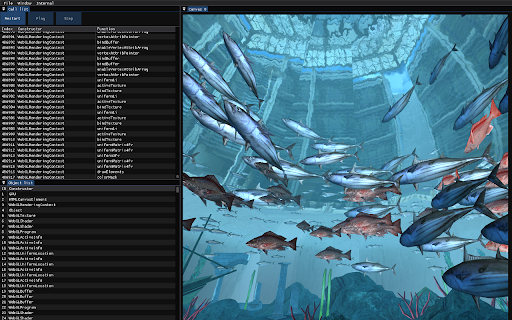
Records trace files for debugging WebGL, WebGPU, and HTML Canvas 2D rendering. Click the extension icon to start recording a trace of the current page, then click again to save the trace file.

Coconutool
Chrome and DevTools extension for debugging Cocos Creator V3 games. Chrome devtool for debugging games that made by Cocos Creator V3. You can do several things below: 1. Inspect game internal node and modify properties of it. 2. Modify internal components just like that in IDE. 3. Modify CUSTOM COMPONENTS just like that in IDE. This may help you adjusting configs without switching between Chrome & IDE, and no need to rerun the game time after time. 4. Change node's display index with drag&drop.

PixiJS DevTools
DevTools for PixiJS The official Chrome devtools extension for debugging PixiJS Applications

Phaser Debugger
Debug tool for Phaser 3 Game debugging extension based on the Phaser 3 game engine. After running the extension on the page, you will see a "Debug" button, clicking on which will display the control panel. You can edit the parameters of the elements right during the execution of the game. Position, scale, textures, animations and more. The extension was created to help developers while debugging projects.

JavaScript Profiler
Features: - Analyze JavaScript execution, in real-time, 24x7 - Correlate JavaScript calls with Application Back-end Code (e.g Java, C#, Python, Php, etc), Database SQL, Integration, etc - All the above metrics can viewed on Germain UX dashboard (onPremise or cloud instance: https://germainux.com/cloud-login) - Automate Task (Alert, Data Update, Service Restart, Reporting, etc) - For all your users or a targeted user Benefits: - Identify whether a User Experience issue is caused by slow or failing JavaScript, browser, network, infrastructure, application, database, and deep dive within the code (JS or backend), in real-time, 24x7
