
bklnjbfcmglhiaoppcckdodanccbelcg


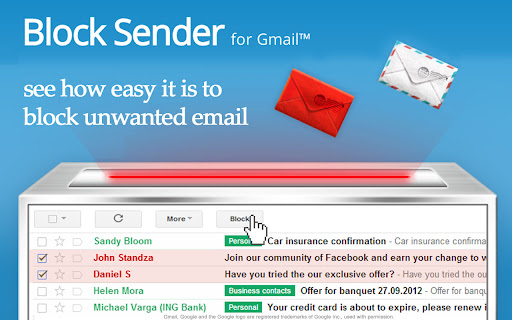
Block annoying emails in Gmail™. Say goodbye to unwanted newsletters, individuals, and other uninvited email senders. "Gmail does an excellent job of blocking spam, but sometimes you just want to go the extra mile and prevent some mail from ever reaching your account." - Lifehacker "If you’re looking to block unwanted emails, particularly from certain senders who send you unsolicited messages, an extension for Google Chrome called Block Sender is a great solution." - Make Tech Easier "Makes this process very easy and will prevent you from getting inundated with pointless emails" - Business Insider Do you get annoying email? With Block Sender for Gmail™, you can block any email permanently in one click and automatically send a fake error message back to the sender. No more complicated filters to setup. Works for email addresses, domains, subject line, keywords, and even IP addresses. Block anyone. Try a few blocks for free or upgrade to get advanced features like bounce back messages. POPULAR USES: - Block someone from harassing you with unwanted email. Send them a fake "This email address is incorrect" error message. - Block any newsletter you didn't subscribe for and never see it again. - Social networks or shopping sites sending you email you don't want to read? Block it in one click. FEATURES: - Adds a "Block" button compatible with your Gmail account. When you get a message you don't want, block the sender permanently. - Automatically create a fake "This email address doesn't exist" error message to appear in the other person's inbox. - Optionally send a "You were blocked" email when a blocked user contacts you - Create advanced blocks not natively supported by Gmail, like blocking via headers. - Anonymous: Blocked senders won't know that the messages they send you goes to your trash immediately, unless you want them to know. - Flexible: Edit or remove accidental blocks. - Freedom: Set your blocks to trash messages, permanently delete them, or have them skip the inbox and be archived. - Advanced Filtering: Block sub-domains, subjects, or even IP addresses when you upgrade. - Insightful: Flag future messages from the same domain. AND MANY MORE USES: - Getting a lot of notification messages from Facebook, Twitter, or social media services you signed up for? Block them all. - Set up simple filters without having to worry about the cumbersome options. - Fake your email death for those people you really don't want to talk to. Ever. Again. - Relationship ended horribly? Never see another message from your ex again. - Can't block a particular address? Flag all messages from certain domain names or even top-level domains like ".net". WORKS WITH: - Gmail™ - Google Apps™ PLANS & PRICING: Block Sender has a free plan and pro plans with higher usage limits. It is free to use Block Sender up to a limited number of blocking rules, but unlimited emails can be blocked. Upgrade to our monthly or yearly pro plans to enjoy premium features and 1000s of blocks. More information at: https://blocksender.io/ CHANGE LOG: v5.X Migrated to Manifest V3 extension type. v4.5.X Support Gmail's new UI / security features and improved error handling. v4.2.X Fixed bugs, improved block management, improved canned response support, and support for new Gmail UI. v4.0.X Better account support, email linking, and block management. v2.5 New languages supported and new fake email block features. v2.3 New menus for increasing the free block plan for new users. Bug fixes and improvements with automatic error email message. New languages supported. v2.2 New filters for upgraded users. Reorganized options page. Upgraded one-time free blocks to monthly free blocks for users who only block a few messages every month. v2.1 Added additional tutorial help options. Bug fixing for Gmail™ changes. v2.0 Updated UI and improved the extension architecture. Huge refresh with buttons and options page. Brand new clean design and multiple options for blocking subjects, email, or domains. v1.5 Fixed bugs with automatic archiving and blocking. Updated UI and parts of the extension for new Gmail™ changes plus recent blocks. v1.1 Added automatic message archiving, undo, and error messages plus additional blocking features. Gmail and Google Apps are trademarks of Google Inc. Use of these trademarks are subject to Google Permissions. Block Sender is not affiliated with Google or Gmail.

Trocker
This extension is an email Tracker Blocker, hence the name: Trocker! Tracking your emails to know if the receiver has opened them or not is awesome, so is being immune to it! Trocker gives you the latter! It blocks attempts by email trackers and won't let them track what you do with the emails you receive. You will be amazed to see how many of the emails you receive have trackers in them! If you have any issues with Trocker, email us at trockerapp@gmail.com or report the issue on GitHub (https://github.com/trockerapp/trocker/issues). Thanks for reporting issues. Given that Trocker needs to react to any breaking changes in webmails, we may not know about new issues unless you report them. Also, please consider giving us a chance to fix the issues before leaving a bad rating/review. And follow us on twitter: https://twitter.com/trockerapp More information: You can trust Trocker! Trocker runs locally on your machine and does not send or receive any information from the Internet. It needs permission to all tabs in order to be able to detect and prevent any tracking images or tracked links from being loaded from any of the tabs. But it makes absolutely no outbound Internet access and we neither gather nor use any data about you or your browsing behavior. Trocker is also open source with the source code available at https://github.com/trockerapp/trocker and we encourage everyone to check it out from there or from Chrome Dev tools to confirm that there are no suspicious activities being done. Trocker keeps you safe in all webmails by blocking known trackers in the background. It has additional capabilities in supported webmails (currently Gmail™, Yahoo! and Outlook.com). In these webmails, it exposes the trackers visually and has a heuristic tracker detection that detects and blocks almost any email tracking attempt, even from not well-known trackers! Technical details: Some email trackers track emails by injecting an invisible small image in the mail that is hosted in a specific address in their server. They know when the email is opened by looking at the download requests of the injected images on their servers. Trocker (as a lovely Tracker Blocker) stops this by simply blocking those image links from being loaded. It finds those injected images by looking at the url and matching the url pattern with the tracking servers that host injected images. If you yourself are a user of these tracking services (you track emails you send others), your service wouldn't be affected and will work fine. Trocker would only defend you from OTHERS tracking you. Moreover, some links are click tracked meaning that if you click on them, your clicks are logged and tracked. Trocker tries to bypass those links and redirect you directly to the original target without you being tracked. If not possible, Trocker will inform you that the link you've clicked on is tracked. No one will be able to know when and if you open their emails, or click on their links if you enable Trocker. In supported webmails (Gmail, Yahoo and Outlook.com), Trocker has a heuristic tracker detection that will detect and block almost any tracker, even if it is unknown. This works based on the fact that very tiny images are almost always trackers. After all, if they want you to see the image, they will make it bigger than 1x1 pixel! Change log: 3.4.0: - Removed the vestigial 'tabs' permission from Manifest V2. - Refined the options page to only prompt for permissions when necessary. 3.1.1: - Added support for Yahoo's new image proxy format and DOM design. - Fixed a bug that caused image flickering in compose windows in Yahoo mail on Firefox. - Adds more known trackers to universal block list. 3.3.0: - Improved permission check: Checks for required permissions on startup and guides you to the settings page if they are missing. Important for Firefox since Firefox does not automatically grant permissions or warn the user about missing permissions. 3.2.0: - Fixes the new bug in Firefox where tracked link forwarding would cause an infinite loop. 3.1.0: - Adds Manifest V3 support for Firefox bringing it to parity with Chrome. - Fixes console errors and improved stability. 3.0.3: - Fixes bug in the relevant Trocker setting being able to control the count down time in the tracked link bypasser. 3.0.1: - Fixed bug with service worker not starting at all. 3.0.0: - This release makes Trocker compatible with the newly mandated Manifest V3, which required significant rewriting of all blocking/redirecting features since the API we used before (webRequestBlocking) to block tracking images/links before they loaded is no longer available for extensions to use. - In the new Manifest V3, with the declarativeNetRequest API, we are only allowed to block images/urls that match pre-specified domains. - This means that we can only block listed trackers and all trackers in webmails that use proxies to load all images. Only Gmail and Yahoo mail consistently load images via proxy urls, so we can block all proxied images from these webmails unless they are proved safe and whitelisted. - For Outlook, unfortunately images are not loaded with a proxy (at least not consistently as of June 2024), so in Outlook, Trocker will only be able to (i) expose all tracked emails, (ii) block tracked emails that use pre-known tracking services. Blocking unknown trackers in Outlook is the only functionality from the previous versions of Trocker that we could not implement in the new version. 🎉 - Background page has been replaced with a service-worker page as required by Manifest V3. - Tracked emails are now marked with a red envelope if Trocker was only able to expose the trackers but was not able to block them (e.g. in Outlook). - A blue envelope means that Trocker both exposed and blocked the trackers in the email. - Show live blocked/exposed statistics in the settings page. - Various other visual updates in the settings and change log pages. 2.7.0: - Improves handling of drafts, print previous, quotes, and general stability in YMail, Outlook and Gmail. - Adds visual debugging tools for webmails. - Adds info on options for supporting Trocker. 2.6.27: - Improves handling of drafts and general stability in YMail. 2.6.26: - Improves handling of changes in email content. - Adds support for new Gmail proxy url. - Fixes Outlook attachment preview blocking issue that only affected Firefox. 2.6.23: - Adds support for new Outlook design updates. 2.6.21: - Adds support for new Outlook design updates. 2.6.16: - Adapts to new under the hood changes in Outlook. - Adds more known trackers to block list. 2.6.15: - Fixes Yahoo/Outlook bug in the new heuristic. - Adds graceful handling of lost connection to extension context after updates. 2.6.14: - Adds heuristic detection of tracking images based on patterns in the url. 2.6.12: - Fixes handling of attachments in Outlook. - Improves logs for easier debugging. 2.6.11: - Improves handling of webmails that load images gradually (e.g. Outlook). - Adds Trocker version to options and logs. 2.6.10: - Adds support for classic Yahoo mail. 2.6.9: - Fixes interference with Gmail's signature switch. 2.6.7: - Fixes new issue with Gmail sidebar that blocked some extension icons. 2.6.5: - Fixes new issue that blocked some Outlook UI images. - Adds blocking for additional known trackers. - Improves heuristic detection of trackers. 2.6.3: - Improves detection of hidden tracking images. - Adds the option to change tracked link bypass timeout. 2.6.2: - Adds support for the outlook.office.com url for Outlook. 2.6.1: - Adds support for the updated outlook.com and office365. 2.6.0: - Improves mail.yahoo.com support. - Blocks additional trackers. - Improves the options page. 2.5.2: - Makes non-essential permissions optional (for more info see the Trocker options). - Improves outlook.com support. - Improves the options page. 2.4.3: - Adds support for outlook.office365.com. 2.4.2: - Adds support for the new outlook.com. 2.4.1: - Adds Manifest V3 support for Firefox bringing it to parity with Chrome. 2.3.7: - Improves tests. Adds link to test page from advanced options. 2.3.5: - Fixes broken inline image bug in Gmail. - Fixes compose window bug that rechecked for trackers even if draft had not changed. - Fixes compose bug that blocked contact images in Inbox. - Blocks additional click trackers. 2.3.4: - Fixes bug that blocked contact images in Inbox. - Add workaround for Gmail's email auto-refresh for unread messages that could lead to breaking images. 2.3.2: - Fixes bug that could block Google images outside Gmail if they used the same proxy url as Gmail. 2.3.0: - Adds the option to allow tracking temporarily for a specific email, i.e. sending read receipts. - Adds support for more known email tracking systems. - Adapts to changes in outlook.com. - Adds preliminary support for new outlook.com beta. 2.2.1: - bugfix for outlook.com. 2.2.0: - Added support for the redesigned outlook.com. 2.1.1: - Better handling of "view entire message" in Gmail and "view full email" in Inbox. - Improvements in heuristic tracker detection. 2.1.0: - Added support for Google Inbox and Microsoft Outlook. Heuristic tracker detection and showing number of trackers in each email now works in Google's Inbox and Microsoft's Outlook.com in addition to Gmail. - Block even more trackers everywhere (now iOS MailTracker in addition to others) 2.0.1: - Block even more trackers (now Bananatag and Mixmax in addition to others) - Improvements in click tracker blocking in Gmail - Bug fix in link tracking prevention - Twitter link added to the options page (Follow @trockerapp) 2.0.0: - Special Gmail treatment. In Gmail, an icon is shown on top of each email that is found to have a tracker in it. - Context aware in Gmail; won't expose trackers in print view or compose windows. - Heuristic tracker detection. Now any tiny image that looks like a tracker is blocked in Gmail. - New advanced options for those who want to swim deeper! - Block even more trackers (now 7 major ones). 1.2.0: - Blocking more Trackers! - Trocker now also bypasses tracked links (links that inform the sender when you click on them) as well as tracked emails (emails that inform the sender when you open them). - All new click tracker bypasser page - Exposing link trackers by adding a "T" to the mouse pointer - Support Outlook.com's image proxy - Improvement in exposing open trackers (specially in compose window). - Improved options page. 1.1.1: - Don't open changelog on small updates - Bugfix for new installations. 1.0.6: - Extension's name was changed to Trocker in order to avoid similarities with trademarked names. - Updated look and feel of the app. - Icon only shows the number of trackers found on the current tab. - New options page (for chrome v42 and later) 1.0.5: - Exposing Trackers is disabled by default. You can enable it from the options page if you like! - Updated Icon for disabled extension. 1.0.3: - The extension can now make tracking images visible. You can disable this feature in the options page.

Simple Gmail Notes
- Store Notes in YOUR OWN Google Drive - 100% Free and Open Source - Show Note Abstracts in Email Summary Page - Support Chrome, Firefox, Edge and Safari (with notes synced) - Would NOT Modify Your Emails ** About Advertisements ** For free users, advertisements will occasionally show up in the sidebar of email pages. The advertisements will be displayed for a total of 3 times every 5 days. It's always a fixed advertisement for our internal product, without any tracking. Subscribers could remove the advertisements. ** Paid Features ** - Customer support within 1 business day - Hide logo - Autohide text area when the note is empty - Settings import and export - Set up custom Google Drive folder name - Remove advertisements (https://bart.solutions/simple-gmail-notes-support-package/) ** How to View the Notes in Mobile Devices (Android, iPhone and iPad) ** Please use Simple Mobile CRM for viewing notes in mobile devices. (https://www.simplemobilecrm.com/) ** About Edge Browser ** Some Edge users have reported crash on login. If you have experienced the same, please install the extension in Edge Addons Store instead. == 2.9.24.6 (2026-04-24) == - Boosted performance with faster note loading. - Fixed an issue with the sidebar banner display. == 2.9.23.9 (2026-04-02) == - Updated token logic based on new Google policy - Free users can create up to 50 new notes every month. - Subscribers can create unlimited new notes with no monthly cap. - Learn More: https://bart.solutions/simple-gmail-notes-about-max-notes-limit == 2.9.22.8 (2026-02-26) == - Urgent fix for login error - You can now filter your notes by color on the search results page (Subscriber option) - Misc issue fixes == 2.9.21.9 (2026-01-27) == - Bug fix for note background color - The latest team notes and comments are now visible in Gmail list note abstract (requires CRM team setup) == 2.9.20.1 (2025-12-23) == - Bug fix for abstract display - Update toolbar layout == 2.9.19.0 (2025-11-07) == - Urgent fix for users with Gmail conversation mode turned off == 2.9.18.12 (2025-10-25) == - Added a 'Review Subscription' link to the subscription section of the preferences page. - Faster abstract display == 2.9.17.0 (2025-09-29) == - Fixed the issue of recurring installation popups for some browsers - Added a subscriber option to prevent the new tab from showing during the SGN upgrade == 2.9.15.5 (2025-09-01) == - Added a subscriber option to make the SGN note area sticky (fixed in position) - Fixed misc issues == 2.9.13.5 (2025-08-03) == - Update subscription activation screen == 2.9.12.5 (2025-06-27) == - Issue fix and performance update == 2.9.10.8 (2025-04-07) == - Fixed issues with rich text encoding - Fixed issues with subscription verification - Show CRM attachment preview in abstract tooltip == 2.9.9.9 (2025-02-16) == - Further optimization - CRM team members can see the notes of each other in the email list page (need permission setup) == 2.9.6.19 (2024-11-18) == - Enhance abstracts display - Mouse over abstract to see full note and CRM comments == 2.9.5.7 (2024-10-01) == - Fix abstract note color and misc issues == 2.9.3.1 (2024-07-21) == - Fix issues related to note writing in Gmail with preview pane == 2.9.2.7 (2024-07-10) == - If the note contains Google Drive shared URL, a preview will be shown - Auto save as user types == 2.9.0.1 (2024-5-1) == - Migrate to web extension manifest v3 (https://developer.chrome.com/blog/resuming-the-transition-to-mv3) == 2.8.30.1 (2024-4-16) == - Misc bugs fixed - Warning: next version will upgrade to manifest v3, users are advised to store the preferences first (via screen capture or option feature) == 2.8.27.1 (2024-2-17) == - Fixed issue with delegated Gmail account == 2.8.25.3 (2023-12-19) == - Added CRM prompt under SGN text area - Users can show / hide CRM prompt in SGN preferences page - Users can show / hide CRM sidebar in SGN preferences page - Misc bug fixes == 2.8.24.1 (2023-11-11) == - Fix issue of SGN display for Gmail with note position of 'bottom' == 2.8.24.0 (2023-10-31) == - Fix issue of SGN display for Gmail with split pane enabled == 2.8.23.2 (2023-09-30) == - Supports automatic polling of SGN notes in CRM mobile app - Supports delegated Gmail user with CRM - Fixed misc bugs of SGN == 2.8.22.0 (2023-08-03) == - Fix issue for delegated Gmail user == 2.8.20.2 (2023-04-27) == - Add option in preferences page to strip HTML (useful when revert from richtext editor) - Share to CRM uses long abstract now == 2.8.19.1 (2023-04-05) == - Updated checking of CRM availability - New option in preferences page to disable CRM == 2.8.17.1 (2023-01-02) == - fix issue of note time display - Search result screen shows links now == 2.8.16.2 (2022-11-19) == - Further patch for Google Drive API issue - Fix problem of note deletion == 2.8.12.2 (2022-10-13) == - Urgent fix for Gmail UI change == 2.8.11.0 == - Added extra log for query error checking == 2.8.9.0 == - Fix issues that some users could not load the extension == 2.8.8.1 == - Fix issues related to note printing - Upgrade dependent libraries for better security == 2.8.5.2 == - Show more search results - Allow auto load of note template (subscriber option) - Fix issues of subscription checking (some subscribers may need to re-activate subscription in the preferences page) == 2.8.4.5 == - Show search button at the home page (can disable in preferences page) - Custom font color for each note (subscriber option) - Fix minor issues == 2.8.0.5 (2021-08-09) == - Support import and export of settings (subscriber option) == 2.7.6.1 (2021-07-11) == - Reduce required permissions - Fix login issue on edge - Added option for always using popup for login == 2.7.5.11 (2021-04-30) == - Faster note appearance in auto hide mode - Responsive width for sidebar display (user could manually select in options) - Fixed issues related to note deletion - Increased max note font size to 32px == 2.7.4.3 (2021-03-29) == - Added option of auto-hide text area for empty notes (subscriber only) - Added option to set up font size for printing - Fixed issue of text area auto-collapse == 2.7.0.3 (2021-01-09) == - Release a more stable version for Gmail UI adaption == 2.6.0.1 (2020-10-15) == - Enhancement for SGN stability - Update CRM opener location (after logged into CRM) == 2.5.2.4 (2020-08-05) == - Fixed alternate login URL for Chrome and Firefox - Added customer portal URL for subscription review in preferences page == 2.5.1.0 (2020-07-14) == - Added 'bold' option for notes - Added option to disable warning of '40 network requrests' == 2.5.0.0 (2020-06-17) == - Added multiple comments for emails (need CRM login) == 2.2.2.2 (2020-02-12) == - Fix issue for page with preview pane (Gmail UI change) == 2.2.1.14 (2019-11-28) == - Fix for Gmail UI change (for delegated email) == 2.2.1.13 (2019-11-27) == - Fix for Gmail UI change == 2.2.1.12 == - Urgent fix for 40 network requests error == 2.2.0.9 == - Urgent fix for Gmail UI change (again) - Shrink CRM Permission == 2.1.4.3 == - Urgent fix for Gmail UI change == 2.0.1.3 == - Fix Goolge Inbox related bug - Can show CRM project detail on Gmail desktop page == 2.0.0.11 == - Integration with Simple Mobile CRM (sync notes with mobile devices) == 1.2.1.0 == - Better Note Search Page - Memory Optimization - Misc Bug Fixes == 1.0.0.8 == - fixed problem with Google Inbox == 0.9.1 == - Bug fix for abstract display of search result == 0.9.0.4 == - Bug fix for abstract display of emails with special characters == 0.9.0 == - Able to set color to individual notes - Increased max height for textarea - User could select the Google Drive to connect during each login - Fixed bugs regarding to split view

Privacy Manager
Manage privacy settings, browsing data deletion, quickly access page in incognito mode, manage cookies and monitor network traffic Privacy Manager is completely free and open source chrome extension for data transparency and control. Privacy Manager can help you with: * Privacy Management * Cookie Management * Browsing data deletion on browser start * Network monitoring Privacy Management - Extension provides ability to manage current privacy settings (Enable/Disable): * Blocks third-party sites from setting cookies. * Hyperlink auditing management. * Manage whether chrome must allow sending referrer headers with requests. * Show alternate error pages or not. * Automatically fill in forms settings management. * Enable or disable 'OK, Google' to start a voice search * Enable or disable password saving * Enable safe browsing in case if the option is disabled by another extension (if safe - --- - browsing is enabled Chrome does its best to protect you from phishing and malware). * Enable or disable safe browsing reporting * Search suggestion management. * Enable or disable correct spelling service. * Translate service switch. * Network prediction management. * Web RTC IP handling Cookie Management - is a tool for managing cookies (to use the tool you need to allow optional host permissions inside of the extension): * View cookies attached to domains * Filter cookies by domain * Add/create cookie * Modify cookie * Delete single cookie * Delete cookies from specific domain * Delete All cookies Network monitoring - User also can manage network traffic in popup window - collect http headers and also block user agent data to be sent via request, to use that feature you need to allow optional host permissions. Github: https://github.com/Privacy-Managers/Privacy-Manager Releases: https://github.com/Privacy-Managers/Privacy-Manager/releases Issues and feature requests: https://github.com/Privacy-Managers/Privacy-Manager#reporting-bugs-suggestions-and-questions Help me translate: https://github.com/Privacy-Managers/Privacy-Manager#translations

ActiveInbox: Organize Gmail™ tasks
Overwhelmed by too many to-dos in your inbox? Turn Gmail into an effortless task manager to never forget anything. Turn Gmail into a task manager, and take control of all your conversations. Our mission is simple really... we want to give all of us the tools to achieve meaningful happiness. Our business supports this by making elegant software, infused with proven psychology, to help us all absorb the shocks of life and become truly effective. DESIGNED FOR EXECS, MANAGERS & FOUNDERS ActiveInbox has a free trial to get a taster of being in control. It's "A 'must try' if you want to easily keep yourself on track in an undoubtedly busy world" - Richard Gaspar ActiveInbox works where you already do: in Gmail and on mobile. There's no need to adopt a new tool to accomplish... Stop emails sinking into the inbox swamp by turning them into tasks with due dates and adding them to projects. Don't 'send and pray' emails you spent precious time writing. Deliver at the time they'll be read and let ActiveInbox track them to completion. Achieve inbox zero, then glide through your day, by having just one place to focus on emails and tasks, and breaking your Today list into digestible chunks. Oh, and we're the original Gmail plugin - ActiveInbox has been supporting customers since 2006.
