
bkdgdianpkfahpkmphgehigalpighjck
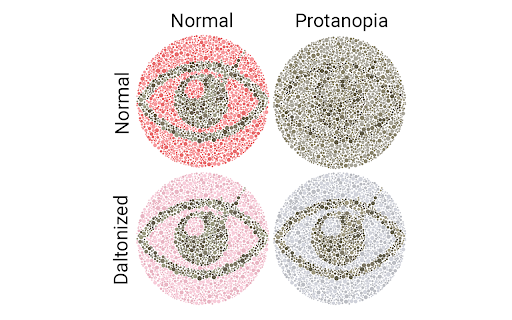
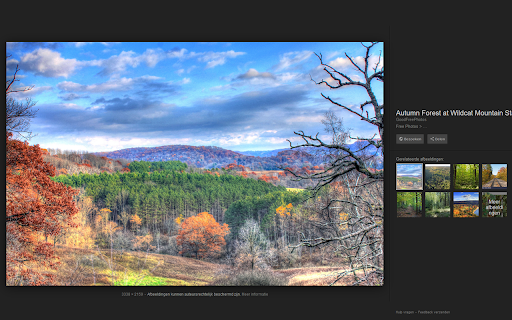
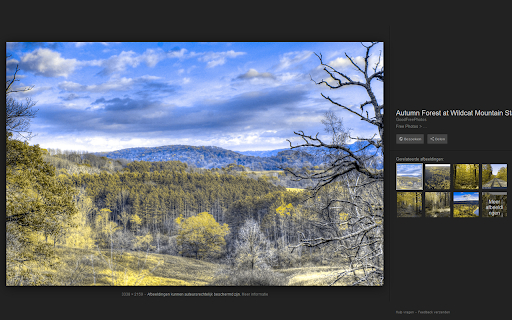
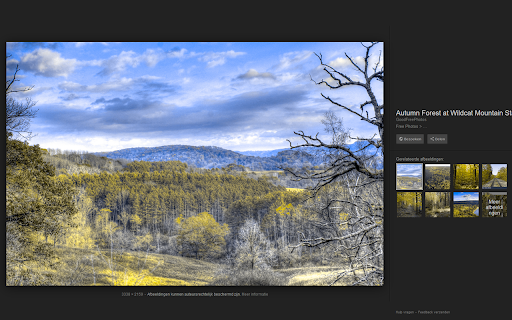
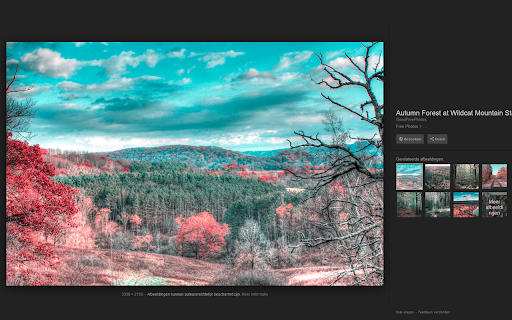
Simulates information a color blind person receives and/or adds a daltonization filter Color vision is unfortunately not granted to everyone. Approximately 10% are affected by a reduction in their ability to perceive colors. Let's get color blind tries to raise awareness by letting you simulate colorblindness. Such that you can easily experience the information a color blind person receives. Such that you can learn about colorblindness, check your web pages for accessibility or explain your condition to others. It is even possible to change the severity of the simulated condition. Additionally a daltonization filter can be used to improve the information received by those who are subjected to colorblindness. Results may vary depending on the severeness of each individuals personal condition. The color deviciency simulation is based on Gustavo M. Machado, Manuel M. Oliveira, and Leandro A. F. Fernandes "A Physiologically-based Model for Simulation of Color Vision Deficiency". IEEE Transactions on Visualization and Computer Graphics. Volume 15 (2009), Number 6, November/December 2009. pp. 1291-1298.

WAVE Evaluation Tool
Evaluate web accessibility within your browser. WAVE is a web accessibility evaluation tool developed by WebAIM.org. It provides visual feedback about the accessibility of your web content by injecting icons and indicators into your page. No automated tool can tell you if your page is accessible, but WAVE facilitates human evaluation and educates about accessibility issues. All analysis is done entirely within the Chrome browser allowing secure valuation of intranet, local, password protected, and other sensitive web pages. To run a WAVE report, simply click on the WAVE icon to the right of your browser address bar, or select "WAVE this page" from the context menu. WAVE errors align with WCAG 2.2 failures. The WAVE interface facilitates human evaluation of many other aspects of accessibility and Web Content Accessibility Guidelines, ADA, and Section 508 compliance. Version 3.3.1.0 (May 2026) - Various bug fixes and performance enhancements. Update AIM score to align with 2026 WebAIM Million. Version 3.3.0.4 (December 2025) - Bug fix for scripting exception with some pages with small text. Minor interface improvements. Version 3.3.0.3 (November 2025) provides performance, interface, and testing improvements. Improved support for ARIA headings and prefers-reduced-motion user settings. Version 3.3.0.0 (October 2025) adds numerous new features, enhancements, and bug fixes. Resetting the extension no longer refreshes the page, thus supporting better testing of dynamic content. The Summary and Details panel are now combined. The AIM Score is presented. Viewing the Order, Structure, or Contrast tabs now filters to only relevant page icons. The WAVE sidebar can now be collapsed out of view. Version 3.2.7.2 (September 2024) fixes a bug that disallowed checking of local files and suppresses errors in some cases where role="presentation" is present. Version 3.2.7.0 (August 2024) adds compatibility with Manifest v3. Inputs with aria-disabled=true are no longer considered for contrast checking. Version 3.2.6.0 (August 2024) adds support for contrast checking when foreground alpha/opacity is defined. The Contrast sidebar tools are updated to support foreground alpha. Also numerous minor bug fixes and improvements. Version 3.2.5.3 (February 2024) fixes numerous minor bugs and adds testing refinements. Some hidden inputs are no longer incorrectly flagged as not labeled. Version 3.2.4.4 (October 2023) fixes a few minor bugs with testing hidden content and with the sidebar contrast tools. Version 3.2.3.9 (June 2023) removes the warning message on UserWay pages due to them removing code that changes page content when the WAVE extension is activated. Version 3.2.3.8 (June 2023) includes numerous accessibility test enhancements, several minor bug fixes, and simplification of the contrast checking tools. Users are informed that WAVE results may be manipulated on pages that utilize UserWay or accessiBe overlays. Version 3.2.3 (March 2023) includes several minor bug fixes. A previous update to test for contrast errors in hidden elements has been reverted. While this was useful for finding contrast errors in drop-down menus, tab panels, dialog windows, etc., identification of errors in hidden elements caused user confusion and, in some rare cases, false positives. Version 3.2 (December 2022) includes over 100 bug fixes and performance enhancements. The extension no longer utilizes jQuery, resulting in faster testing and better compatibility with a variety of pages. A new Navigation Order panel is available that shows the navigation order, element roles, and accessible names (what is read by a screen reader) for all navigable elements. Version 3.1.6 (October 2021) includes numerous bug fixes and test rule enhancements for better testing contrast (filters, background images, and other complex color definitions are better handled), document language (IANA-defined language values are now tested), empty links and buttons (better ARIA support for accessible name computations), broken ARIA references, etc., etc. Performance and accessibility has been improved. Version 3.1.3 (November 2020) includes performance enhancements and fixes several minor bugs, including fixes for multiple alerts for some pseudo-lists and disabled controls being incorrectly flagged for contrast failures. Version 3.1.2 (October 2020) fixes several minor bugs, including with the Structure tab sometimes incorrectly showing no structure, and improves performance and accessibility testing reliability. Version 3.1 (September 2020) includes new accessibility tests (region, figure, possible list, select element missing label, and image with title), improved contrast checking, expanded lang attribute value checking, and numerous other bug fixes and improvements. Version 3.0.9 (July 2020) includes numerous bug fixes, improved accessibility, and improved color contrast checking including fewer false positives and expanded contrast checking for form inputs.

WCAG Color contrast checker
To check the color contrast between foreground and background of the texts It checks the color contrast between the foreground and background of the elements that are in the page according to the WCAG 2.2. It evaluates the contrast on all elements of the page considering their computed style for the color and background-color CSS properties. In case of these colors are defined with RGBA values, it also considers the opacity to deduce the real color that finally is show. It can simulate color blindness and evaluate the contrast for the simulations. By this way, developers can see how the pages look for colorblind users. The tool also includes two fields in which the colors can be introduced manually to be tested. It also allows to pick the color directly from the documents. Finally, it auto-refreshes when DOM of the page changes (addition or removing elements), but if the page has many changes, this behavior can be de-activated.

Funkify - Disability Simulator
Experience the web through different abilities. Simulate vision, motor, cognitive and reading impairments. Over 1 billion people worldwide live with a disability. Funkify lets you experience the web the way they do — directly in your browser. No setup, no dev tools. Just real understanding. 👁 Vision — blur, color blindness, contrast reduction, tunnel vision, macular degeneration, and more Built-in analysis tools: Automated accessibility scanning (WCAG 2.0/2.1/2.2) and readability analysis — catch issues before your users do. Personas: Combine multiple simulators into realistic profiles that reflect real-world scenarios — like browsing the web as an elderly user with reduced vision and motor challenges. Who is Funkify for? • Developers and QA testers validating accessibility • UX/UI designers building empathy for diverse users • Web editors and communicators checking readability • Educators and schools teaching digital accessibility • Government agencies and public sector organizations • Accessibility consultants and trainers • Anyone who wants to spread awareness about web accessibility Why Funkify? ✓ Runs directly in your browser — no setup required ✓ Works on any website ✓ Team licenses with seat management for organizations ✓ Available on Chrome, Edge, Firefox, and Opera Accessibility isn't a checklist — it's understanding. Funkify helps you build that understanding.

Accessibility Insights for Web
Accessibility Insights for Web helps developers quickly find and fix accessibility issues. The default keyboard shortcut to launch Accessibility Insights for Web is [Ctrl+Shift+K]. If that doesn't work, follow these instructions: 1. Select Shift+Alt+T to move focus to the Chrome address bar 2. Select the Left arrow key to move focus to the Accessibility Insights for Web extension. 3. Select the Space key to open the extension.
