
bhmmomiinigofkjcapegjjndpbikblnp

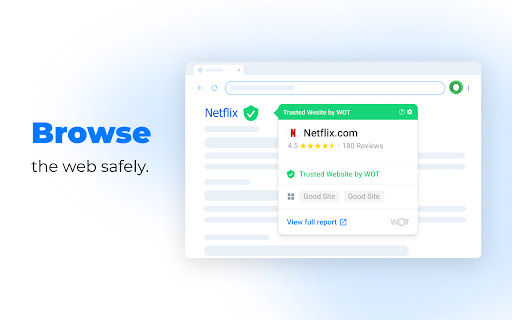
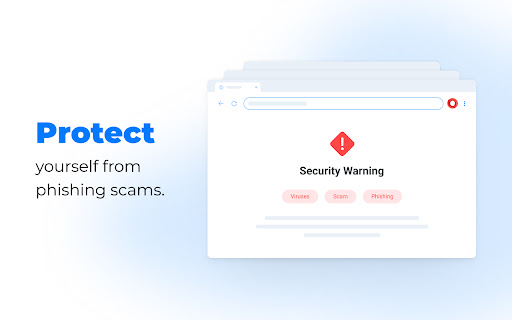


Stay safe online with WOT, the ultimate website security and safety check extension Check website security easily with the WOT Chrome Extension. Just like how we take steps to protect ourselves in the physical world, it's important to protect ourselves in the digital world as well. This is why we’ve developed features such as our website safety checker, anti-phishing alerts, identity theft protection, and more. Block malicious sites with the click of a button. WOT is the #1 solution for website security, website safety, and online safety. 🌐 Website Safety Checker Get alerted if a website you’re about to visit is harmful or suspicious with our website safety and website security checker. See real-time website safety ratings on any site. 🎣 Anti-Phishing Get instant protection against phishing attacks. Receive warnings if you get an email that contains suspicious or harmful links. 💻 Data Breach Monitoring See if any of your passwords have been leaked so you can update your login credentials before your other accounts are impacted 🔞 Adult Content Protection Block adult content from appearing on your device(s) 💳 Safe Shopping Secure online shopping with WOT. Instantly be alerted if the website you are shopping on is not secure or not safe. With our dashboard, you’ll be able to increase your website security by: ★ Seeing in real time harmful sites that were blocked ★ Knowing the number of suspicious emails you’ve received ★ Instantly knowing if your personal information was leaked. Have you ever wondered how to check if a website is safe? How to do a safe search? Our community of over 2 million people has your back. Download WOT the website safety check extension for Chrome to feel secure and protected while you search, shop, and surf the web 🏄♂️. The WOT Community is unlike any other. We are powered by a global community of 2M+ happy and safe customers. Enjoy community features like: ★ Requesting a review If you come across a site without a rating, you can ask the community to review it ★ Ratings & Reviews We use smart algorithms and human verification to root out false testimonials We respect your privacy and work very hard to preserve it. To enable real-time protection and allow us to fully understand website reputations, we require the collection of browsing data, as described in our Privacy Policy: We are able to provide our service by accessing the following permissions: tabs, broad hosts, context Menus, web Navigation, web Request, declarative Net Request, scripting, alarms and storage. Ready for website security across all your devices? Download our apps! Android: https://play.google.com/store/apps/details?id=com.wot.security&hl=en_US iPhone: https://apps.apple.com/us/app/wot-mobile-security-protection/id1451498125

IP Domain Country Flag
Shows country flag and other IP / domain information in the location bar. This extension shows a country flag for the current website's server. The tooltip shows city, region and country name. The popup shows more information about the domain. Details are Provider, Alexa and Domain ranking. The design of the popup is simple and clean. To protect your privacy, we only send the domain name to our database. IP Domain Country Flag - Shows country flag and other IP and Domain information in the location bar.

Black Menu for Google™
The easiest access to the Google universe with Gemini AI and sidebar support The easiest access to the Google universe with Gemini AI and Sidebar support. Black Menu for Google gives you quick access to your favorite Google services with a convenient drop-down menu that lets you use Search, Google+, Translate, and many others without leaving the page you’re on. Click on menu items to get a small windowed preview or click on the open in new button on the right to open them in a new tab. Customize the menu by pointing at ‘Add’ and dragging/clicking the services you want from a comprehensive list of services. To remove services, drag them to the right to remove them. Access these and more with Black Menu for Google: Search page. Quickly search the web or switch tabs to search for images, books, news, etc.—all within the mini window. Translate page. Type or paste text into the box to get a quick translation for that comment you received in a foreign language. View your translate history and save your favorite ones. Maps page. Find the next restaurant to try out by using the mini map that has search, Street View, and layers for satellite, traffic, public transport and cycling. YouTube page. Watch popular videos or those recommended to you. Do a search and filter the results to find that one video you wanted to share. Sign in to find useful shortcuts at the bottom. News page. Read top news from your locale or any country you choose. Also browse sections like World, Business, Sci/Tech and Entertainment. Use search to find news about any topic. Gmail. Get a full-featured Gmail inbox to check or send mail from. Reply to colleagues, edit labels, forward emails, or archive them—do almost everything Gmail can do right from the menu. Drive page. Browse folders or search for files in a nice familiar layout. View your documents as a list or see images in a grid view. Click the add button to upload files or make new ones. Calendar page. See your upcoming events summarized in a list. Toggle which calendars you’d like to see from the side drawer or just search for specific events. Keep page. Create lists, reminders, or paste snippets from the web. All your notes are here, including archived ones. Organize and rearrange them as you want. Apps page. Access shortcuts to common (and obscure) Google websites like Contacts, Groups, Art Project, Follow Your World and 1250+ more! Right click the Black Menu icon to send me feedback, suggestions, or to report a problem.

TooManyTabs for Chrome
Manage your tabs, improve your browsing, and maintain your sanity when you have many tabs open. Ever tried having 20 tabs or more open in Chrome? You can’t even see the favicon of the tabs, not to mention the tab titles! If that happens to you, TooManyTabs is a must-have extension that manages your tabs, reduces your tab overflow, and saves your sanity! From the makers of TooManyTabs for Firefox, TMT has come to Chrome to help all your tab needs! Features - NEW in 2.4! Migrate to Manifest v3 - NEW in 2.4! Export/import with file directly - Bird's eye view of all opened tabs - Preview of tab's content [Require Optional Permission] - Instant tab search - Sort tabs by creation time, domain or title - Remember recently closed tabs (within TMT) - Suspend idle tabs and save memory, organize with custom columns - Custom themes Disclaimer - Due to Chrome limitations, extensions cannot restore history from closed tabs. If you need the history from a recently closed tab, you can press Ctrl+Shift+T to reopen them one by one. If you like TooManyTabs, check out our other extensions too! - Incredible StartPage http://goo.gl/he9o - FreshStart Session Manager: http://goo.gl/249h - TabJump: http://goo.gl/r5EY

Privacy Test
Checks whether you have enhanced private data protection and prevents tracking of your on-line activity. Privacy Test formerly known as C&C App is a small but powerful utility for Chrome and Chromium based browsers. Checks Whether You Have Enhanced Private Data Protection and will Help You to Prevent Tracking of Your On-Line Activity. ★ Monitors Safe Browsing state to protect against websites, extensions, and downloads, that are known to be malicious. ★ View and Manage sideloaded Extensions - applications that aren't from an official source, such as the Chrome Web Store and possibly installed without your knowledge. ★ Privacy Test > Open Menu > Automatically scans the current tab's URL for malware and other threats by using Safe Browsing and other solutions. ★ View your IP address and current tab's domain IP address and DNS info. PRIVACY POLICY: https://www.hotcleaner.com/privacy-test-extension-policy.html SUPPORT: https://www.hotcleaner.com/security-and-privacy-software-feedback.html
