
bhkgoagdohmhhljcioaohabohnmnkain


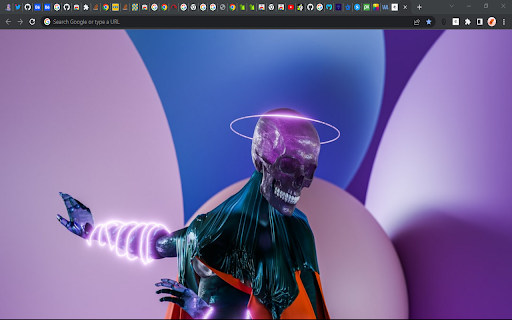
Set 3d background images on your google search page 3d Images is a chrome extension that adds 3dbackground images to every tab you create on chrome by just installing it.

ZenToons - Online video filter
This extension helps prevent overstimulation in children when they are viewing YouTube, Netflix, and other platforms. It's worth noting that intense colors and stimulating visual experiences can impact children's behavior, similar to the effects of drugs on the brain. ZenToons - Online video filter allow for the application of custom filters to online videos, offering a gentler visual experience on popular platforms like YouTube, Netflix, and many others. - Natural Colors: Reduce vibrant colors for a soothing viewing experience. - Low Saturation: Colors less saturated than "natural colors" profile. - Night Mode: Prepare your child for sleep with dimmed and calming colors, while reducing the blue light, which can help promote better sleep. - No Filter: Disable filters when not needed. 1. Install ZenToons - Online video filter from the Chrome Web Store. 2. After installation, click on the extension icon in your browser's toolbar. 3.Pin the filter to the toolbar using the pin icon 4. Select your preferred filter mode from the dropdown menu. Enjoy safer and more child-appropriate video content. The filter may deactivate after refreshing the page or restarting the browser, but this can be advantageous, especially if a child shares the computer with an adult.

3D Video Converter (OU to SBS)
Конвертирует 3D видео из Over/Under в Side-by-Side формат в реальном времени 🎬 3D Video Converter (OU to SBS) Конвертирует 3D видео из Over-Under в Side-by-Side формат в реальном времени с использованием WebGL. ✨ Особенности: - Мгновенная конвертация без загрузки - Правильные пропорции 16:9 для каждого глаза - Асимметричный леттербоксинг - Работает на любых видео сайтах - Простое включение/отключение Идеально для просмотра OU 3D контента на SBS дисплеях!

''Yarn'' on the Node Package Manager
The extension replaces ''npm i'' with ''yarn add'', on the npmjs website The extension changes the Copying Area, on the npmjs website, so by clicking on it - you will copy ''yarn add Package'' After right-clicking on the extension icon, you can: 1. Fast open npmjs site 2. Remove the extension icon 3. Top secret cookie button, but I didn't tell you that, right? The extension contains: 1. Transitions to the NpmJs site from the context menu 2. Additional styles for notifications and area (blue yarn colors) 3. Cookies in the context menu 4. Support Russian and English #yarn #npmjs Replace "npm install" with "yarn add"

PixCleaner
Remove the background from an image using pixcleaner background remover. Remove the background from any image online url, simply… Remove the background from an image using pixcleaner background remover. Remove the background from any image online url, simply past an image URL and click "Remove Background". From there you can download the result directly to your laptop. Note: This extension does not store any information.
