
bhimnoepicmcjfkbmhckamllnibadfal

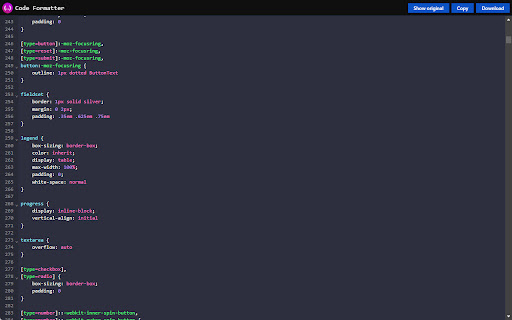
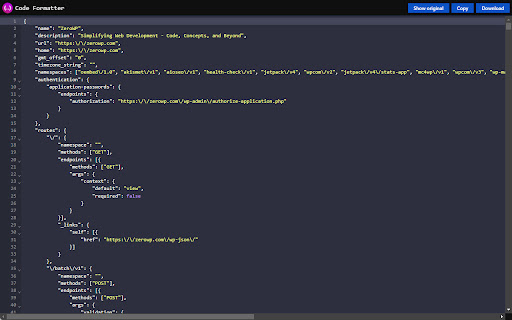
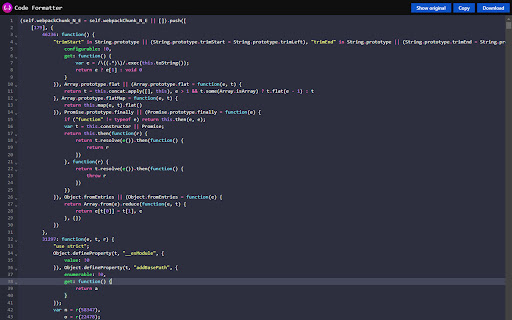
Code Formatter – all-in-one extension offering sophisticated syntax highlighting for CSS, JSON, and JavaScript. A clean, fast code beautifier that makes reading code in your browser effortless. Automatically detects and formats code on any webpage - no configuration needed. Key Features: - Seamless integration in the browser - Smart Detection: Automatically identifies code blocks and process them - Beautiful Formatting: Transforms messy code into properly indented, readable formats - Syntax Highlighting: Makes code structure instantly clear with color coding - Practical Tools: Copy, download, and collapse code sections with one click - Lightweight: Minimal impact on browser performance - Support for local files Language Support: - Web technologies (HTML, CSS, JavaScript) - Popular programming languages - Data formats and markup languages No tracking, no data collection - just better code readability when you need it.

JSON格式化工具
一个JSON格式化工具,方便查看、查找JSON格式数据 1. 支持对结果进行折叠显示 2. 支持主题、字体选择 3. 支持数据统计,能统计文件行数、长度 4. 支持单独打开JSON格式化页面,可以对JSON进行压缩、转义等操作

Code formatter
This extension can format HTML, CSS, Javascript & Json code. This is a Chrome plugin to format or beautify your HTML, CSS, JS and JSON code. This is a plugin; we do not collect or sell data to anyone. this is purely built-in Javascript and runs on your browser we do not host any server and do not have any direct communication with the plugin. Please leave a comment & share this extension with your developer buddies If you like this extension.

S3BucketList
S3BucketList automatically scans network requests made by your browser to detect Amazon S3 bucket URLs In penetration testing, searching for S3 Buckets can be a exhaustive task, which requires you to filter, search, and check for every S3 bucket urls. This extension does all that work for you while you browse the internet. It will instantly notify you, automatically filter buckets, and lists all the permission it was able to extract, even tell you what buckets are unclaimed.

Simply Code Beautify
Beautify your js,css files Introducing "Simply Code Beautify" Chrome Extension Are you tired of dealing with messy and unorganized code while browsing the web? Look no further! Introducing "Simply Code Beautify," a powerful Chrome extension designed to streamline your coding experience. With a range of features and customization options, it's the ultimate tool for web developers and enthusiasts. Automatic Code Detection: "Simply Code Beautify" can automatically identify whether the webpage you're visiting contains CSS or JavaScript code. No need to manually analyze the source code anymore! Code Beautification on Demand: Once the extension detects code, it will prompt you to beautify it with a simple confirmation. Say goodbye to poorly formatted code blocks cluttering your view. Multiple Themes and Customization: We understand that everyone has their preferred coding style. That's why our extension offers a variety of themes and customizable settings, allowing you to tailor your coding environment to your liking. Free and User-Friendly: "Simply Code Beautify" is entirely free to use and easy to navigate. No hidden costs, no complicated instructions – just a seamless coding experience. We Value Your Feedback: We're constantly striving to improve our extension. If you have any feedback, suggestions, or encounter issues, please don't hesitate to reach out to us at httzip@gmail.com. Your input helps us make "Simply Code Beautify" even better! Experience the convenience and efficiency of organized code with "Simply Code Beautify." Download it now from the Chrome Web Store and take your web development journey to the next level. Happy coding!
