
bheeolhnhdnpaoihejafihakdcflaofg


Camera Test. The webcam video is generated locally by your browser and will not be sent to the server. This is a tool for web camera test. It can be used to test your's web camera . It can also be used to check your beauty. You can download your beautiful photos from the tool. The webcam video is generated locally by your browser and will not be sent to the server. So,enjoy it.

Video Camera
To begin capturing a picture from your video, click the capture button in right bottom corner. No ads, spyware and unnecessary permissions - you're just in a one click away from an ideal capture. ### What you can do with VideoCamera ✓ Capturing a photo from a video ✓ Save image to disk as PNG ✓ Copy to clipboard ✓ Print ✓ Edit Image

Rad Camera
Rad is a camera built for enhanced productivity in every virtual meeting, round the clock, across the globe. Simply install the extension on your google chrome profile, select a makeup look that is perfect for the occasion & go live! We have makeup looks ranging from work-wear to date nights, making the extension very inclusive for all events. But wait, why should you install it? It’s simple. You can now spend time on doing things that are critical, pre-meeting & present yourself with utmost confidence. No matter what time of the day your meeting is, 2 pm or 2 am, RAD camera is your new meeting BFF. And trust us, it never disappoints. With RAD, be meeting ready in >3 seconds.

Camera
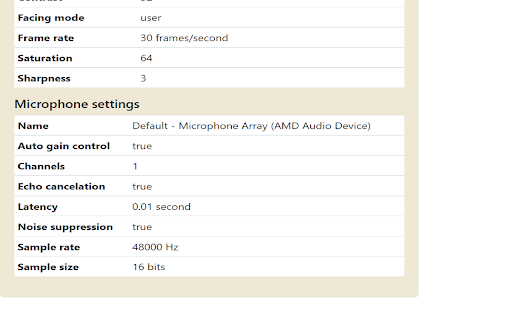
A camera app that allows you to take photos and selfies, record videos and GIF animations from a webcam. This free extension has a full set of features of a camera software. It can work with the built-in camera(s) of your device, or a camera directly connected to it, for example, a webcam. It allows you to control backlight, zoom, focus, frame size; adjust image quality, brightness, sharpness, contrast, saturation, color temperature, frame rate; enable echo cancellation, noise suppression and framing grid; add a timestamp watermark. There are other features as well. The specific set of settings available for your device (camera) depends on its specifications. And if you want to add amazing effects to your video in real time, or put a mask on your face, or change its appearance, you can easily do this by simply going to our web application directly from the extension. In the same way, you can easily edit photos you take, for example, crop them, pass them through different filters, add text, frames, stickers and much more. Note that this extension is cross-platform, meaning it works on any desktop operating system that has a modern web browser installed, be it Windows, macOS, Linux or ChromeOS. The extension does not require an Internet connection to operate. You can take photos and selfies, record videos and GIFs, both online and offline. This extension is available free of charge, provided that it is periodically activated using a key, which you can always get (free of charge) on our website. You can also purchase a premium subscription. If you have any difficulties working with our extension, please let us know via the feedback form (https://mara.photos/help/?id=contact) on our website. When developing this extension, we strive to implement the latest capabilities that modern web technologies provide. But, due to their newness, there is a possibility that in some cases (a specific device, operating system, or web browser) something may not always work as intended. And messages from users will help us quickly make the necessary corrections if such a situation arises.

Camera Pan Tilt Zoom
Control camera pan, tilt, and zoom Control camera pan, tilt, and zoom on any video conferencing website. Keyboard shortcuts: Alt + Z and Alt + Shift + Z to zoom in and out. Source code: https://github.com/GoogleChromeLabs/camera-pan-tilt-zoom-chrome-extension By installing this item, you agree to the Google Terms of Service and Privacy Policy at https://www.google.com/intl/en/policies/.
