
bfnbgoehgplaehdceponclakmhlgjlpd
Playwright extension for DevTools that allows you to export tests directly from the Recorder panel. Records a user session and generates Playwright code for automation and testing purposes. Playwright Recorder Playwright Recorder is a developer tool that records user interaction within a web application and generates Playwright scripts to allow the developer to replicate that particular session. This will speed up your development cycle by facilitating the creation of unit and integration tests. Getting Started Click 'Add to Chrome'. That's it! Once you see our icon at the upper-right of your browser window, you are ready to start generating Playwright scripts. Features This extension will allow you to: * Record clicks, typing, submits, and navigation in the browser. * See the scripts render live as they are generated. * Delete accidental actions. * Reorder actions as necessary. * Pause and resume recording within a single session. * Record navigation within a domain. * Copy the generated code to your clipboard. Usage * Open the extension and click 'Start Recording' to begin recording actions. * Click links, submit forms, etc. * Check your saved actions by opening the popup at any time. * Click 'Stop Recording' to stop recording. From there, you will have the option to resume recording, reset, or copy your generated code to your clipboard. * You can also use keyboard shortcuts: On Macs: - ctrl + R to start and stop recording - ctrl + G to reset On PCs and Linux: - alt + R to start and stop recording - alt + G to reset

Puppeteer IDE
Develop, test and execute puppeteer scripts from browser's developer tools. For more information related to usage, privacy, faqs checkout. :- https://github.com/gajananpp/puppeteer-ide-extension

TestCase Studio - Selenium IDE
TestCase Studio record the user actions performed on a web application in English Sentences. Best alternative for Selenium IDE TestCase Studio is a platform to record and replay the user actions performed on a web application in English Sentences. This recorder plugin also records screenshots. It will also generate the XPath and Automation Code for every user action. User can save or copy these recorded steps as a Test case. Watch this video tutorial to make the best use of TestCase Studio. https://www.youtube.com/watch?v=Gcofn71bJdo New Features: Screen Recording, Customise Command, Record TestCase in any Language and BDD Format Support. Very simple steps to use the tool- 1. Click on the TestCase Studio logo in the tool bar. 2. It will open the TestCase Studio window. 3. Now keep performing your steps, it will automatically write english sentence for every user action. 4. You can download the written steps by clicking on download button. Upgrade to Pro version for more advanced features. Compare the Pro version features here- https://selectorshub.com/testcase-studio-pro/plans/

Cypress Chrome Recorder
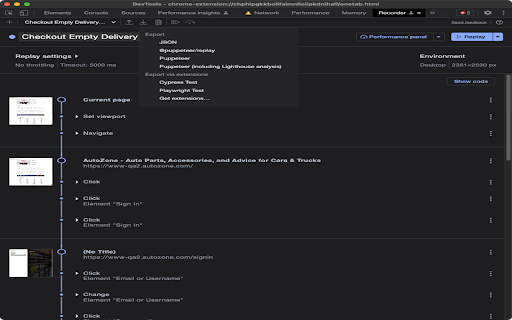
Cypress extension for DevTools that allows you to export tests directly from the Recorder panel. This extension allows you to quickly export recordings from Chrome DevTools Recorder as Cypress tests. Once installed, a new export option will appear in the Recorder panel labeled "Export as a Cypress Test script". Click that and download the exported code as a file. Make sure to save the file with the extension `.cy.{ts,js)` if you are using Cypress >= 10. For more information about the Cypress Chrome Recorder, please watch https://youtu.be/-RJuZrq-wOk

Automize - Testing/Scraping Tool
Say goodbye to tricky element selection. Simplify scripting, mock network events, export to Puppeteer, Playwright and more. Automize is your one stop shop for writing web automations. Whether you are testing or writing scripts, Automize has you covered. What makes Automize unique is that Automize acknowledges the DOM and selects the element for you in an intelligent way. If you aren't satisfied with the selection, Automize allows you to hone it into exactly what you want while checking the validity of the selector. Automize even works with Iframes! Automize is language agnostic. It will live display your script or test in Playwright JavaScript, Playwright Python, Puppeteer, Cypress, Selenium, vanilla JavaScript, CSS or XPath. Need to assert or mock network requests? Automize makes it effortless. Mock and assert network requests and export the code to your preferred language. Network requests work with request and response headers, post data, response data, delays and status codes. You can even simulate network requests directly in the browser to ensure everything works before running your script. Automize also has a built-in script runner so you can replay the actions in order to quickly validate them before exporting to the language of choice. - Intelligent Auto Selection: Save time by instantly creating a robust selector with AI - Multi-Language Support: Instantly convert your actions to Playwright JavaScript, Playwright Python, Puppeteer, Cypress, Selenium, vanilla JavaScript, CSS or XPath - Network Support: Mock, assert and export network requests - Iframe Compatibility: Automize works seamlessly with Iframes - Test Runner: Try your script before exporting to save time Customer Support Automize is eager for feedback. Features are implemented quickly and tested thoroughly. Since release, Automize has gone through 10 major version updates and has more planned.
