
bekggmaeibbpmchkpolhheikjlipdigl
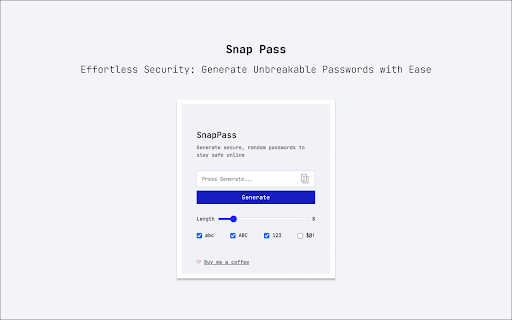
SnapPass is a fast, simple, and reliable password generator extension that helps you create unique and strong passwords for your online accounts. ➤ Features: • Generate secure and random passwords: SnapPass uses advanced algorithms to generate passwords that are unique, strong, and difficult to crack. • Quick and easy to use: With just a click of a button, you can generate a secure and random password. • Customize your passwords: SnapPass allows you to customize your passwords by adjusting the length, complexity, and character types. • No storage of passwords: SnapPass does not store or save any passwords that are generated. ➤ How it works: SnapPass uses the Web Crypto API to generate secure and random passwords. When you click the "Generate Password" button, SnapPass uses advanced algorithms to generate a password that is unique and difficult to guess or crack. You can customize your password by adjusting the length, complexity, and character types. SnapPass does not store or save any passwords that are generated. This ensures that your passwords are secure and private. Download SnapPass now and start generating strong and secure passwords in seconds! ➤ Support: Please contact us if you have any questions, issues or suggestions.

Random password generator
A simple random password generator for Chrome browser Features: • beautiful minimalistic design • supports light and dark theme • password length between 1 and 99 • use numbers (0-9), lower cases (a-z), upper cases (A-Z), special (!?=)(&%$*+-.,:;) or your own custom characters • exclude confusion characters (eg. O0lIi) • mnemonic (easy-to-remember) passwords • toggle password history • add-on options saving • copying to clipboard • supports cryptographically secure pseudorandom number generation (CSPRNG) Tips: • if you want to generate a random number you can just select the Numbers checkbox and 1 char password length leaving all other options unchecked • passwords are saved to history only when clicked "copy" and when History checkbox enabled • if you need cryptographically secure password, enable it in "More options" under Cryptography

Random password generator
Simple tool to generate strong and secure passwords. Simple tool to generate strong and secure passwords With this extension you can easily generate strong and secure passwords. You can specify password length and used chars (lowercase, uppercase, numbers or custom). Generated password can be copied directly to your clipboard, the passwords are NOT saved online. So you can ensure the security of your password

Password Generator
Generate a random secure password in one click The generator adds generated password to the dedicated field and copies it to the clipboard You can specify: — length of password — used chars: lowercase, uppercase, digits, and special characters — excluded chars — hexadecimal only

Memorable Password Generator
Memorable Password Generator is a free tool that allows you to create very strong passwords that are easy to remember in one click. The best passwords are long, generated randomly and unique. Unfortunately, passwords that are long, random-looking and hard to guess are also difficult to remember. Memorable Password Generator helps you get the best of both, a strong password and an easier to remember one. The way it works is simple, when you click the browser action button, the password is generated and you can copy it one one click. If the password does not look good, you can generate another one in one click. What really makes Memorable Password Generator special is that, unlike most secure password generators, it doesn't output totally random and hard-to-remember passwords. Instead, the password is generated with recognizable words, but with random letters, capitals and random special characters included. It makes the password harder to guess, but at the same time, easier to remember as it is composed of real words. Memorable Password Generator is fully secure and no password is stored. Passwords are only shown to you when generated and disappear when you close the extension popup. You can also completely customize the patterns for your generated passwords. For example setup a password pattern such as {0-9}{0-9}{0-9}_{word}{WORD}{symbol} or {word?}{symbol}{Word}66 Here's a list of items you can use for your custom password pattern : {WORD} : random uppercase word {word} : random lowercase word {Word} : random capitalized word {word?} : random word with random case (lowercase, uppercase or capitalized) {symbol} : random symbol {a-z} : random lowercase letter {A-Z} : random uppercase letter {a-zA-Z} : random letter with random case (lowercase or uppercase) {0-9} : random number. Any other characters added without brackets { } will be included literally (fixed) in the password.
