
bdminpagfpijlaeddbabmjgcnhgdeacj

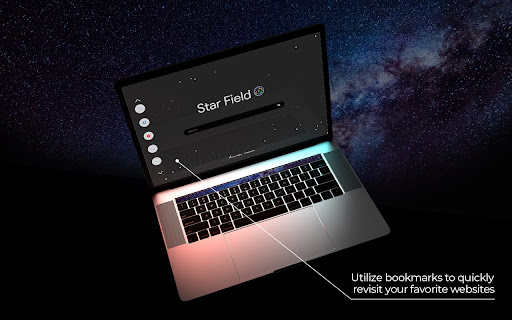
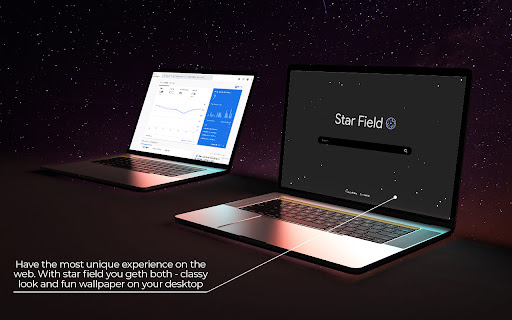
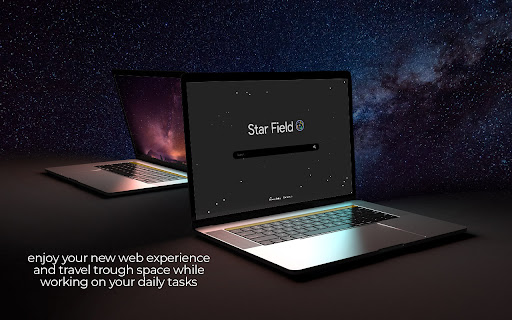
Make your new tab page fun - Star Field extension adds amazing background to your browser. 🌟 We designed this extension to add some fun to your desktop. 🌟 Star Field is a new tab extension. It overtakes your new tab and customizes it by adding a vivid star pattern over your working space. By clicking "Add to Chrome", you accept and agree to installing the Star Field extension and setting Chrome™ new tab to that provided by the service and the Terms of Use and Privacy Policy. The extension will update your search settings and will change your search engine to be powered by Bing. When we created this extension, we thought about covering all the aspects one productive person needs. For example, mentioning that, aside from the fun part - Star field offers you a calm working space that will prevent any distraction so you can stay in your complete focus. We also didn't forget about your bookmarks. Your old ones will be saved and automatically added to the modified new tab page, but there is also space for recent bookmarks. 🌟 Visit our website for more information: https://star-field.net 🌟 You can also read our privacy policy and EULA if you want to know more about our relations with the users and customers: https://star-field.net/eula.html https://star-field.net/privacy-policy.html 🌟 Finally, if you have any question, feedback or message for us, please feel free to reach out to us: https://star-field.net/contact.html

3D Tree
Web Browsing on a new level - 3D Tree with amazing animation on new page. By selecting "Add to Chrome", I accept and agree to install the 3D Tree Chrome extension and set Chrome New Tab to the service's default, as well as the Terms of Service and Privacy Policy. Microsoft Bing will fuel the New Tab Search. The 3D Tree is an innovative add-on for web browsers that will enrich your day with more fun and intriguing experiences. You may have a fun time surfing the web with this imaginative tree animation that is floating in the air, which helps you keep your attention on what is truly important. The user interface of our product has been beautifully designed; in addition, we have provided users with full control over their new tab page, allowing them to add shortcuts to their most frequently visited websites or switch between light and dark themes at any time they see fit-it all depends on how much individual creativity each person wants to see in the world today! In addition to that, you may utilize the Search Bar that we included in the center of the screen. It is simple to use, and there is no way that you could ever overlook it! Because of the ease with which you may significantly improve both your attention and concentration during the course of a day when you take advantage of each of these basic but practical capabilities, we consider this add-on to be an absolute need. In the event that you do not enjoy using this extension, you can quickly remove it from your browser by following the steps below: a) In Chrome, select "remove from chrome" from the context menu that appears when you right-click the extension icon on the menu bar. b) To delete an extension from Firefox, select "Menu," then "Add-ons," then "Extensions," and then press the "Remove" button next to the extension. c) In Edge, select "delete from Microsoft edge" from the context menu that appears when you right-click the extension icon on the menu bar. Get in touch with us if you have any questions: Contact: https://3dtree.net/contact.html

Elevate Tab
Elevate your mood with this amazing New Tab extension. By clicking "Add to Chrome", I accept and agree to installing the Elevate Tab Extension and setting Chrome New Tab Search provider to Microsoft Bing as described by the service in EULA (https://elevatetab.com/eula.html) and Privacy Policy (https://elevatetab.com/privacy-policy.html). Have trouble concentrating? This add-on is intended for everyone who wants to gain laser focus. You won't believe how you used to function with a Chrome default new tab after downloading Elevate Tab. This custom tool will significantly increase your productivity, and your new tab page will be enhanced with numerous useful features. The collection of beautiful wallpapers is the first thing that catches your eye. You get to witness the most incredible landscapes and other works of art on each tab that is opened. The catch is, that you do not have to open a new tab every time. To see these awesome photos just click on the small logo in the top left corner and enjoy. Do not let rain surprise you and ruin your plans! This feature allows you to stay updated on the weather forecast. The temperature for the particular place may be found in the right upper corner. By using Elevate Tab it will come naturally to you to use our search feature which perfectly fits with beautiful wallpapers. We created a new feature for all hard workers out there. You can find it in the left bottom corner and by pressing the chair image you can set reminders. What is the purpose of reminders? Gentle reminders will remind you to take care of your posture because sitting for long periods of time can be harmful to your health. Keep track of time with the clock feature. If somehow you do not like one of these options, you can simply choose to see the ones you like! Just click the Settings and pick your favorites! Feel free to contact us anytime: - By submitting a form on the page: https://elevatetab.com/#contact - By sending mail to the owner's address: Bulevar Šarla de Gola 2, Podgorica, Crna Gora - By sending an e-mail to info@datadesign.me

Retro Sunset
Retro Sunset extension will help you keep track of the time while enjoying a soothing new tab design. Refresh your new tab with Retro Sunset! This addon has been thoughtfully developed to make users' time spent on the web more efficient. Retro Sunset is an excellent choice for whether you want to work or when you just want to relax and have fun. Especially for those who enjoy watching the sunset! By clicking "Add to Chrome", you accept and agree to installing the Retro Sunset extension and setting Chrome™ new tab to that provided by the service and the Terms of Use and Privacy Policy. The extension will update your search settings, change your search engine, and display Microsoft Bing results. The fact that you are able to design the wallpaper in whatever way you see fit is one of our favourite aspects about it. Simply moving your cursor will cause the sun to change, and as a result, you will see a whole new background. While you are taking in your preferred rendition of the Sunset, you can effortlessly navigate the internet by using the Search Box. The bookmark function is also a useful tool. This will make it so that you can easily go to the websites that you want to visit most. After you have visited a certain page a certain number of times, we will make a tiny icon for it on your new tab so that you may access it whenever you like. Our browser extension has been designed to enhance your browsing experience in the best possible way. In order to achieve this, the we gather your data for statistical analysis. This data assists us in comprehending how you engage with online content, enabling us to fine-tune and optimise the extension’s features according to your preferences. We prioritise your privacy and security, employing strict measures to ensure that the data collected for these statistics is both anonymised and aggregated, preventing any connection to personal information. Our ultimate aim is to consistently refine and tailor your browsing encounter, ultimately providing an online experience that is not only enjoyable but also uniquely attuned to your needs. Should you have any questions or reservations, we encourage you to consult our privacy policy or reach out to us directly for clarification. Use these links if you have more questions: Homepage: https://retrosunset.net/index.html

Space Spiders
Space Spiders extension will help you keep track of the time while enjoying a soothing new tab design. Space Spiders will provide a whole new level of excitement to your freshly opened tab. By clicking “Add to Chrome” I accept and agree to installing Chrome Extension Space Spiders and setting New tab and Search to Bing that provided by the service, Terms of Use and Privacy Policy. This plugin has been thoughtfully developed to make users' time spent on the web more productive. Space Spiders will serve you well regardless of whether you are in the mood to work or simply have some fun. Especially for those who are fascinated by space! The animation is undoubtedly the standout feature of this plugin. In addition to having an incredible background, you will also have the opportunity to interact with a couple of spiders. Have fun moving them about with the mouse in different directions. The bookmark function is also a useful tool. This will make it so that you can easily go to the websites that you want to visit most. After you have visited a certain page a certain number of times, we will make a tiny icon for it on your new tab so that you may access it whenever you like. Make your online browsing quick and simple with the help of the Search Box as you take in the stunning animation. Please do not hesitate to contact us for more information: Contact page: https://spacespiders.net/contact.html Learn more about us and our products: https://spacespiders.net/index.html https://spacespiders.net/about.html It is easy to uninstall the extension by following these steps: 1. Find the extension in the toolbar 2. Click on the three dots on the right. 3. Click the option “Remove from Chrome”
