
bdejgojmfhngmomodldpdppfbhoajadl


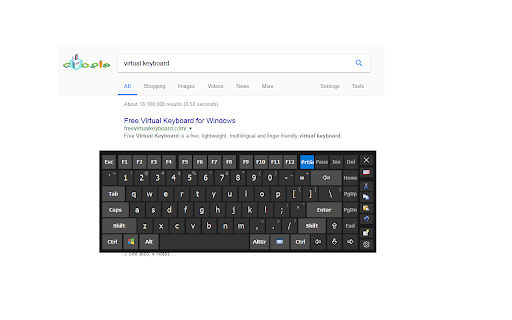
Brings up the virtual keyboard when entering text input fields. Hot Virtual Keyboard software has to be installed and running. This extension brings up the virtual keyboard when entering text input fields. Hot Virtual Keyboard has to be installed and running: https://hotvirtualkeyboard.com/ The first time you try the extension, reload any previously open pages before you try out the new functionality on them. System requirements: Microsoft Windows 7, Windows 8, Windows 10 and Windows 11.

simple-virtual-keyboard
A native virtual keyboard based on the simple-keyboard package. This is a virtual keyboard extension for chromium based browsers. The extension uses native keyboard events and is therefore compatible with modern JavaScript frameworks such as Vue.Js. When the following classes are present on the input, the plugin will behave differently. - `no-keyboard` - do not pop up the keyboard when the input is focused. Instead, a button is shown to open the keyboard manually. - `no-keyboard-no-toggler` - do not pop up the keyboard nor button when the input is focused. The extension is based on simple-keyboard.

Multi-language Keyboard for Google Drive™
Multi-language Virtual Keyboard for Google Chrome Do you want to type in your native language? Not used to typing in english? If you are having trouble using an english language keyboard, try changing this keyboard interface instead to type. Disclaimer: Please note this extension is NOT made by Google and is made by an independent development team. All copyrights belong to their respective owners. Google doesn’t endorse or sponsor this Chrome extension. Multi-language Virtual Keyboard for Google Drive™ is not owned by, is not licensed by and is not a subsidiary of Google Inc.

On-Screen Keyboard by LKWFahrer_300KMH
On-Screen Keyboard / Virtual Keyboard for chromium based browsers. On-Screen Keyboard / Virtual Keyboard » Langauges: German / English / Arabic / French / Russia » Works in --kiosk mode » variable position » zIndex: 2147483647 1. Add the extension 2. Restart the browser (safest way, reloading tab might also do it) 3. Manage the settings of the keyboard by clicking on the extension in your extension toolbar (top right of the browser window, next to the searchbar).

Right Click Tab Navigation
Adds these useful tab navigation options to the right click context menu:
