
aceblobdfablenlfoahafmgoglpagmog
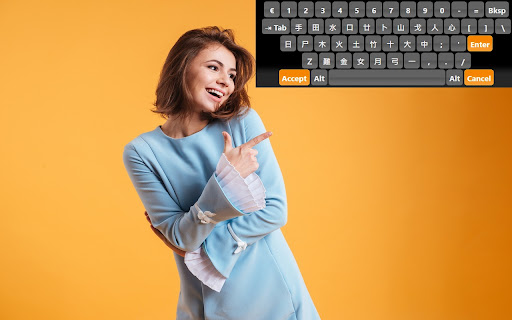
Multi-language Virtual Keyboard for Google Chrome Do you want to type in your native language? Not used to typing in english? If you are having trouble using an english language keyboard, try changing this keyboard interface instead to type. Disclaimer: Please note this extension is NOT made by Google and is made by an independent development team. All copyrights belong to their respective owners. Google doesn’t endorse or sponsor this Chrome extension. Multi-language Virtual Keyboard for Google Drive™ is not owned by, is not licensed by and is not a subsidiary of Google Inc.

Virtual Keyboard Plus
Fullscreen on-screen virtual keyboard for touch screen devices Enhance Your Typing Experience with the Virtual Keyboard Extension for Chrome! --------------------------------------------------------------------------------------------------------------------------------- Say goodbye to hardware limitations and hello to seamless typing with the Virtual Keyboard extension for Chrome. This extension brings a full-featured on-screen keyboard right to your display, letting you type effortlessly on any device. Whether you’re using a touchscreen computer, working on a laptop without a physical keyboard, or dealing with a broken keyboard, this extension has you covered. Key Features ************* Flexible Activation Options: ------------------------------------------- Choose between Always On, On Demand, and Turn Off modes to customize your typing experience. The keyboard can appear as a fixed feature on your screen, pop up only when needed, or stay off entirely until you activate it. Smart Auto-Activation: ------------------------------------ The Virtual Keyboard automatically activates in text fields, providing a smooth, responsive typing experience exactly when you need it. This feature is especially helpful for forms, search boxes, and any other input areas where typing is required. Freely Movable Keyboard: ----------------------------------------- Move the keyboard to any position on your screen. Whether you’re left-handed, right-handed, or need extra space for other applications, the on-screen keyboard adapts to your preferences, offering a flexible typing solution for any setup. Perfect for Any Scenario --------------------------------------- * Touchscreen Devices: Ideal for tablets or touchscreen computers, where typing without a physical keyboard can be challenging. * Kiosk & Presentation Systems: This extension is great for kiosk setups, public display computers, or presentation systems that may lack traditional keyboard access. * Faulty or Missing Hardware: Perfect for users experiencing issues with their physical keyboard or for laptops without built-in keyboards. This extension makes typing a breeze, even when hardware fails. Why Choose the Virtual Keyboard Extension? ----------------------------------------------------------------------- Designed with both functionality and ease of use in mind, this extension provides all the benefits of a virtual keyboard without the need for additional software. It’s optimized for a wide range of users, from those who require accessibility solutions to professionals working with public displays or in presentation settings. Turn your screen into a dynamic, versatile workspace with the Virtual Keyboard Extension for Chrome. Enjoy the ease of typing anywhere on your screen with a simple, powerful tool designed to make your digital experience smoother and more accessible.

Teclado Virtual Online para Web o Vídeos - Visualizador de Controles
Una extensión de Chrome para visualizar y personalizar controles de teclado para tu sitio web o edición de vídeo. La extensión "Teclado Virtual Online para Web o Vídeos - Visualizador de Controles" permite incrustar teclados personalizables en tutoriales, como juegos online de navegador o sistemas operativos como Windows. Es útil para explicar controles en videojuegos. Ofrece opciones de personalización como colores de fondo, teclas, fuente, tipo y tamaño de fuente. Además, permite combinaciones de teclas. Las configuraciones se pueden descargar en formato JPG, SVG o PNG con fondo transparente, siendo este último el más recomendado para tutoriales sin distracciones visuales. Resumen de Mejoras Versión 1.2 Descarga optimizada: Elección de fondo personalizado al descargar imágenes en formato JPG. Simplificación de la interfaz: Eliminación de la opción de cambiar el tamaño de fuente, haciendo el uso más intuitivo. Fondo personalizable: Separación clara entre el fondo del contenedor del teclado y el fondo de cada teclado, permitiendo personalizar ambos por separado. Mejor rendimiento: Ajuste dinámico del contenido de las teclas para evitar desbordamientos y asegurar que el diseño se mantenga legible. Nuevos Selectores: Ahora es posible seleccionar caracteres utilizando un selector al editar teclas individuales.

Emoji Keyboard for Google Chrome™
Emoji keyboard helps you create and copy Emojis to any website. Emoji Keyboard for Google Chrome ™ is a free extension that lets you input emojis on the web browser of your computer Emoji Keyboard for Google Chrome ™ - This Emoji Keyboard extension lets you input emojis right in a web browser. It also comes with an extensive search functionality that helps easily get emoji by keywords. Click on the extension icon to invoke an emoji keyboard. Please hover on emojis to see their meanings. And just click on an emoji to copy it to the clipboard & insert it to an input element. Disclaimer: Please note this extension is NOT made by Google and is made by an independent development team. All copyrights belong to their respective owners. Google does not endorse or sponsor this Chrome extension. Emoji Keyboard for Google Chrome ™ is not owned by, it is not licensed by and is not a subsidiary of Google Inc.

On-Screen Keyboard by LKWFahrer_300KMH
On-Screen Keyboard / Virtual Keyboard for chromium based browsers. On-Screen Keyboard / Virtual Keyboard » Langauges: German / English / Arabic / French / Russia » Works in --kiosk mode » variable position » zIndex: 2147483647 1. Add the extension 2. Restart the browser (safest way, reloading tab might also do it) 3. Manage the settings of the keyboard by clicking on the extension in your extension toolbar (top right of the browser window, next to the searchbar).
