
bcoflheaejlhhhcemjdkacefpepddljn

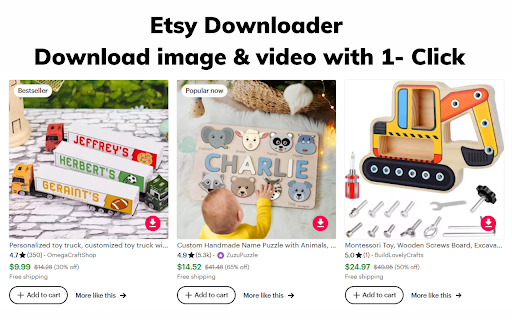
Save and Download Etsy Video & Images with onc click! Etsy Downloader - Easily Download Etsy Videos & Images Tired of not being able to save videos or images from Etsy? Our Etsy Downloader extension allows you to easily download any Etsy videos or images with just one click. Key Features: - Download Etsy videos in MP4 format - Save Etsy product images in JPG/PNG format - Simple one-click download button on Etsy video and image pages - Small extension size for fast loading No more hassle trying to figure out how to save Etsy media. With Etsy Downloader, you can quickly download any video or image on Etsy so you can view them offline or save for future reference. The intuitive browser extension seamlessly integrates with Etsy, requiring no complicated setup or configuration. So if you frequently shop on Etsy and want an easy way to keep videos and images from the platform, get the Etsy Downloader extension today! It's a simple but powerful tool that makes organizing and archiving Etsy media a breeze.

Video downloader that works! Save online videos
Download video now, watch it later. Fast, light and reliable video downloader Video Downloader is a free video downloader browser extension that lets you save videos from Facebook, Instagram, Twitter, and hundreds of other websites directly to your device. Free Video Downloader – Download videos from Facebook, Instagram, Twitter, and more at no cost. Fast Downloads – Consistent and reliable download speeds across all supported websites. One-Click Download – Detect and download any video with a single click directly from your browser. Multiple Formats – Save videos in MP4 and other popular formats compatible with any device. Auto Video Detection – Automatically detects downloadable videos on Facebook, Instagram, Twitter, and any webpage you visit. Unlimited Downloads – No caps on the number of videos you can save from any website. Lightweight – Designed to be resource-efficient so it doesn't slow down your browser. Easy to Use – Simple, clean design that's easy for anyone to use. Quick Support – Friendly and responsive support team available anytime. Save Facebook Videos – Download any public Facebook video directly to your device for offline viewing. Download Instagram Videos – Save Instagram videos, reels, and stories before they disappear. Download Twitter Videos – Capture and save Twitter videos and GIFs instantly with one click. Download Videos from Any Website – Save streaming videos, tutorials, and clips from hundreds of websites. Offline Viewing – Keep your favourite videos saved locally so you can watch them anywhere without internet.

Etsy Images Downloader
Scrape and download high-resolution images of Etsy product listings in bulk or one by one from any listing with just a click. Etsy Images Downloader This Chrome extension allows you to easily download high-resolution images of products listed on Etsy.com. With one click, you can download all the images of a product. You have the option to download images individually or zip them together for bulk download. No coding knowledge is required. This handy extension makes grabbing product images from Etsy a breeze. Whether you want to use the images for design inspiration, print them, or simply archive your favorites, the Etsy Images Downloader extension helps you gather high-quality Etsy product photos with ease. Download what you need and skip the hassle. This useful tool was created for casual Etsy shoppers and power users alike. Bring Etsy images to your desktop in just one click! The Etsy Images Downloader Chrome extension - is simple but powerful. What Etsy Images Downloader can do for me? Etsy Images Downloader is a Chrome Extension that allows users to scrape and download product images from Etsy listings easily. With just one click, users can download all images for a particular product, making it a convenient tool for Etsy shop owners or anyone who needs to quickly grab product images from the site. How to download all the listing images from a given Etsy product? Scraping and downloading Etsy images can be done easily with our tool, without any need for coding. Simply follow these steps: - Open any product on Etsy.com. - Click the “download icon” on the right top of the product listings images. - All the product listings images should display on the popup window. You can download images individually or as a bundled zip file. Data Privacy The data you work with remains confined to your local machine and does not traverse our servers at any point. Etsy™ is a trademark of Etsy Inc. registered in the U.S. and other countries. This is an independent project developed by ExtensionBox and has no relationship to Etsy or Etsy Inc.

VidHelper - Video Download Helper
Download any video or audio from any website with just one click. Introducing VidHelper, a robust Video Download Helper that empowers you to effortlessly download videos from a vast array of platforms—over 1000 sites, including prominent social media platforms. VidHelper supports an extensive range of video formats. Notably, it seamlessly handles HLS and DASH streams, simplifying the downloading process for even the most intricate video formats. Enjoy the flexibility of accessing your favorite videos offline at your convenience, without the need for an internet connection. Share these videos with friends and family or store them for future viewing—VidHelper is your all-in-one solution for capturing and relishing online content. Key Features: - Compatibility with 1000+ video sites, making it easy for users to download and enjoy their favorite content from a wide range of online platforms. - Support for a variety of video formats. - Capabilities for downloading HLS (m3u8) and DASH (mpd) streams. - Built-in media player for Video Preview, streamlining your viewing experience. - QRCode links for effortless video sharing to your mobile phone. - Batch Download feature, enabling one-click download for all detected videos. - Supports recording mode to record video, audio and tabs. - Free, unlimited usage of our Video Download Helper with no registration requirements. How to Use Our Video Download Helper: 1. Visit the video site and click on our extension icon. 2. Videos will be listed on the popup page. 3. Choose the video you want to download. Enjoy! Note: Some web pages may require you to initiate video playback to assist the video downloader in locating the content. We sincerely hope you find our Video Download Helper valuable! Your feedback, ratings, and suggestions for enhancing functionality are highly appreciated. Disclaimer: VidHelper is not a Youtube Downloader. Due to restrictions outlined in the Google Web Store Policies and Developer Program Policies, downloading Youtube Videos is not supported. We appreciate your understanding.

Video download assistant
Download video and audio from mainstream websites 1. Web page medias download 2. Extension management
