
bcmgcllckkknkmlkdlckejiedighncha
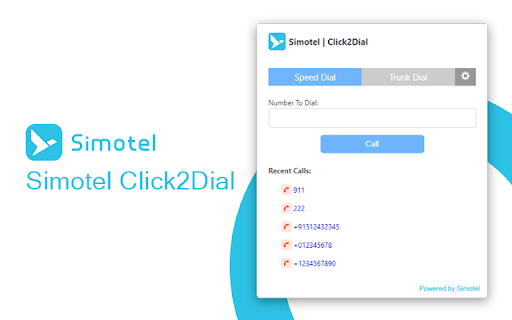
Click-to-dial for Simotel (Local & Cloud / HostedPBX). Right-click a phone number and dial instantly via your PBX. Simotel Click2Dial Chrome extension provides an easy way to dial phone numbers directly through your Simotel system. It works with both Local Simotel PBX and Simotel Cloud (HostedPBX), giving you flexibility to connect from anywhere. How to use: Select any phone number in a Chrome tab, right-click to open the context menu, and choose Dial with Simotel. The call will be placed instantly through your configured Simotel server. Configure your credentials once in the extension settings and enjoy seamless click-to-dial.

ArzDigital
A new tab page displaying real-time financial market data and personal watchlists.

Persian Solar Hijri Calendar
Persian Solar Hijri Calendar for Chrome / Edge with date converter Persian Jalali Calendar for using in Chrome or Edge. This Calendar shows the current date of the Persian Calendar in Month format. Tooltip date for everyday and Gregorian date for the selected date. Click the today Button to return to today's date or navigate through next or previous months by clicking > Buttons. You could convert a given Date to a Jalali, Gregorian or Islamic Date. Please enter your dates in yyyy-mm-dd format. Click Go to render the Calendar for a given Jalali Date between 1200 and 1500 years. It marks also holidays for the current month. Events list for Jalali, Islamic, Ancient and historical Iranian figures is added for the current month.

Click-to-Call for Web and CRM
Click to Call dialing from web pages, integration with any softphone, screen pops in Salesforce and other CRMs Click-to-Call for Web and CRM, also known as Click2Call or Click-to-Dial, allows you to click phone numbers on any webpage and quickly make a call. The Click-to-Call for Web and CRM extension by Thirdlane transforms phone numbers on web pages into clickable links for easy dialing and integrates seamlessly with various CRMs and Service Desk applications. With the Click-to-Call for Web and CRM extension, you can: - Use Click-to-Call with or without Thirdlane Products. The extension works best with Thirdlane PBX or Thirdlane Multi-Tenant PBX when paired with the desktop version of Thirdlane Connect. When used with Thirdlane PBXs, it supports desk phones, mobile phones, and desktop softphones connected to your telephony server. You can also use the extension with any other compatible telephony system. - Streamline Click-to-Call functionality while working inside your CRM. Log in to your web-based CRM, and the extension will automatically identify callers or contacts during active calls. It displays contact or lead information (screen pop-ups) for enhanced productivity. - Use it with popular CRMs like Salesforce, Zoho, Zendesk, Freshdesk, and more. Don’t see your CRM? Let us know, and we’ll be happy to add support for it. - Easily add call notes to your CRM. Add notes for all incoming and outgoing calls directly from the extension, keeping your CRM updated effortlessly. - Combine Click-to-Call for Web and CRM with Thirdlane Connect. Use the extension for Click-to-Call functionality and Thirdlane Connect for voice and video calls, instant messaging, video conferencing, and CRM integration. Click-to-Call for Web and CRM offers seamless integration, flexibility, and efficiency, helping you save time and boost productivity. Whether you're using it for CRM workflows or general web dialing, this extension is your perfect companion.

Simotel WebRTC Softphone
This extension is a sip phone You can make voice calls or even answer incoming calls with this extension. It also supports phonebook and call history. It's based on WebRTC and needs an internet connection and a valid sip account to work properly. You can get a valid account from Simotel.
