
bankihmomoalkanhbblfgbclhalkndmb

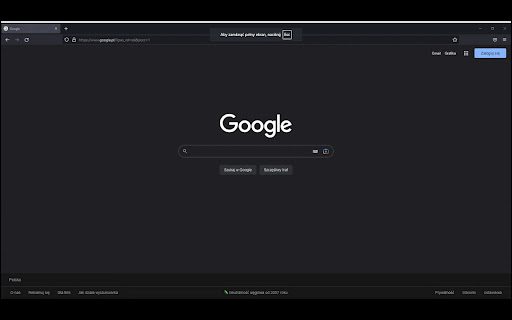
Allows to make screen presentation and camera fullscreen This extension will allow you to open screen sharing in fullscreen

Full Screen for Google Slides™
Extends Google Slides™ to the Full Screen. Want to make your Google Slides full screen while you're in edit mode? You can do so today when you use our extension. Here are the steps needed to allow Google Slides to turn into full screen mode while you can still edit the slides. 1) Install our software extension 2) Go to your Google Slide presentation 3) Click on the extension icon and choose full screen mode. The main benefits of being able to edit Google Slides while you're in full screen are - If you are in a Zoom call/Google Meet call, the other particpants in the call are able to view the slides more clearly in full screen mode.

Zoom in-out Magnifier for Google Meet
Zoom in and out of shared screens and cameras on Google Meet You know when someone share their screen on Google Meet and it is barely readable because their screen is too big, so the letters are too small to read? Well, now you can just zoom in. Just use your mouse wheel to zoom in and out. You can also drag and drop the screen you are zooming! Install, refresh your Google Meet tab and have fun! ;-]

Google Keep - Full Screen Edit
Makes note editing take up the full browser window VERSION 1.4.1 --------------------------------------------------------------------------------------------------- * Allows Google Keep editing to use the full browser window. * Allows toggling full screen on and off by clicking on an icon added on the notes. * Remembers full screen status across sessions * Supports Dark Mode * Works with non-English language settings * Options page to customize behavior (width, padding, background) * Customizable keyboard shortcut (Ctrl+Shift+F or Cmd+Shift+F by default) to toggle full screen on and off * 🆕 Options allow fading out extra note items (menu, labels, etc) for even more distraction-free work and focus on the note content * 🆕 Options allow customizing horizontal and vertical padding separately * 🆕 Improved padding styling that works with labels, previews, etc. * 🆕 Icons to help identify options WARNINGS & IMPORTANT NOTES * **Use this extension at your own risk.** It shouldn't cause problems, but I can't make any guarantees. It's wise to keep critical notes [backed up](https://support.google.com/keep/answer/10017039?hl=en). * **This extension only works with the website version** of Google Keep (ie. https://keep.google.com) - it won't work with the "app" version (the one you might install and launch from your app menu -ie. for offline use). * At this time, clicking the extension icon itself does not toggle anything - click the full-screen icon added to the note itself (or use the keyboard shortcut) to toggle full-screen on and off. INSTRUCTIONS * Full-screen is enabled by default when you first install the extension. * Use the full-screen icon at the bottom of the note to toggle full-screen on and off as needed. * Alternatively, use the keyboard shortcut, which you can customize at "chrome://extensions/shortcuts" * Your selection will be remembered between notes and sessions. * Open the extension options (from a note menu, Keep menu, extension icon menu or extension page) to customize behavior. Like the Extension? Rate or review it here to help others find it: https://cmp.onl/tnEd Source Code: https://github.com/chrisputnam9/chrome-google-keep-full-screen

Google Meet Auto Disable Mic/Cam
Provides options for defaulting microphone and camera to disabled when joining a Google Meet meeting This simple extension provides options to default your microphone and camera to disabled. It also displays emojis in the tab title indicating if your microphone is muted or your camera is on.
