
bagaaifhoacemdjlgligfnmnfgenffcf
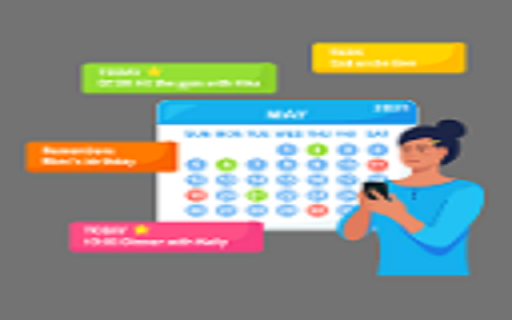
A Daily Task Reminder to add daily tasks in this extension A Daily Task Reminder to add daily tasks in this extension.

My Notes and Reminders
Manage notes and set reminders with alarms and notifications. My Notes and Reminders is a practical tool designed to help users stay organized and never miss important tasks or events. With this extension, users can easily create and manage notes and set reminders directly within their Chrome browser. Whether it’s a quick note, a to-do list, or an important deadline, this extension makes it effortless to stay on top of everything. The extension allows users to add reminders for specific days or set daily recurring reminders at a chosen hour. For instance, if you need a reminder every day at 8 AM, the extension will trigger an alert at that exact time, ensuring you’re always on track. Additionally, the feature to set reminders for a specific day allows users to plan for upcoming events, tasks, or meetings without the fear of forgetting them. All your notes and reminders are stored locally, ensuring your data stays private and accessible only to you. The simple interface makes it easy to create, edit, or delete reminders and notes in just a few clicks. Ideal for professionals, students, and anyone looking to improve their productivity, the Notes and Reminders Extension is a lightweight, easy-to-use tool that integrates seamlessly with your daily browsing routine. No more missing deadlines or forgetting important tasks—this extension helps you stay organized, every day!

TODO - Daily Task Manager
It's an extension to manage your todo It's a simple extension to manage your daily todo. Here you can add, edit or delete your daily tasks and you will be able to prioritize them.

Best Reminder App - Set tab & note reminders
Schedule reminder notifications for tabs or notes and create custom intervals for days of the week or time increments. Remind yourself of that interesting article you just found, daily tasks, drink water, get up and walk around, or maybe just to check a website again. The extension allows you to easily set reminders for tab URLs and/or notes. You will receive a Chrome notification for the date and time of the reminder. 🚨🚨 Important Note! 🚨🚨 Make sure that you have notifications for Chrome and Chrome Notification Helpers enabled. The reminder notifications will not show if this is not enabled. You can check this by going to your browser settings and searching for notifications. Or, by checking the system settings on your computer. For Windows users, there is a video here that shows how to allow notifications - https://www.youtube.com/watch?v=qudjOsPWpMQ 🆕 New! - Cloud Sync and Email Reminders - Sync your reminders across devices and receive email notifications even when your browser is closed (subscription) 🆕 New! - View and manage your past reminders — filter, sort, search, and recreate them. You can also check whether each notification was acknowledged. 🆕 New! - Set default reminder options (Include URL, text, sound) for the extension popup. 🆕 New! - Add custom time intervals for "quick reminders". These will show in the extension popup and right-click context menu, if enabled. 🆕 New! - Reminders page - Filter, sort, search, and edit your reminders. Also, export your current reminders in .CSV format. 🆕 New! - Right-click and create reminders with selected text or page URL from the context menu (turn on in settings). Create a reminder just by right-clicking on a page or link. 🆕 New! - Settings page - show number of upcoming reminders on extension icon. 🔒 Privacy and Offline Functionality: All your reminders function offline, meaning your data is stored locally and never leaves your browser. This ensures your privacy and security. ☕ Add daily reminders: Add price tracker reminders, remember to check your flight status, drink water every hour, or anything else you can think of. 🔄 Repeating Reminders: Forget the hassle of setting multiple alarms. Customize your alerts to repeat at intervals spanning minutes to weeks or specific days. It's the simple solution to managing recurring tasks, meetings, and habits! 🏗️ Custom Schedules for Time Intervals: Set your reminders for specific dates and times or choose recurring intervals in minutes, hours, days, or weeks. 🖱️ Right-click and create "quick reminders": Right-click on any webpage to quickly create a reminder for 30 minutes, 1 hour, 1 day, or 1 week. This is useful for creating reminders for webpages without having to open the extension popup. 🔈 Include Sound: Enable sound notifications to play when your reminder notification pops up. 🗓️ Flexible Day Scheduling: Get reminded on specific days of the week—weekends, weekdays, individual days like Mondays or Thursdays, or select multiple days like Mondays, Wednesdays, and Fridays. 🙌 Simple and Easy to Use: Add reminders in just a few clicks. No need to open a separate app or tab. The interface is clean and straightforward, so you can focus and not get distracted with clunky UIs or features you don't need. ⏰ Rich Notifications: Include the tab URL by default, or personalize your reminder with custom text. 1. Install the extension. 2. Browse to a tab you want to be reminded of or use the extension popup to enter a custom note. 3. Include URLs and notes 🔗 Include Tab URL: Switch this on to link your reminder to the current webpage. When the reminder notification pops up, clicking on it will open the linked URL, allowing you to close the tab after setting the reminder. 🖊️ Include Note Text: Activate this to access a text area to jot down notes for your reminder. This is useful for adding detailed information to your tasks. 💥 For immediate reminders, use one of the quick options: 'in 30 mins', 'in 1 hour', 'in 1 day', or 'in 1 week'. 5. Set Date and Time Configuration 🗓️ Date: Choose a future date for your reminder. For repeating reminders, the blue dot signifies the 'first' date in the series. 🕟 Time: Set a future time when you want the reminder to alert you. Make sure that both date and time are set ahead of the current time to ensure proper scheduling. From the 'Repeat' dropdown, select how often you want the reminder to occur. Your choices can range from once to recurring patterns like daily or weekly. The starting date of this sequence is indicated by a blue dot. Hit the 'Remind me' button to save your reminder. You can close the tab after setting the reminder, since clicking on the reminder notification will reopen the URL when it’s time. The 'Upcoming' section allows you to see all reminders that are set. Make sure that notifications are enabled for the browser. Notifications have to be enabled for the browser, not just the extension. You can check this by going to your browser settings and searching for notifications. Or, by checking the system settings on your computer. Find out what's changed in the official subreddit: https://www.reddit.com/r/bestreminderapp/

Short-term Reminder
A simple reminder and alarm extension for employees. Stay on top of your tasks with the Short-term Reminder Extension for Google Chrome. This handy tool helps you set quick reminders for tasks or events within minutes, making it perfect for those last-minute to-dos or important tasks that you don't want to forget. With Short-term Reminder Extension, you can easily set reminders in minutes, ensuring that you never miss a deadline or appointment again. The extension keeps track of your reminders, allowing you to view a list of upcoming tasks and events at a glance. - Delete reminders with a simple click - Get notified when a reminder is due with a pop-up window Whether it's a quick email you need to send, a meeting you can't miss, or a simple task that you need to complete, Short-term Reminder Extension has got you covered. Keep your daily tasks organised and never miss a beat with this must-have extension for Google Chrome. Install Short-term Reminder Extension today and take control of your time!
