
bafpmlbnkbemofddicmfkaigjnicdmcl

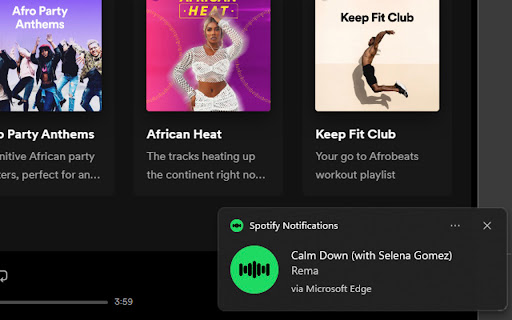
HOW TO USE: 1. Download extension 2. Navigate to https://open.spotify.com 3. Play any song and you'll receive a notification with the Title and Artist of the song any time the song changes

Spotify Playback Speed
Adds a button and menu to manipulate playback speed on Spotify Web. February 2025: * Fixed a bug where menu is hidden by 'Now Playing View' and 'Queue' sidebar 2023: * Fixed preserve pitch setting not being remembered * Fixed playback rate not being set right away when changing value * Added more checks to ensure a bug causing playback speed of 0 doesn't get set. * Fixed a bug from a recent Spotify Web update that caused the extension to not show up. * Fixed a bug that was causing potential audio artifacts due to unintended playback speed changes coming from a recent Spotify Web update. - Big thanks to Kamil K. for the help!

Music Tab
View your recently played Spotify songs everytime you open a new tab! With Music Tab, you can appreciate your favourite artists' cover art while browsing the web. Music Tab is a new tab theme that displays the cover art and title of a recent Spotify song you listened. To get started, install the Google Chrome extension and enable Music Tab.

Ad Mute for spotify.com
This extension has no UI. It automatically mutes the chrome tab whenever an advertisement is playing, and unmutes it as soon as it is finished. This extension has nothing to do with the Spotify company whatsoever. I put a lot of time and effort making this free extension. If you enjoy it and you wish to support me, you can donate via this link: https://www.paypal.com/donate/?hosted_button_id=BTK97P92ZF29U

YouTube to Spotify with Paradify
WHAT? - Transfer YouTube playlist to your Spotify. - Transfer a SINGLE song from YouTube / Youtube Music to your Spotify. How? - SINGLE song transfer: Open a song in YouTube / Youtube Music, click on Spotify icon, and add. FREE/Pro Plan. - YouTube Playlist transfer to Spotify: Visit paradify.com.
