
babjkhfehkamlhehehgjinknhimnofln

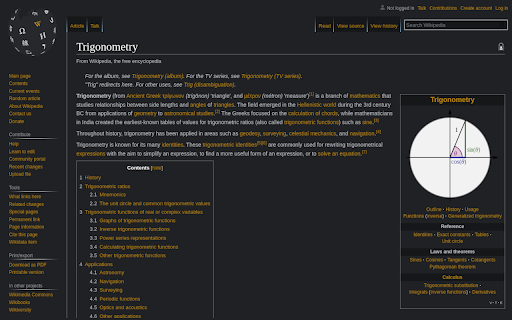
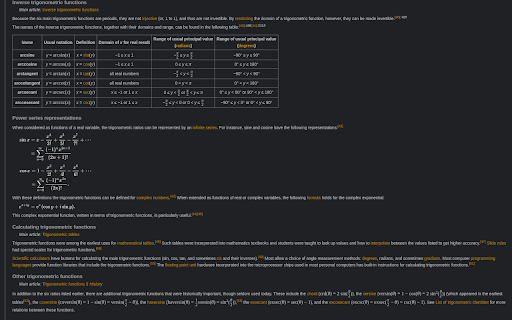


Makes the background dark and changes the leading color The best dark Wikipedia extension! It's a simple, yet necessary change for Wikipedia, if you intend to work long hours on it. Compatible with most Wikipedia languages. This extension is still in development, if you find, that your language is not supported leave a comment with given language and I will try to adres the problem as soon as possible. All mathematical formulas are supported. The leading color now can be changed through an extension popup to whichever suits you the best. If you find using this extension useful, please consider leaving some stars.

Dark Reader
Dark mode for every website. Take care of your eyes, use dark theme for night and daily browsing. This eye-care extension enables night mode by creating dark themes for websites on the fly. Dark Reader inverts bright colors to make web pages high contrast and easier to read. Adjust brightness, contrast, the sepia filter, font preferences. Enable dark mode on every web page or give websites a sepia tone. Enable or disable Dark Reader for specific websites, automatically sync with system dark mode, or detect already dark websites and leave them unchanged. This is the original Dark Reader extension. Since 2014, we continuously evolve alongside modern web technologies to deliver fast and reliable dark mode support for people sensitive to bright light. By installing the extension you agree to these terms of use https://darkreader.org/terms/

Darkipedia Dark Mode for Wikipedia
Make your Wikipedia pages dark and easy on the eyes. 🚀 What's New in Darkipedia v1.1.0 Welcome to the ultimate reading experience! Version 1.1.0 transforms Darkipedia from a simple theme switcher into a fully customizable productivity suite for Wikipedia. We've rebuilt the styling engine to give you total control over how you consume knowledge. ✨ Major Features * Custom Color Suite: Don't settle for "just black." Use our new precision color pickers to choose your own Main Background, Menu Background, Text Color, and Secondary Background for math and images. * Zen Mode (Focus Reading): One click to nuke the noise. Hide sidebars, headers, and distracting menus to center your article in a beautiful, wide-screen layout designed for deep focus. * Eye-Saver Image Dimming: Save your vision during late-night research. Use the new brightness slider to dim all photographs. Want to see a detail? Simply hover your mouse over any image to instantly restore it to full brightness. * Typography Control: Choose the font that fits your brain. Switch between Modern Sans-Serif, Classic Serif, or a Dyslexia-Friendly font option to reduce reading fatigue. 🎨 Design & UI Polish * Secondary UI Highlighting: No more "invisible" elements. Complex math formulas, SVGs, and transparent assets now sit on a customizable secondary background, ensuring every detail is perfectly legible against your dark theme. * Refined Search UI: The search bar and dropdown menus now blend seamlessly with your custom colors—no more white-screen flashes when you go to find a new topic. ☕ Support the Developer If Darkipedia makes your research easier or saves your eyes, consider supporting my work! Buy me a coffee here : https://buymeacoffee.com/yigitsrdev ⭐ Love the extension? Please leave a 5-star rating! It helps more people discover a better way to read the world's knowledge.

Dark Theme - Dark Reader for Web
Dark Theme switch any web pages to dark mode. Take care of your eyes day using a dark reader or change screen brightness. Dark Theme - Dark Reader for Web offers a dark theme for all websites, making it ideal for individuals working at night or those who prefer a dark background for online news or book reading. Additionally, the extension allows you to design your own custom theme using any color of your choice. This way, you can personalize the dark mode according to your preferences. What benefits does the Dark Mode extension offer? - You can manually switch the dark mode on or off by clicking on the extension icon. - You have the option to exclude or include specific sites from the dark mode by accessing "Dark Mode" and selecting "Disable/Enable Dark Mode for this site." - The extension allows you to customize the colors for websites according to your preferences. - You can set an automatic schedule for the dark mode to turn on or off by enabling "Auto ON/OFF" in the settings section. With Dark Theme, social networks, mainstream sites, and all other websites will be seamlessly transformed with dark colors for a unified dark mode experience. Introducing the new Option page with several useful features: 1. Site exclusion: Enter a correct web address to exclude specific pages from applying the black theme. 2. Page exclusion: Optionally add domains that you don't want the black theme to be applied to. 3. Theme changer: You can now create your own custom theme, save it, rename it, and apply it whenever you like. Night Shift: Activate Night Shift mode to change the screen's usual light to a warmer tone, safeguarding your eyes. You can easily toggle the tool on and off with a single click as needed. We welcome your questions and comments for our extension. Your feedback is highly valued!

Dark mode / night reader
Inverts page colors, showing white text on a dark background Inverts page colors, showing white text on a dark background, to reduce eye strain. Works especially well for people working during the night or in low light environments. Click the button in the icon bar to switch between the supported modes: * Mode 1 (default): invert colors and reduce contrast * Mode 2: invert colors, normal (high) contrast * Mode 3: reduce contrast only * Mode 4: disabled * Mode 5: inverts colors of text and images (useful for pages containing diagrams with text, but not photos). The settings are saved separately for each website. Right click the button to access the Options page, where you can change the default mode (for all pages). Privacy: this extension respects your privacy; it does not upload any data whatsoever to the Internet. The only setting that is synced via Chrome sync is the default page mode setting; the per-website settings are stored only locally.
