
appcjhaiopiclndmijnihjlfkinkpcdn
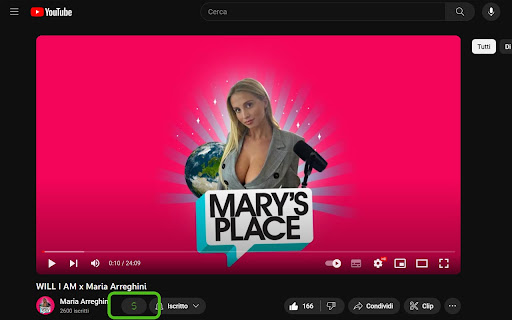
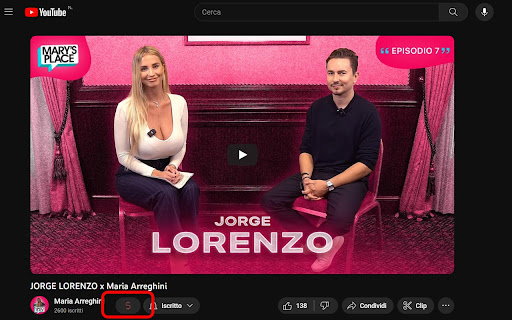
Check if the video is monetized easily on YouTube.

Screenshot YouTube
Take a screenshot of any YouTube video with one click. Adds a “Screenshot” button to the YouTube video player which saves a screenshot of the currently playing video as a file, or copies it to the clipboard, or both. Optionally with keyboard shortcuts, and buttons for changing the playback rate. New in version 3.0.0: moved to the newly required manifest v3, and removed the history permission, which should also make the screenshot button more reliable. This extension does not contain any malicious or tracking code. No viruses. No ads. Only good software. Thanks to Ari Velazquez, and Zertsu for their contributions.

YouTube Watched Marker
Easily mark the YouTube videos you watched as watched. A lightweight extension for Chrome on YouTube.com where you can hide the videos you've already watched. Its main functions are: * Hide or show videos with one click. * Hide or show shorts with one click. * Making a backup of all watched videos (can download as a .txt file). * You can adjust the opacity percentage of the videos you watch. * When your mouse is over a video, you can press the W keyboard key to mark it as watched. The watchlist is kept in the Chrome cache. Therefore, you can back up your watchlist from time to time and upload your backup in case your Chrome cache is deleted. Problems: * If your page is slowing down due to YouTube's non-refreshing redirect, manually refresh the current page from your browser for faster page loading.

YouTube Monetization & RPM Checker by TubeLab
Adds an icon to YouTube's UI informing if the channel, video or short is monetized. Adds RPM estimations for channels & videos. Adds Revenue estimations for videos. How does the monetization checker work? - It checks that the channel or video has traces of a monetized content such as: videos with custom ads, enough subscribers and sponsored content, and more. How does the RPM & Revenue prediction work? The extension matches the video title with a source of 100+ RPM Estimations. Then the the RPM is calculated based on that niche RPM, the video duration and audience. The revenue is the RPM*Views / 1000. This is by far the most accurate YouTube revenue prediction available! Notes: - This does NOT check monetization with 100% accuracy. - Revenue estimation is NOT 100% accurate. - Shorts only channels are less accurate but should work. - Sometimes it will require a page refresh due to YouTube's UI layout shifts. - Best results for english based content & with YouTube english UI. If you see any issues please contact@tubelab.net. 1.5.0 Updates: - New Features Onboarding page for initial setup and local model warmup with visible progress - Bug Fixes Improved sponsor detection for monetization analysis Monetization badge now shows “Sponsored” when appropriate - Improvements Better progress feedback and graceful handling on unsupported devices Adjusted badge spacing and dark-mode styling 1.4.8 Updates: - Fixed multi-language support for Deutch, French, Italian & Others.

YouTube Upload Time
Ever asked yourself exactly when a video was uploaded? Do you want to know more about YouTube and its history? Do you spend lots of time watching videos? If the answer to any of those questions is yes, you should consider installing YouTube Upload Time. This extension uses the Google API to know exactly when any video was uploaded. When you are watching, simply click on the extension's icon and the exact time and date will be displayed to you.
