
apdddkelfjenanlpebabobbillpoaaed
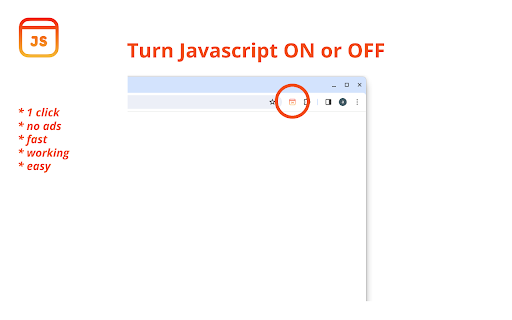
Toggle JavaScript in the Chrome Browser. In 1 click. 🚀🚀🚀 Use this extension to get rid of unwanted banners or ads and read the text on the screen peacefully. Or maybe you just need to disable script execution on the website - this will also be useful. 🚀🚀🚀 💪 Effortless Control: With Toggle JavaScript, easily enable or disable JavaScript with a simple click. Take charge of your browsing experience like never before. 🔒 Enhanced Security: Safeguard your online privacy and security effortlessly. This app empowers you to protect your data by controlling its execution, ensuring a safer browsing environment. 🎨 Boosted Productivity: Streamline your workflow and maximize productivity with this extension. Enjoy uninterrupted browsing sessions by toggling script on and off as needed, allowing you to focus on your tasks without distractions. 🚀 Tailored Browsing Experience: Personalize your browsing according to your preferences. Toggle JavaScript lets you customize your online experience by deciding when and where scripts should run, giving you full control. 🌐 Efficient Web Development: Simplify web development and testing with this app. Test your website's functionality under different settings effortlessly, ensuring optimal performance for all users. 🛠️ Intuitive Interface: Navigate Toggle JavaScript's user-friendly interface with ease. Access powerful control features seamlessly, making it simple to manage execution. 🖱️ Chrome Compatibility: Designed exclusively for Google Chrome, toggle scripts seamlessly integrates into your browsing environment. Experience hassle-free control tailored specifically for Chrome users. Freedom to Choose: Experience true freedom as you take control of your online activities. With Toggle JavaScript, you have the freedom to decide when and where scripts should run, empowering you to browse the web on your terms. 🌟 🔐 Effortless Accessibility: We offer effortless accessibility for users of all levels. Enjoy hassle-free control with intuitive functionalities, ensuring a smooth and enjoyable browsing experience. 🌈 Empower Your Digital Journey: Elevate your digital journey with our app. Experience the power to toggle effortlessly, unlocking new possibilities and enhancing your browsing experience. 🚀 Seamless Integration: Extension seamlessly integrates into your browsing routine, enhancing your experience without disrupting your workflow. 🔄 💡 Advanced Security Features: Take advantage of advanced security features offered by Toggle JavaScript to protect your online privacy and safeguard your data from potential threats. Innovative Functionality: Explore innovative features designed to simplify management and enhance your browsing efficiency, ensuring a smoother and more enjoyable online experience. Continuous Updates: Benefit from continuous updates and improvements to Toggle JavaScript, ensuring that you always have access to the latest features and enhancements for an optimized browsing experience. 🔄 🤝 Join the Community: Join a thriving community of users and share tips, tricks, and experiences to make the most out of your browsing journey. Experience the power of community-driven support and collaboration. 🤝

Toggle JavaScript
Enable or disable JavaScript without the hassle. It was built with web developers in mind, but is equally useful for anyone who wants to quickly enable/disable JavaScript without having to dig deep into Chrome's Settings panel. Also, similar extensions can cause pages to be rendered inaccurately after disabling JavaScript. This extension uses an auto-reload technique to ensure that pages are always rendered correctly after switching JavaScript on or off. I hope you enjoy using it - if you do, please tell your friends about it and help me out by giving it a positive review. Thanks!

JavaScript disable Chrome
Quickly toggle JavaScript on/off in the Chrome Browser. JavaScript disable extension. 🔒 Disable JavaScript for Chrome - your assistant for managing JavaScript on websites. Allows you to disable JavaScript execution for convenient content viewing without intrusive pop-ups, ads, and other unwanted elements. 🛡️ Key Features: 👉 JavaScript Management ✔️ Disable JavaScript on selected sites with a single button press. ✔️ Enable and disable JavaScript on individual tabs for greater control. ✔️ Automatically disable JavaScript on selected sites when opening tabs. 👉 Operating Modes ✔️ Manual mode: manually control JavaScript execution on sites. ✔️ Automatic mode: default disabling of JavaScript on sites for a more comfortable viewing. 👉 Custom Settings ✔️ Adding and removing exceptions for sites where you want to keep JavaScript running. ✔️ Saving exception settings between browser sessions. 👉 Reviews ✔️ "Excellent extension! Now I can read news without annoying ads." - Alexey ✔️ "Very convenient, Disable Javascript Chrome disables js on specific sites, thank you!" - Elena ✔️ "With this extension, I no longer worry about pop-up windows. Highly recommend!" - Ivan 💻 How to Use: 🔸 Click the "Add Disable Javascript for Chrome" button and pin it to the toolbar. 🔸 Go to the site where you want to disable JavaScript. 🔸 Click the extension button to enable or disable JavaScript on the current page. ❓ Frequently Asked Questions: 📌 How can I tell if JavaScript is disabled on a site? The extension will show an icon on the toolbar indicating the current status. 📌 Can I enable js for a specific element on the page? Yes, you can add exceptions for sites or specific elements on pages. 📌 Will some site functions be unavailable due to JavaScript being disabled? Yes, some functions may be unavailable when the Disable Javascript Chrome extension is disabled, but you can always temporarily enable it for the necessary sites.

Quick Javascript Switcher
Quick JavaScript Switcher is a simple Chrome extension that lets you toggle JavaScript on a per-site basis (domain or subdomain) with a single click. Example: You can disable JavaScript on 'https://google.com' but keep it enabled on 'https://mail.google.com' QJS is an open source Chrome extension coded by Maxime Le Breton. As a solo developer, your support means a lot and helps maintain the project Quick JavaScript Switcher is a useful tool for web developers to test site behavior without JavaScript and ensure graceful degradation. SEO specialists can simulate how non-JavaScript search engines view a page, helping identify indexing issues. It’s also valuable for privacy-focused users and accessibility testers to assess a site’s functionality without JavaScript, and for quickly comparing page load speeds with and without dynamic elements. Works with any URL scheme, including domains, subdomains, IP addresses, localhost, and local .html files! Note: The Pause/Resume feature has been temporary disabled since 2.1 because too many users complained about the required 'debugger' permission. Works with Chrome 88+ (for Chrome extensions > keyboard shortcuts (in the bottom right)) 1.1.0 ==== Auto-refresh added & options page improved (auto-refresh can be disabled trough the options page) 1.0.6 ==== Icon modification for accessibility of red/green color deficients

Enable JavaScript
Use a single button to turn javascript on or off on the Google Chrome Tab you are in. You might want to turn off javascript to help debug a webpage/check your website code errors. Turn javascript on/off with a button. To begin using the software, you need to install the extension first. Once you are on the website you wish to turn javascript off, just click on the software extension to switch it off . You can turn javascript back on for that webpage by clicking on the extension icon again. Disclaimer: Please note this extension is NOT made by Google and is made by an independent development team. All copyrights belong to their respective owners. Google doesn’t endorse or sponsor this Chrome extension. Enable Javascript is not owned by, is not licensed by and is not a subsidiary of Google Inc.
