
apbbdcpieabljcbdecpbepdcmidjhmej

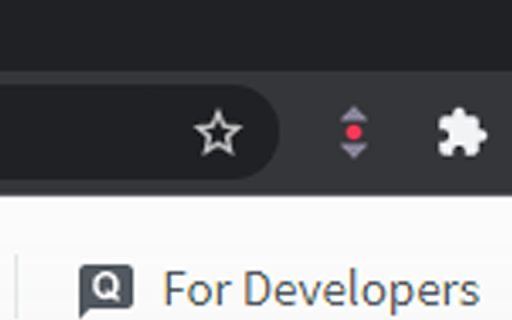
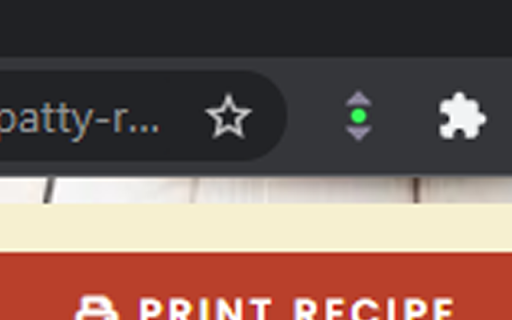
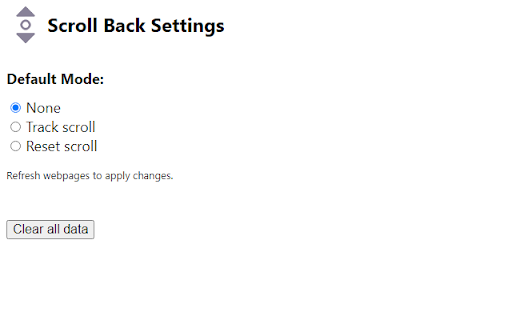
Save your last location on a webpage Click on the icon, setting it to green, to save the current scroll position on a webpage. Click on the icon again, setting it to red, to auto scroll the webpage back to the top when refreshed. Click on the icon again to reset back to the default mode (normal chrome scrolling). You can change default setting (mode) by going to the options page. This should work for most websites but not pdf.

One-Click Scroll Top/Bottom
Instantly scroll to the top or bottom of the page with a single click Instantly scroll to the top or bottom of the page with a single click

Keep scroll sync
It's an extension for keep scroll position cross platform. It's an extension for keeping page scroll position synced across platforms. 这是一个用于在不同设备之间同步页面滚动位置的浏览器扩展程序。

ScrollDock – Smart Scroll Saver
Automatically remembers your scroll position on websites. Return later and pick up reading right where you left off. Never lose your scroll position again. ScrollDock is a smart Chrome extension that automatically saves your scroll position on any webpage and restores it when you return — even after closing the tab, refreshing, or coming back days later. Perfect for readers, researchers, and multitaskers. 💡 Whether you're reading long articles, researching, or browsing threads, ScrollDock ensures you always resume right where you left off. 🔹 Key Features: ✅ Automatically remembers your scroll position on websites. ✅ Instantly restores your scroll spot when you revisit. ✅ Works seamlessly across most websites and platforms. ✅ Lightweight, fast, and 100% privacy-friendly — no data collection. ✅ Boosts productivity and reading continuity. 📌 Perfect for: Blog readers, students, researchers, content creators, and anyone who hates losing their place while browsing. Install ScrollDock now and enjoy smooth, uninterrupted browsing — every scroll, every time.

Scroll Bar Pin
Records the location of scroll bar of browser, and whenever you need easily relocate to there. Use the extension can record the scroll bar position, and whenever you need easily relocate to there.
