
aomdmcgdagnmeogimkdfnfjgcbmcadgl
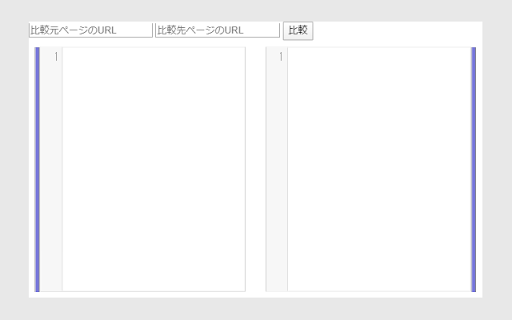
Webページ上のコンテンツを比較する拡張機能です。(An extension that compares content on web pages.)

Movable Type Editor Assist
公開サイト側から対応するCMS管理画面に誘導する拡張機能です。(It is an extension to induce from the public site side to the corresponding CMS management screen.) 公開サイト側から対応するMovable Typeの管理画面に誘導する拡張機能です。(It is an extension to induce from the public site side to the corresponding CMS management screen.)

Slim Chatwork
Slim Chatwork is a 3rd party extension that adds a few minimal features to Chatwork. 20+ features to supercharge your Chatwork experience and streamline your daily chat workflow. * AI-powered message rewriting (business, casual, and more) * Auto-check message quality before sending (textlint + AI analysis) * Insert frequently used messages with one-click templates * Export chats to CSV / save messages as PNG images * Syntax highlighting for code blocks * Fully customizable fonts, sizes, and layout * Status switch, mention assist, accidental send prevention, and more [Streamline Message Creation] - Message Templates — Insert frequently used messages with one click. Supports short-codes (date, time, etc.) - AI Rewriter — Transform your message tone with AI. Choose from business, casual, and other presets - Text Linter — Auto-check message quality before sending with textlint rules + AI-powered style analysis, forbidden word rules, date-weekday mismatch detection, and character count [Customize Your View] - Font Change — Switch to your preferred Google Font - Room List Size Adjustment — Fine-tune avatar size, font size, and padding - Main Content Size Adjustment — Optimize chat input and font sizes - Expand Right Column — Extend the summary panel height [Share Code Smartly] - Syntax Highlighting — Color-coded code blocks with a built-in copy button [Data & Export] - CSV Export — Export visible chat messages to CSV format. UTF-8 BOM for Excel compatibility - Message Capture — Save individual messages as PNG images [Handy Utilities] - Status Switch Assist — Switch your status with preset options in one click - Open Room in New View — Open a room in split view, a new tab, or a new window - Open Mention List with @ — Just type @ to bring up the member list - Add Day of the Week — Show weekday labels on message timestamps - Punctuation Conversion (Japanese) — Convert full-width punctuation to half-width - Disable Modifier Key + Enter Posting — Prevent accidental sends with modifier key combos - Hide Avatars / Disable Display Name Truncation Supercharge your Chatwork experience with Slim Chatwork. Try it today! ■ Privacy This extension includes an opt-in error reporting feature for quality improvement. When enabled, anonymous error data is sent to Sentry (a third-party service). No personally identifiable information is collected or transmitted. You can enable or disable this feature at any time in the settings. Note: This is an independent third-party Chrome extension and is not affiliated with Chatwork, Inc. Use at your own discretion. The developer assumes no liability for any damages arising from the use of this extension.

HTML Diff Check Tool
Tool for checking HTML difference between tabs ,or between production and development environment. HTML Diff Check Tool is chrome addon for checking difference between tabs or between Production and Development. You can check HTML diff with other tab. You can open the URL of production and development server each other with pre-register pairs of those URLs. Also, you can check HTML diff of them. [usecase] - To check the difference between a testing and production environment before/after deployment. - When your co-worker asks you to check a testing environment which he/she updated. [How to use] 1. In the settings register the combination of a testing and production environment domain (including a subdomain). 2. Turn on the "balance scale" icon or select from context menu at the web page where you want to check a testing or production environment. 3. Click the "open" button then a testing or production environment domain will be opened. 4. Click the "diff" button so you can check the difference between the HTML sources. [about privacy] - The registered domains, URLs or HTML sources are not sent to third parties. - According to correspond to manifest v3, analyzed via Google Analytics is stopped. -v.2.0.0 Add function for checking diff with other tab. -v.1.3.0 Nex/Prev Diff and Search Functions are added. -v.0.2.0 You can also use in incognito mode. Fix bug and strings. - v.0.1.11 You can also check HTML diff include JavaScript rendered HTML. Change option for that, if you need.

Page Diff Viewer
Page Diff Viewer: Visually compare webpage versions. Page Diff Viewer is a Chrome extension designed to help users visually compare different versions of a web page and quickly identify changes. Web pages often change over time due to content updates, design modifications, or functional adjustments. Page Diff Viewer makes it easy to detect these differences by highlighting visual and structural changes between page versions, allowing users to review updates efficiently without manual comparison. This extension is especially useful for developers, QA testers, content managers, designers, and analysts who need to track website changes, verify updates, or monitor content consistency. It helps save time and reduce errors by providing a clear and organised view of what has changed. Page Diff Viewer is lightweight, easy to use, and works directly within the browser. It requires minimal setup and performs comparisons efficiently without interfering with normal browsing performance. The extension focuses on clarity and usability, making change detection straightforward and accessible. Visually compare different versions of a web page Quickly identify content and layout changes Support development, testing, and content workflows Simple and intuitive user experience Whether you are tracking updates, validating changes, or reviewing website revisions, Page Diff Viewer provides a practical and effective way to visually compare web pages and understand how they have evolved.
