
anpfoalbfdpemihbclodnnkopkckepge
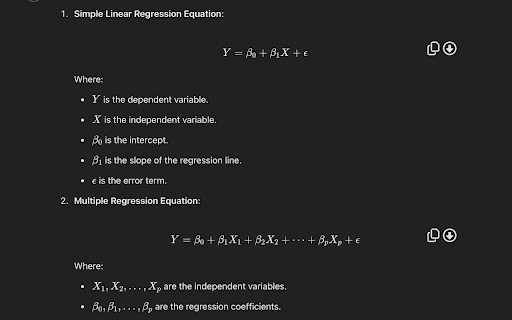
Copy and export KaTeX formulas. Allows you to copy equations in KaTeX formulas from GPT in a format for Obsidian notes. Also allows you to easily download the formula as a png.

SE Chat MathJax
A Chrome Extension that enables the use of MathJax in all open chat windows. This extension allows Chrome to incorporate MathJax on any Stack Exchange Chat tabs. MathJax is a utility which performs typesetting on formatted LaTeX content. Users can freely create and share Math expressions and equations, as well as Chemical Molecular formulas and expressions using the included mhchem extension for MathJax. LaTeX is the standard for typesetting in many disciplines including, but not limited to, Mathematics, Physics, and Chemistry. It is widely used in academics for typesetting papers as well as individual expressions or equations. More information about MathJax and mhchem can be found here: https://www.mathjax.org/ https://mhchem.github.io/MathJax-mhchem/

ChromeGPT
Transform your ChatGPT and Wikipedia experience with ChromeGPT - your all-in-one solution for equation management and prompt organization! 🔢 EQUATION MANAGEMENT Never struggle with copying mathematical equations again! With just a right-click: • Copy equations directly to Word (MathML format) • Convert to LaTeX for academic papers • Transform complex math into Excel formulas • Works seamlessly across ChatGPT, Wikipedia, and other educational websites 📝 PROMPT MANAGEMENT Supercharge your ChatGPT workflow with intelligent prompt organization: • Save your best prompts with a simple right-click • Organize prompts with custom titles • Search through your prompt library instantly • Sort by date or alphabetically • Access prompts quickly with a floating button • Sync across all your Chrome instances 🎨 THOUGHTFUL DESIGN • Intuitive context menus • Clean, modern interface • Automatic dark/light mode support • Responsive design for both desktop and Android • Non-intrusive floating controls 💡 PERFECT FOR: • Students working on math assignments • Researchers preparing academic papers • Data analysts using Excel • Teachers preparing educational materials • Anyone who regularly uses ChatGPT • Wikipedia power users 🚀 PRODUCTIVITY FEATURES: • Zero-configuration setup • Works instantly after installation • No account required • Completely free • Regular updates and improvements • Open-source code Stop copying and pasting equations manually or losing your best ChatGPT prompts! Install ChromeGPT now and experience a more efficient way to work with mathematical content and AI conversations. 🔒 Privacy Focused: Works entirely in your browser - no data collection, no servers, no tracking. 💪 Actively maintained and regularly updated with new features based on user feedback. Try ChromeGPT today and join thousands of users who've transformed their ChatGPT and mathematical workflow!

WebTeX – Render LaTeX Anywhere
Bring typeset math to every corner of the web. WebTeX injects lightning‑fast KaTeX rendering (no external servers, no tracking) into any page you visit, so equations finally look the way they should.

Latex Math Equations for Google Chrome™
You can edit and then save it as an image to Google Drive. Do you need to finish up some math equations/online math homework on your computer? Are you struggling to write out the correct mathematical symbols on your computer for your math homework? Try using our software Latex Math Equations for Google Chrome™ today. You can write out complex mathematical equations in a user-friendly manner once you have installed Latex Math Equations for Google Chrome™. The main purpose of this software is to allow complex latex math equations to be typed out on the computer and allow students worldwide to finish their digital maths homework. Disclaimer: Please note this extension is NOT made by Google and is made by an independent development team. All copyrights belong to their respective owners. Google doesn’t endorse or sponsor this Chrome extension. Latex Math Equations for Google Chrome™ is not owned by, is not licensed by and is not a subsidiary of Google Inc.
