
andgibkjiikabclfdkecpmdkfanpdapf
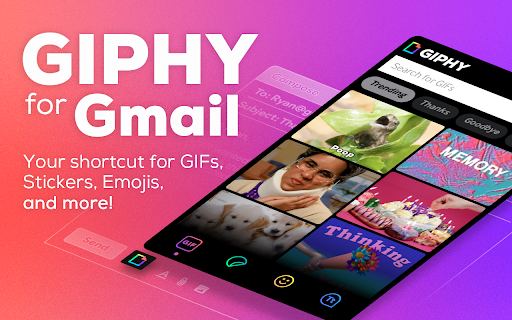


Add the power of GIPHY to your Gmail experience. Search and discover the best GIFs for your every email need quickly and easily. Easily add GIFs, Stickers, Emojis and more to your emails with the Giphy for Gmail Extension. Just click "Compose" inside the Gmail web client and then tap the GIPHY icon in the toolbar. Search and browse the entire GIPHY library or create your own custom Test Stickers! Once you've found the perfect GIF just tap it and its automatically added to your email. Feel free to drop us a line if you have any issues or ideas to make it better at: Support@giphy.com 💖 With love,

Simple Gmail Notes
- Store Notes in YOUR OWN Google Drive - 100% Free and Open Source - Show Note Abstracts in Email Summary Page - Support Chrome, Firefox, Edge and Safari (with notes synced) - Would NOT Modify Your Emails ** About Advertisements ** For free users, advertisements will occasionally show up in the sidebar of email pages. The advertisements will be displayed for a total of 3 times every 5 days. It's always a fixed advertisement for our internal product, without any tracking. Subscribers could remove the advertisements. ** Paid Features ** - Customer support within 1 business day - Hide logo - Autohide text area when the note is empty - Settings import and export - Set up custom Google Drive folder name - Remove advertisements (https://bart.solutions/simple-gmail-notes-support-package/) ** How to View the Notes in Mobile Devices (Android, iPhone and iPad) ** Please use Simple Mobile CRM for viewing notes in mobile devices. (https://www.simplemobilecrm.com/) ** About Edge Browser ** Some Edge users have reported crash on login. If you have experienced the same, please install the extension in Edge Addons Store instead. == 2.9.24.6 (2026-04-24) == - Boosted performance with faster note loading. - Fixed an issue with the sidebar banner display. == 2.9.23.9 (2026-04-02) == - Updated token logic based on new Google policy - Free users can create up to 50 new notes every month. - Subscribers can create unlimited new notes with no monthly cap. - Learn More: https://bart.solutions/simple-gmail-notes-about-max-notes-limit == 2.9.22.8 (2026-02-26) == - Urgent fix for login error - You can now filter your notes by color on the search results page (Subscriber option) - Misc issue fixes == 2.9.21.9 (2026-01-27) == - Bug fix for note background color - The latest team notes and comments are now visible in Gmail list note abstract (requires CRM team setup) == 2.9.20.1 (2025-12-23) == - Bug fix for abstract display - Update toolbar layout == 2.9.19.0 (2025-11-07) == - Urgent fix for users with Gmail conversation mode turned off == 2.9.18.12 (2025-10-25) == - Added a 'Review Subscription' link to the subscription section of the preferences page. - Faster abstract display == 2.9.17.0 (2025-09-29) == - Fixed the issue of recurring installation popups for some browsers - Added a subscriber option to prevent the new tab from showing during the SGN upgrade == 2.9.15.5 (2025-09-01) == - Added a subscriber option to make the SGN note area sticky (fixed in position) - Fixed misc issues == 2.9.13.5 (2025-08-03) == - Update subscription activation screen == 2.9.12.5 (2025-06-27) == - Issue fix and performance update == 2.9.10.8 (2025-04-07) == - Fixed issues with rich text encoding - Fixed issues with subscription verification - Show CRM attachment preview in abstract tooltip == 2.9.9.9 (2025-02-16) == - Further optimization - CRM team members can see the notes of each other in the email list page (need permission setup) == 2.9.6.19 (2024-11-18) == - Enhance abstracts display - Mouse over abstract to see full note and CRM comments == 2.9.5.7 (2024-10-01) == - Fix abstract note color and misc issues == 2.9.3.1 (2024-07-21) == - Fix issues related to note writing in Gmail with preview pane == 2.9.2.7 (2024-07-10) == - If the note contains Google Drive shared URL, a preview will be shown - Auto save as user types == 2.9.0.1 (2024-5-1) == - Migrate to web extension manifest v3 (https://developer.chrome.com/blog/resuming-the-transition-to-mv3) == 2.8.30.1 (2024-4-16) == - Misc bugs fixed - Warning: next version will upgrade to manifest v3, users are advised to store the preferences first (via screen capture or option feature) == 2.8.27.1 (2024-2-17) == - Fixed issue with delegated Gmail account == 2.8.25.3 (2023-12-19) == - Added CRM prompt under SGN text area - Users can show / hide CRM prompt in SGN preferences page - Users can show / hide CRM sidebar in SGN preferences page - Misc bug fixes == 2.8.24.1 (2023-11-11) == - Fix issue of SGN display for Gmail with note position of 'bottom' == 2.8.24.0 (2023-10-31) == - Fix issue of SGN display for Gmail with split pane enabled == 2.8.23.2 (2023-09-30) == - Supports automatic polling of SGN notes in CRM mobile app - Supports delegated Gmail user with CRM - Fixed misc bugs of SGN == 2.8.22.0 (2023-08-03) == - Fix issue for delegated Gmail user == 2.8.20.2 (2023-04-27) == - Add option in preferences page to strip HTML (useful when revert from richtext editor) - Share to CRM uses long abstract now == 2.8.19.1 (2023-04-05) == - Updated checking of CRM availability - New option in preferences page to disable CRM == 2.8.17.1 (2023-01-02) == - fix issue of note time display - Search result screen shows links now == 2.8.16.2 (2022-11-19) == - Further patch for Google Drive API issue - Fix problem of note deletion == 2.8.12.2 (2022-10-13) == - Urgent fix for Gmail UI change == 2.8.11.0 == - Added extra log for query error checking == 2.8.9.0 == - Fix issues that some users could not load the extension == 2.8.8.1 == - Fix issues related to note printing - Upgrade dependent libraries for better security == 2.8.5.2 == - Show more search results - Allow auto load of note template (subscriber option) - Fix issues of subscription checking (some subscribers may need to re-activate subscription in the preferences page) == 2.8.4.5 == - Show search button at the home page (can disable in preferences page) - Custom font color for each note (subscriber option) - Fix minor issues == 2.8.0.5 (2021-08-09) == - Support import and export of settings (subscriber option) == 2.7.6.1 (2021-07-11) == - Reduce required permissions - Fix login issue on edge - Added option for always using popup for login == 2.7.5.11 (2021-04-30) == - Faster note appearance in auto hide mode - Responsive width for sidebar display (user could manually select in options) - Fixed issues related to note deletion - Increased max note font size to 32px == 2.7.4.3 (2021-03-29) == - Added option of auto-hide text area for empty notes (subscriber only) - Added option to set up font size for printing - Fixed issue of text area auto-collapse == 2.7.0.3 (2021-01-09) == - Release a more stable version for Gmail UI adaption == 2.6.0.1 (2020-10-15) == - Enhancement for SGN stability - Update CRM opener location (after logged into CRM) == 2.5.2.4 (2020-08-05) == - Fixed alternate login URL for Chrome and Firefox - Added customer portal URL for subscription review in preferences page == 2.5.1.0 (2020-07-14) == - Added 'bold' option for notes - Added option to disable warning of '40 network requrests' == 2.5.0.0 (2020-06-17) == - Added multiple comments for emails (need CRM login) == 2.2.2.2 (2020-02-12) == - Fix issue for page with preview pane (Gmail UI change) == 2.2.1.14 (2019-11-28) == - Fix for Gmail UI change (for delegated email) == 2.2.1.13 (2019-11-27) == - Fix for Gmail UI change == 2.2.1.12 == - Urgent fix for 40 network requests error == 2.2.0.9 == - Urgent fix for Gmail UI change (again) - Shrink CRM Permission == 2.1.4.3 == - Urgent fix for Gmail UI change == 2.0.1.3 == - Fix Goolge Inbox related bug - Can show CRM project detail on Gmail desktop page == 2.0.0.11 == - Integration with Simple Mobile CRM (sync notes with mobile devices) == 1.2.1.0 == - Better Note Search Page - Memory Optimization - Misc Bug Fixes == 1.0.0.8 == - fixed problem with Google Inbox == 0.9.1 == - Bug fix for abstract display of search result == 0.9.0.4 == - Bug fix for abstract display of emails with special characters == 0.9.0 == - Able to set color to individual notes - Increased max height for textarea - User could select the Google Drive to connect during each login - Fixed bugs regarding to split view

Gmelius: Shared Inboxes & AI Email Assistants for Gmail
Save 1 hour daily: AI Assistants sort your emails, draft replies & shared inboxes let your team take over conversations for you. Gmelius is the AI-powered email management platform built natively for Gmail. It lets generative-AI assistants sort, draft replies and dispatch messages, offers shared inboxes and shared labels inside Gmail, and keeps everything in perfect sync across your team and tools. ✨ AI Assistants for Gmail – Reply, Sorting and Dispatch agents cut routine email work by an hour a day. 📨 Shared Inbox inside Gmail – manage support@, sales@ or any group address with clear open → pending → closed statuses, assignees, tags, @mentions and notes. 🏷 Shared Gmail Labels – turn any Gmail label into a live thread your whole team can follow. 🎛 Custom views – flip an inbox or label into specific views depending on your operational needs. 🤖 Automation rules and SLA timers – create “If-This-Then-That” flows, auto-assign owners and stay inside promised response times. 📊 Analytics dashboards – track volumes, resolution time and teammate workload at a glance. All features live where you already work, so your team keeps its Gmail muscle memory and gains new productivity super-powers. ✨ Highest Star Rating in our Class. 🏆 Leader of the shared inbox space. 🚀 Y Combinator S19 This is our browser extension that completes our solution for Gmail and Google Workspace customers. Key features: ✨ AI Assistants for Gmail: Meet AI assistants whose job it is to manage your Gmail inbox. ✓ AI Reply Assistants - They draft replies to your emails. ✓ AI Sorting Assistants - They sort and classify your incoming emails. ✓ AI Dispatching Assistants - They route emails to the right teammates. 📨 Shared Inbox: Transform Gmail into a collaboration platform. Make great teamwork possible in Gmail by reinventing how your team manages inboxes like support@ or invoices@. Replace cluttered Google Groups and help desks with a shared inbox built for Gmail. Discover the smartest alternative to Google Groups, Help Desks, Hiver, Front, etc. 🏷️ Gmail Shared Labels ✓ Share existing or new Gmail labels with members of your team ✓ Synchronize conversations in real-time across all devices (e.g., mobile, desktop) 👥 Team Collaboration ✓ Real-time syncing across all devices ✓ No more bcc nor fwd! ✓ Email Notes and @mentions to add context to any conversation ✓ Assign or delegate emails to members of your team 🤓 Workflow Intelligence ✓ Automate repetitive tasks with rules for internal and external workflows ✓ SLA rules, auto responder, auto assignment and more ✓ Ex: “when this email gets answered add automatically reply and assign it to that team member” 📧 Shareable Email Templates for Gmail ✓ Make email writing easy and fast ✓ Improve your team's consistency and performance ✓ Proposal, Sales, Marketing, Custom Templates - easily created and shared Swiss-grade privacy and security Headquartered in Switzerland, Gmelius follows a strict Privacy-by-Design framework. Your data stays confidential, is securely processed, and is never used to train AI models. Explore our Trust Center any time. For more details, please see https://gmelius.com/legal/security Install the extension, start your 7-day free trial, and see how AI + Gmail can unlock real email productivity for your team. Need a guided tour? Book a demo at gmelius.com/request-demo =============================== © Gmelius. Less Email. More Life. Gmail is a registered trademark of Google Inc.; Gmelius is not affiliated with Google.

Embed Videos for Gmail™ by cloudHQ
Embed Your YouTube™ Videos in Gmail This extension lets you choose from any YouTube video, and easily embeds it directly into the body of your Gmail email. Just click on the "YouTube™ icon" in your compose email window in Gmail, select the video that you want to embed in your email, and your video will automatically embed. This is great for anyone who wants to introduce themselves like: It's also great for: ✅ Artists who want their mailing list to see their work on YouTube ✅ Customer Support who have videos explaining something for frequent customer questions ✅ Educators, speakers, or teachers who want to share access to their presentation videos ✅ Product demos ✅ Newsletters where you want to include an interesting video ✅ Strategy game vloggers ✅ Beauty vloggers ✅ Travel vloggers ✅ Workout vloggers Whether you saw a YouTube™ video that you think your email audience would enjoy, or if you've created a YouTube video that you want your email audience to see, this is a simple way to embed your video in your email with just 3 simple clicks. cloudHQ. Helping your productivity, 1 click at a time. Website: https://www.gmail-youtube.io Pricing: https://www.gmail-youtube.io/pricing Support page: https://support.cloudhq.net/category/browser-extensions/embed-youtube-videos-in-gmail/ Blog: https://blog.cloudhq.net Gmail, Youtube, Google Shared Drive, Google Drive, and Google Workspace are trademarks of Google LLC. Use of these trademarks is subject to Google Permissions.

Todoist for Gmail: Planner & Calendar
Stay on top of emails with Todoist for Gmail Trusted by over 47 million people, Todoist simplifies tasks for individuals and teams. Instantly declutter your mind, build habits, and boost your productivity. Use Todoist for Gmail to: • Add emails as tasks: Finally, achieve inbox zero by adding emails to Todoist so that you can take action on them later. • Remember to follow up: Include dates, reminders, deadlines, and priorities to the emails that you've added as tasks so that they'll never slip under your radar. • Plan your day: Quickly organize your tasks for the day right from the extension as a list, as boards or as a calendar planner. • Complete tasks from your inbox: Once your tasks are done, check them off from within Gmail without switching context.
