
anbphhpdeajihnalfnbinbkfjfhdgocp
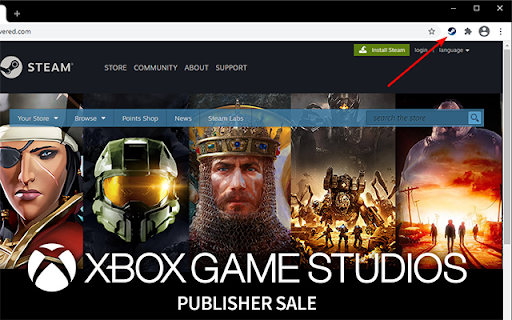
Links from the steam webpage open in your browser to the steam client. No more "You must be signed in"! This extension, when clicked on a steam url, will open it in the steam destkop application. No more issues with being signed out in the browser or anything of the like! If you're curious how this works, it's pretty simple - it simply prefixes the url with "steam://openurl/", so the url "https://store.steampowered.com/app/294100/" becomes "steam://openurl/https://store.steampowered.com/app/294100/", and then if you allow the extension to open the url with steam, steam will open to that page!

XCG - Advanced
Enhance your Xbox Cloud Gaming gameplay. Version 1.03 - Remove the XCG button from gameplay. ----- XCG Advanced gives you total control over your Xbox Cloud Gaming¹ stream. Fine-tune your visuals and break free from default display limitations with a suite of enhancement tools. ↔️ Ultrawide Support & Custom Fit: Fill your entire screen. Adjust height and width manually to eliminate distortion and achieve the perfect aspect ratio. 📸 Pro Visual Filters: Enhance clarity and neutralize stream compression artifacts in real-time. 🏞️ Precision Adjustments: Fine-tune Brightness, Contrast, Saturation, Hue, and Sharpening to your preference. ✨ Immersive Ambient Light Say goodbye to boring black bars. Our new Ambient Light feature creates a dynamic glow around your stream, syncing colors in real-time to provide a deeply immersive experience—especially on Wide and Ultrawide monitors. ⚡️ Low Latency Performance: Designed to be ultra-lightweight, ensuring your visual upgrades never compromise your reaction time. How to use: - Launch a game on Xbox Cloud Gaming¹. - Locate the XCG Advanced button in the bottom right corner. - Click it to open the customization sidebar. Pro Tips: Quick Access: Toggle the sidebar instantly using Ctrl+Shift+J or View/Select + RB/R1 on your controller. Clean View: Hide the XCG button anytime with Ctrl+Shift+H or View/Select + LB/L1 on your controller. ¹ Xbox Cloud Gaming® is a registered trademark or trademarks of Microsoft Corporation in the U.S.A. and other countries. XCG Advanced is not affiliated with Microsoft Corporation, Xbox, Xbox Cloud Gaming, or any of their brands.

Steam tags for Humble Bundle
Show your library and wishlist games from Steam on Humble Bundle pages. Display "On wishlist" and "In library" tags next to games on various Humble Bundle pages based on your Steam account wishlist and library. There are 2 ways of using this extension: - Login to Steam website at https://store.steampowered.com/ - Enter your SteamId or CustomUrl in the extension settings - Fixed issue with fetching info about profiles with too many games - Improved tag matching and logging - Removed tag mapping suggestions - Updated Saved data and About sections - Replacement of removed steam APIs - Major refactor of the codebase - Updated dependencies to fix new Chrome extension policy issue - The website will remain responsive while the tags are loading - Improved logging and error handling - Switched to a new database - Fixed humble site max-width being affected by this extension - Fixed suggestion form - Fixed permissions check to not handle extra permission from previous version as a warning - Improved cache handling so outdated cache from previous version won't break the extension - Tags that were found in your library/wishlist/ignore now link directly to steam store page of the game - Merge both store and steamId info when available - Properly update version number in About section - Fixed wishlist for steam account login - Handle coupons - Fix some css issues on humble pages - Fixed problem with steam store data returning empty cached value - Fixed adding of tags to new items not present on first page load - Added tags to store product detail page - Added report missing tag form - Migrated to manifest v3 - Replaced broken heroku backend with vercel edge functions - Refactored to vite + typescript + react + tailwind - Polished interface - Updated to work on new /membership pages of humble choice - Added option to log out and choose whether to log in with steam id or through store.steampowered.com - Added indicator that user is logged in through store.steampowered.com - Fixed error with loading library info by user steam id/url - Fixed saved data info not updating in extension settings immediately after refresh - Fixed a bug where cached ignored games would get reset - Created a Firefox version of this extension - Removed unnecessary activeTab permission - DLCs will show up correctly (only if logged in on Steam website) - Added Ignored tag that also lowers opacity of given item just like on Steam (only if logged in on Steam website) - Game info is automatically retrieved after you change extension settings - SteamId and CustomUrl input now also accepts the full profile url - Added tags to Library and Keys & Entitlements pages - Improved game name matching (to better match items with suffixes like (Steam) or XYZ edition)) - Added link to steam store with hover effect for tags

Steam Plus
SteamPlus is an extension that will enhance your steam experience (Like Steam Inventory Helper, Csgofloat or Csgotrader.app)… SteamPlus is an extension that will enhance your steam experience (Like Steam Inventory Helper, Csgofloat or Csgotrader.app) Enhance work with tradeoffers (Fast check summary of offer, total cost). Auto accept gift offers (Empty from your side). With SteamPlus you can list multiple items, quick remove items from listing, edit etc. With SteamPlus you can check who's selling a specific item on Steam Market. You can quickly inspect on csgo items floats,rare patterns and prices (including extra charges). You can quickly inspect how much your csgo inventory costs. Check lowest price and volume of sales on steam market. Fast inspect items, stickers, prices on csgo items. Quick sell or quick buy items on steam market

SteamChecker
FEATURES: Shows owned/wishlisted games: * on the Humble Choice pages (https://www.humblebundle.com/membership/home) * on the main game bundle pages * in the Humble Bundle Store and Search pages * keys in your Humble Bundle library (https://www.humblebundle.com/home/keys) Besides looking through every one of your steam games, searching for a specific title to see if you own it or not, there is no way of determining if a bundle you're about to get on HumbleBundle.com has games in your Steam library. Although it may be cheap, spending money on a 10-game bundle where you already owned 9 of the games always makes me frustrated, so I created this extension! This will gray-out any game you own on Steam that is on any of the weekly bundles, store pages, and keys to let you know if you own the game or not. Additionally, it will highlight wishlisted games you may have forgotten about so you don't miss a great deal on a wanted game! HOW TO USE: There will be a new extension icon in Chrome. Click on that to input your 64bit SteamID or steam profile name (NOT nickname) if you have set your URL. Click "Save" and you're done! This information can be found in your profile URL "steamcommunity.com/id/XXXXXXXXXX/" or "steamcommunity.com/profiles/XXXXXXXXXXXXXXXXXX/" NOTE: Humble Bundle uses a different naming format than Steam does for some games, but I will try to keep the alias file as up to date as possible whenever new bundles come out or new games are added to a bundle. If you see that games aren't showing up in a bundle, don't hesitate to contact me! The extension currently doesn't support steam DLC collections (Season Pass, Master Collection, Collector's Edition, etc.). VERSION 1.0 CHANGES: * Manifest V3 update * Changed how styles are applied for easier maintenance VERSION 0.9 CHANGES: * Added support for the Humble Choice subscription page * Fixed game aliases not loading in some circumstances VERSION 0.8 CHANGES: * Added support for the Humble Bundle Store and Search pages * Fixed for new Humble Bundle keys layout * Fixed single quote in game title issues
