
alocjpaahhlgdhhbldfidhlclcipifbo
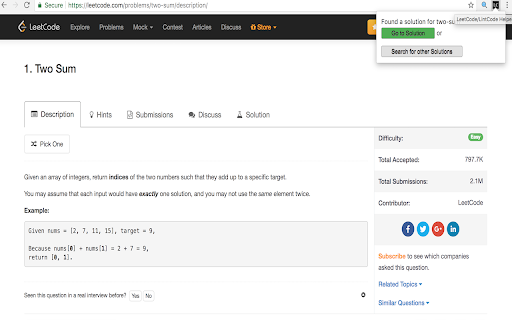
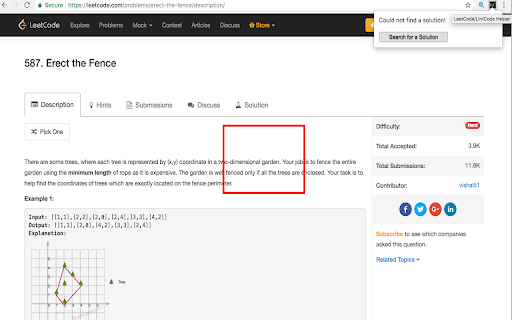
This extension is a useful helper when you code at LeetCode/LintCode. It will automatically search solutions for your problems A handy tool to easy your life when coding on https://www.leetcode.com or http://www.lintcode.com. - Go to problem solution by a simple click of button. - Click the button to search for additional solutions if no auto solution found or you are not satisfied with the provided solution.

Leetcode helper by labuladong
LeetCode assistant plugin for labuladong's readers to practice efficiently.

Leetcode Enhancer
A browser extension to improve productivity on Leetcode. It is a light-weight browser extension which boosts your productivity by hiding unnecessary visual elements from the screen, enabling you to focus on what is important. You can change your preferences form the popup menu and find out what best suits your needs. Its has the following features: **[Supports new UI]** - Hide locked problems from the table - Hide / Show any table column - Highlight solved problems - Hide difficulty count - Hide solved problems STOP getting intimidated by difficulty and FOCUS on problem-solving!

Keep Problems
Save problem with link, name, difficulty, code and notes. This extension helps to save and keep track of problems from different platforms(codeforces, codechef, atcoder, leetcode etc.). - Save your problem with link, name, difficulty, tags, code and notes. - If codeforces problem, then it will fetch name, difficulty and tags. - For other platforms, it will fetch possible information. - Add your code and notes in code and notes section. - Manage your problems in different folders by giving appropriate folder names. - Do you share problems with other? If yes, then this feature can be very useful for you. - Add and filter problems you want to save and click on Export button in navbar. JSON file will be stored on your computer. - Share this json file with anyone. - User can Import this problems in other page by providing JSON file, folder name (optional) and tags (optional). - Sort by name, date, difficulty in ascending/descending order. - Search by name, link, difficulty and tags. - Edit problem data or Delete problem. - Filter problems by folder.

LeetCoder
LeetCoder provides handy features like showing current stats, random picking a problem and copying question/answer/testcases. Pin this extension so that you can easily access the features! Show your current progress: A detailed breakdown of your progress -- the number of your Attempted/Solved/Todo problems is shown in the popup. You can switch on/off the "Premium" toggle to include/exclude premium problems in your stats. Pick Problems: In the popup, you can pick a random problem, or a problem by difficulty (Easy/Medium/Hard). Handy Copy Buttons: In the popup, you can click buttons to copy problem, your answer and especially the testcases in the problem to make it easier when you want to log your progress somewhere. (For me, my progress is at https://github.com/lzl124631x/LeetCode) Customize your answer format: In the top-right corner of the popup, there is a "Options" button. It will bring you to the options page where you can customize your Author information and the template of your answer. Feedback/Feature requests are welcome! I'm actively having fun on LeetCode and maintaining LeetCoder extension. Any feedback/feature requests are welcome! Reach me at liuzhenglaichn@gmail.com
