
albibfnhpoeopdpcpcpcgfeblcpmfcbb

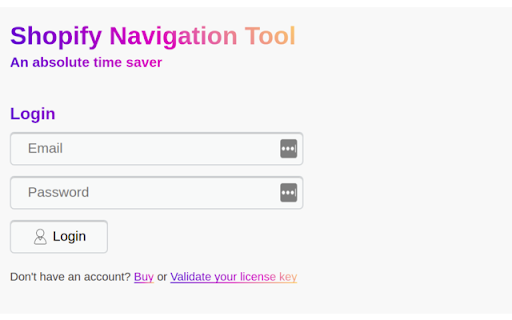


Chrome extension to simplify Shopify navigation operations and save time!!! Shopify admin panel navigation operations, importing, exporting and duplicating, are daunting repetitive operations, that take so much time. the motivation for this extension is to make these operations easier, straightforward and save Shopify users so much time.

Shopify Menu Assistant
Import export and duplicate your shopify navigation/menu in one click. Shopify menu assistant extension is a powerful extension for Shopify. It allows you to duplicate, export, and import Shopify menus with one click. Take control of your navigation structure and enhance your productivity, allowing you to focus more on growing your business. # Data confidentiality All Operation is processed in your local computer, it never goes through our web server, no one knows what you have discarded. Questions? Write to us at the email address: menu.assistant.com@gmail.com or directly on our site from this link https://menu-assistant.com/contact # IMPORTANT NOTE: Shopify Navigation Assistant is in no way in partnership with the official Shopify site. It is an unofficial application which is independently developed and maintained.

Shopify Theme Inspector for Chrome
Profile and debug Liquid templates on your Shopify store Profile and debug Liquid templates on your Shopify store Shopify themes are fast out of the box, but Liquid changes made afterwards can cause slowdowns. Shopify Theme Inspector for Chrome helps identify Liquid changes that are slowing your site down by providing a visualization of Liquid render profiling data, and giving you the means to triage the slowest parts of your Shopify theme. Once you install this extension you should be able to sign in with your Shopify credentials and see a “Shopify” panel in Chrome DevTools. This tool helps you visualize results as a flame graph which is readable and easy to understand. You can examine the flame graph nodes to localize performance issues down to the exact file and line. This is the perfect tool to accelerate your workflow while debugging Liquid performance. If you would like to learn more, contribute a feature, open an issue, or make a feature request you can check out the shopify/shopify-theme-inspector Github repository.

Shopify Theme File Search by EZFY
Search for text inside the files of your Shopify theme. Attention: with shopify's new editor, the extension is temporarily going through an update with even more feature - thanks for your patience! Easily find any text within the files of any of your Shopify themes. Regex support included! Do you ever wonder where a specific line of text is located inside the dozens of files of your theme? Then this extension is most definitely for you. Whether you're a merchant or a developer, a global search function for our themes can be very helpful and save a lot of time. This is exactly what this extension does. Features: - Search for any text inside every single file of your theme - Fast search - User-friendly interface - Regex-friendly Usage: 1. Log in to your Shopify store 2. Navigate to Online Store > Themes > Actions > Edit Code 3. You'll notice a text box load right above your theme editor 4. Login and type in any text you wish to locate 5. Wait for a few seconds, and the app will notify you whether the text was found or not

Shopify theme search (Fast)
Search for files FAST inside your Shopify theme. Stop wasting time searching for text or files within your theme. You can now… Search for files FAST inside your Shopify theme. Stop wasting time searching for text or files within your theme. You can now search for any specific line of text or code instantly within theme files. User friendly tool for merchants and developers. How to use: 1. Install plugin with one click (works automatically) 2. Navigate to theme code: Online Store > Themes > … > edit Code 3. Type text you want to find in the instant search bar at top of editor and click search (Regex and case sensitive included.)
