
aiheepppchdpmpibhpmkmdikfgimfigl
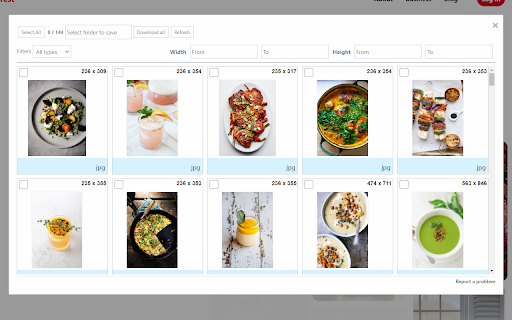


Simple way to find and download all images on the web Image Downloader Korag simplifies the process of finding and downloading images from any website. Enjoy a hassle-free experience as it detects and displays various image formats such as jpg, png, svg, and more. This extension provides a convenient modal window that allows you to preview and download multiple images at once. - Effortless Image Discovery: Korag scans the entire webpage to locate and present all images within a sleek modal window. - Bulk Downloading: Download multiple images simultaneously with just one click, saving you time and effort. - Filter Options: Tailor your image search with filter options based on image type or size. Refine your results for a more focused and efficient experience. Note: After the initial installation, be sure to reload your browser tabs to activate the extension.

PicHarvest - v3 bulk image downloader
Extract and download all images from webpages in selected image format & resolutions. Auto convert image format. Built-in gallery. 📢 Extract and Download bulk images from webpages in selected image format. ✪ No Signup or permission required. ✪ Bulk download all images at once ✪ Auto-convert .webp,.avif,.heic image to png/jpeg format. ✪ Download images in multiple resolutions. ✪ Filter by width,image properties, source, domain. ✪ Specify download location before each download. ✪ Built-in gallery. View Images in date-wise and domain-wise ✪ Option to view in popup window or side panel ✪ Don't open "Ask where to save each file before downloading" dialog ✪ Never show many files warning ✪ Lightweight 40KB ✪ No tracking & no Ads. ImageSaver is a browser extension that lets you easily download any image from any web page, except system pages, the Chrome Store, and the start page. ✅ Built-in gallery View Images in date-wise and domain-wise You can mail us: mediarailhelp@gmail.com

Quick Image Downloader
Browse and download all images from the page in one click Quick Image downloader is a powerful tool that enables you to download all images from any Website, Google Images, Instagram, Pinterest and Facebook in one click. ⭐Select what images you want to download ⭐Bulk download all images in once ⭐Filter the images by width and height ⭐Save to a subfolder ⭐Rename downloaded files ⭐Supports all formats (PNG, JPEG, SVG, WEBP) ⭐Use dedicated buttons to download or open individual images in new tabs

Image Downloader Pro Tool
Download all images from any website in one click. Fast, easy, and bulk image downloader for Chrome. mage Downloader Pro Tool is a powerful and feature-rich extension for Google Chrome, specifically designed for convenient searching, viewing, and downloading of images from any webpage. Whether you're a designer, marketer, content manager, student, or simply someone who regularly saves images from the internet, this extension will significantly streamline your workflow. No longer will you need to manually save each image separately—now you can instantly locate images, conveniently filter them, and download entire batches simultaneously, saving time and resources. With its intuitive interface and well-thought-out functionality, Image Downloader Pro Tool will become your reliable assistant when working with visual content. 🔹 Key Features: Automatic Image Detection — instantly identifies and displays all images on the current webpage, including background and hidden elements. Convenient Filtering — sort images by format (JPG, PNG, WEBP, SVG), size, resolution, or keywords in the URL. Batch Downloading — select multiple images at once and download them with a single click. Automatic File Renaming — apply naming templates for quick and neat organization of downloaded images. 🚀 Advantages Over Competitors: High Processing Speed — enhanced algorithms ensure maximum speed in loading and processing images compared to similar extensions. Advanced Search Settings — advanced filters make your search results as accurate as possible, saving your time. User-Friendly Interface — simplicity and ease of use make this extension suitable for both beginners and professionals. Minimal Resource Usage — optimized for stable, fast performance without slowing down your browser, even when downloading large numbers of files. Image Downloader Pro Tool is an effective solution that will make working with images in your browser simpler, faster, and more enjoyable. Try it and see for yourself!

Save All Images: Bulk Downloader
🖼️ Instantly save all images from any webpage. No more right-clicking each image one by one — just one click and all images are downloaded into a folder named after the site. Save All Images is a lightweight and powerful Chrome extension that lets you bulk-download all image files from the page you're currently viewing. 📂 Features: - One-click "Download" button in the extension popup - Automatically creates a folder named after the website URL - Supports most common image types (JPG, PNG, GIF, WebP, etc.) - Saves time for designers, researchers, and content curators - Clean, fast, and works on any site
