
ahpkicobhkchblogldpjchdhmdnblpkm
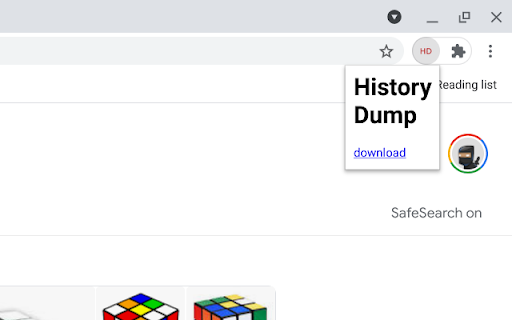
This extension wraps the Chrome history API and makes it simple to download local Chrome history in a machine-readable format. Unless you want to perform your own analysis of your Chrome history, or use this to cross-check other extensions that already do this, then this extension is probably not for you. On installation it enumerates all machine-local history (URLs) and (URL) visits available (within the 90 day window that Chrome preserves these) and stores them in a local IndexedDB table. If not disabled, it listens to onVisited events in order to add new visits to the table and to onVisitRemoved events in order to mark visits as deleted. The event handlers call getVisits in order to fully populate new visits and determine which visits were deleted, respectively. When clicked, the extension creates a JSON blob, downloadable with a click. The JSON format is closely based on the chrome.history HistoryItem and VisitItem types. The extension does not send or receive any information or indeed do anything beyond what's described above besides logging some messages to the JavaScript console. When marking visits as deleted, record the timestamp. Include local ISO date/time as part of the downloaded file name. Add some missing semicolons. 0.0.0.5 rename to Z History Dump so the extension appears next to its related ones; tweak the handling of pending events with some cleaner code 0.0.0.3 add a background service worker and IndexedDB logic to preserve history that falls outside the 90 day window; the table is populated once and updated on every onVisited and onVisitRemoved event; events are queued during initial table population; logging has been improved 0.0.0.2 fix bugs in console debug output - chrome.history.getVisits doesn't return all visits (due to a default option of the internal code that cannot be controlled from the API) and this results in broken references to referring visits in some cases; the debug output logging this was badly broken but now reports correct counts

Netlas.io
The Netlas plugin gives information about where the website is hosted, who owns the IP and what other services and ports are open. This extension is intended to facilitate the work of specialists of the information security. Do you do Bug Bounty? Or is your field of activity - OSINT? Undoubtedly, our plugin will be useful to you. The plugin will allow you to get information about the website you are currently browsing at any time. Just click on our blue spider, and the extension will show you the IP address and domain name details. You will see the location of the object under study, its owner, open ports, and installed services. The extension receives all information from the Netlas.io service, and you can also go from the results to it to get acquainted with the data in more detail: examine the full WHOIS response, view responses, and all DNS records. In addition, the extension can work in automatic mode, passively querying each site you open in the Netlas database and checking for vulnerabilities. To do this, simply enable Smart Logo in the extension settings, then reload the page. Now, every time you visit a site that is potentially vulnerable to some known CVE, the extension logo will change color depending on the vulnerability rating. Attention: the free use of the extension is limited to thirty requests per day without the ability to automatically scan visited sites. To expand the possibilities, you need to register on netlas.io and use your API key.

Improved Potato
Chrome extension to manage bookmarks sanely Lets you export your bookmarks in markdown instead of the default shitty HTML format. Checkout the repo: https://github.com/patheticGeek/chrome-bookmark-exporter

Dork Search Tool
Unlock advanced Google search capabilities with Dork Search Tool. Perfect for researchers and power users, this extension helps you… Unlock advanced Google search capabilities with Dork Search Tool. Perfect for researchers and power users, this extension helps you craft and execute precise search queries. Key Features: Multiple Query Types: Access specialized search modes like In URL, In Text, and Filetype queries. Premium Dork Options: Explore advanced search queries for discovering specific types of information. Customizable Date Range: Filter your search results by date to find relevant data. Search History: Keep track of your past queries and easily export them. Built by Compass Solutions: Developed with user security and privacy in mind. Important: Use this tool responsibly and for lawful purposes only.

Playlist Tracker
Keep track of your YouTube playlists Do you maintain playlists on YouTube? Don't you hate it when a video is deleted or made private, and you don't even remember what it was? Sync your playlists with Playlist Tracker, and get notified of any changes since the last sync. Notifications will include whether or not any videos have been added, deleted, renamed, or have changed from public to private (and vice versa). 1. The "Playlist ID" is the part after "list=" in the URL of the playlist. For example, for "youtube.com/playlist?list=PLsUMoyJKBqcn7dk3jC3i1023Ie-BntpgF", the "Playlist ID" is "PLsUMoyJKBqcn7dk3jC3i1023Ie-BntpgF". 2. Works only with public playlists for now. Playlists don't have to be your own, they just have to be public. 3. You may have to re-add your playlists if you clear your browser's cache. 4. If the extension starts behaving weirdly and you have to reset everything, click the clear-all icon on the top-right. 2. Add hover text to the "clear all" icon based on user feedback. 1. Can sync multiple playlists at once now. 2. Notifications now have the playlist name in the title. Shoutout to Grzegorz Ryznar for suggesting these! 🙌 2. Can specify either the playlist ID or the playlist URL now. 1. Support for tracking a much higher number of songs. 2. Separate notifications for songs added, deleted, renamed or made private.
