
ahbpbcpfaojinpeibbhnnjcoglmplkfj
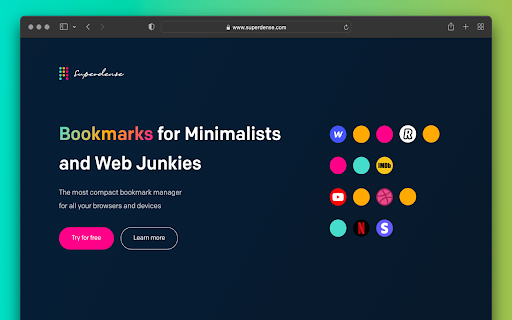

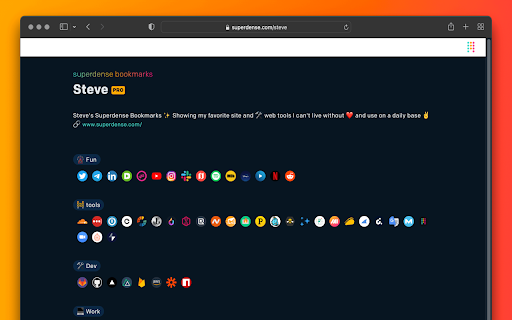
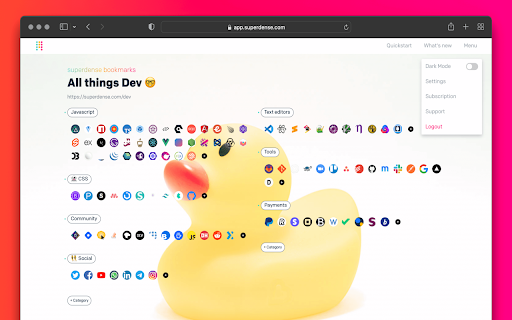
Manage your bookmarks with ease. Linked to your Superdense account. No text, just icons. The most compact bookmark manager for all your browsers and devices. All your favorite sites are just 1 click away. Superdense means "of extremely great density and highly compact." That's precisely what we had in mind when building this tool to manage your web favorites. Superdense is no bookmark manager in the oldskool kind of way, as there are 99 tools available to store your long list of web URLs. Superdense is different, as it's optimized to display as many bookmarks as possible in the least amount of space by focussing on one key element: ✨ favicons ✨ If you're a bit like me, you probably have 20+ tabs open before you finished your first coffee in the morning. And how do you know what browser tab to click? That's right, the favicon. We created Superdense to bypass the limitations of the bookmarks bar with its single row of links. With Superdense, you can create multiple categories, add unlimited bookmarks, drag and drop to have the icons in your preferred order and be ready to make it another wonderful day with all your favs at the click of a button. No problem to store like 200 bookmarks and have them all above the fold. Don't mind a little scrolling: just keep adding categories and bookmarks, as many as you want. ⭐ What you can do with Superdense: ✅ Add unlimited bookmarks and categories 💻 Access your favorites in all your browsers on all devices ↔️ Drag and drop to organize bookmarks and categories 📣 Public profile: promote your portfolio sites and endorse the tools you use most often 🔐 Privacy settings: Mark categories as public or private to show or hide on your public page 👉 Upload custom icons ℹ️ Public Page bio & link 🎟 Invite team members (team plan or higher) 🎨 Themes for custom styling 🪧 Remove branding (company plan) 🌐 Custom domain (company plan) ⭐ Chrome Extension How to use the Chrome Extension to add bookmarks to your Superdense account: 1. Make sure you have your Superdense created and verified at app.superdense.com 2. Install the extension. 3. Simply pin the superdense extension and click on the icon on any page you wish to bookmark. 4. Select or create a new suitable category for your bookmark and save 5. Refresh your Superdense app page and voila! 6. With the extension installed, you can now open an entire category in a new tab group

Bookee - Instant Bookmark Manager
Browse, search and share your Bookmarks with screenshots and thumbnails! Here are a few things that Bookee does to make your life easier: - ⚡️ Loads instantly on any tab as you browse - 🔎 Shows better search results - 🏞 Shows you a thumbnail of each bookmark - ⌨️ Adds shortcut keys (like "Command + e" to edit a bookmark) - 🍿 Let's you watch any YouTube bookmarked videos right away - 🤝 Share your bookmarks and folders with your team (coming soon) - 🔗 Add collections of links for quick access (coming soon) We all use our Bookmarks and Bookmarks Tab. But it can get super-busy: too many bookmarks, and losing track of what we've bookmarked. Bookee was designed to access and search through your bookmarks instantly: just press the "Command + Shift + k" shortcut, and Bookee will pop right up. Start typing to instantly search through your bookmarks, and then press the Enter key to open that bookmark in a new tab. Here's what Bookee will *not* do: - 🚫 It will *not* share your data with any third party sites - 🚫 It will *not* export your bookmarks to any servers - 🚫 It will *not* be a closed system. We will be open sourcing it soon 🙂

Paced Email
Temporary disposable emails by Paced Email. Temp mail with extra privacy and anonymous identity protection. Create disposable or personalised email addresses from your browser with the official Paced Email extension. Anonymously shield your real identity from companies and advertisers who want to track you online. Block and unblock them anytime you want. Boost your productivity by choosing when inbound messages reach you. Batch into daily, weekly, or monthly digests for a calmer inbox. Extension features: • Email field icon to auto-generate burner emails with a single click • Right-click context menu • Single click copy to clipboard • Generate and manage Paced Email inboxes • Account switching

myReach Web Clipper
Save the things that matter on the web in an interconnected network Introducing myReach: Unleash Your Productivity with AI-Powered Superpowers Discover the browser extension that revolutionizes how you save, organize, and access your digital knowledge. myReach is your second brain, seamlessly integrating with your browser to empower you with AI-driven intelligence and effortless retrieval of information. 📚 Save Anything, Find Everything: Capture websites, files, images, notes, and contacts effortlessly, and connect them to relevant tags. No more struggling to remember where you saved that important document or the name of a website – myReach lets you search based on your personal context, empowering you to find what you need quickly and effortlessly. 💡 AI-Assistant at Your Fingertips: Meet your smart AI-Assistant powered by myReach. Simply ask any question about your saved items, and it will instantly provide answers. Whether you need contract details, summarized articles, or reminders from your past conversations, it has the knowledge to assist you effortlessly. No more tedious searching or reading through endless pages – just ask and get instant answers. 🗂️ Organize Your Way: Say goodbye to traditional folders and embrace the freedom of myReach’s flexible workspaces. Create customized workspaces to separate business and personal matters, ensuring efficient organization and effortless collaboration for teams. With myReach, everyone can find the same document using their own context, eliminating the need for extensive training or navigating complex folder structures. 🔍 Intelligent Search, Even in Images: Extracted text from images and files makes every piece of content searchable, delivering unparalleled convenience and efficiency. Locate information buried within images effortlessly, saving you time and frustration. ⚡️ Enhance and Integrate: Customize your saved items with properties like rating, description, cost, and more, allowing for deeper organization and personalization. Seamlessly integrate myReach with your favorite tools, including Evernote, Zapier, Twitter, Google Maps, and more, expanding its capabilities and streamlining your workflow. Welcome to your personal knowledge hub, designed to boost productivity and streamline information retrieval. With myReach, your browser gains superpowers, empowering you to save, connect, and access your digital world effortlessly. Embrace the future of intelligent organization and download myReach today. Get myReach, and unlock a world of limitless knowledge at your fingertips

Marqly – The Ultimate Bookmark & Tab Manager
Marqly – The Ultimate Bookmark & Tab Manager Supercharge your browser with Marqly – a powerful, privacy-first bookmark manager and highlighter that now helps you reduce tab clutter and save up to 95% memory. Effortlessly save links, highlight text, organize bookmarks, and now collapse all your open tabs into a clean, restorable list — all in one sleek extension. 🔹 Why Marqly? Tired of messy bookmarks and tab chaos? Marqly makes it incredibly easy to: 📌 Save and organize bookmarks with tags and boards 📝 Highlight and save text snippets from any webpage 🗂 Create nested collections and custom boards 🔍 Use advanced search & filters to find anything fast 🧠 Restore memory and reduce CPU usage with OneTab-style tab saving 🚀 What You Can Do with Marqly - Save and edit websites effortlessly - Add bookmarks to customizable boards - Tag your links for powerful filtering - Search by URL, content, date, or type - Collapse all open tabs into a single list, saving up to 95% of memory - Restore tabs individually or all at once - Sync across devices securely 🆕 Latest Features 🔥 All-new Tab Saver to eliminate clutter and save memory ✨ Fresh new UI and responsive mobile layout ⭐️ Highlighted texts now auto-organized into quick-access boards 🧮 Enhanced filters and viewing controls 💡 Full-screen website preview 🖱 Drag-and-drop board reordering 💾 Nested collections 🔒 Privacy First Your data stays with you. Marqly never transmits your bookmarks, tabs, or highlights to anyone. Your tab lists are private — shared only if you choose to. Marqly is the only tool you need to take control of your web browsing — save smarter, organize better, and browse faster. ➡️ Try Marqly now and simplify your digital life.
