
ahajhopfbfpekcljjjppolcmapaidldc

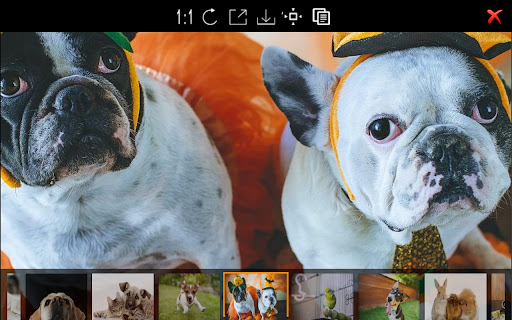


An usefull tool for image download & full page screen capture All of web page images batch download, full page screen capture, and image edit

JIETU - Batch Image Download
Since 2019, efficiently download web images with smart filtering, batch packaging, original image extraction and unlimited… 🚀 All-new “JieTu” Extension — The ultimate tool for web image management JieTu is a browser extension built for designers, developers, content creators, and archivists — specializing in web image capture, filtering, and batch downloading. From smart filtering to precise downloads, everything is designed for efficiency. ✨ Interface Settings — Adapted to your visual habits Theme switching: Auto follow system theme, day or night. Display modes: Grid Mode – 1:1 thumbnails for quick browsing. Waterfall Mode – Best for long or high-resolution images. Sorting: Web Mode – Keeps the original order of images. Load Mode – New images appear first for faster preview. 🧠 Smart Filtering + Size Filter Automatically detects key visuals and filters out irrelevant or watermarked images. Image Types: Icon Mode – Captures favicons and button icons. Design Mode – Detects structure diagrams and UI drafts. ⚡ Real-time Rendering Auto-load new images as they appear on the page. 🔍 Flexible View Modes Window Mode – View images from all tabs. Tab Mode – Focus only on the current page. 📥 Multiple Download Modes Unlimited Mode – Converts all images to PNG for stable capture. Original Mode – Keeps the original format (GIF, SVG, etc.). ✅ With JieTu, you get: ✔ Smarter filtering ✔ Multi-tab integration ✔ Flexible and unrestricted downloading

Image Batch Download Master - Little Bee
A free Chrome extension, streamlines image analysis, filtering, and efficient batch downloads, enhancing work productivity. Little Bee is a free Chrome browser extension designed for batch image downloading. With this plugin, you can easily analyze, filter, and efficiently download various types of images from web pages, making your work more effortless and productive. Browse images in large format for easy selection. Zoom in, zoom out, flip, rotate, and switch between images seamlessly. Powerful Filtering Options: Sort and filter images by file name, file format, file size, width, and height. Speed up image display and enhance operational smoothness. Multiple criteria filtering based on format, width, height, and file name. One-Click Select/Deselect: Effortlessly select/deselect images similar to file management in Windows. Streamline operations with one-click select/deselect functionality. One-Click Batch Format Conversion: Lossless conversion ensures images remain sharp and clear. Convert webp to jpg or png formats during downloads. Download Efficiency: One-click batch download to save time and effort. Make Little Bee your go-to image downloading tool in your Chrome browser, simplifying image processing for greater convenience!

图片批量下载助手
批量下载网页图像,支持图片格式转换,尺寸修改,图片重命名,图片筛选过滤等功能,一键下载全部网页图片。 图片批量下载助手是由在线图像工具箱(phototool.cn)开发提供的网页图像批量下载浏览器扩展。它能够帮助您快速批量下载和保存网页中的图像。 在批量下载图像之前,本插件支持图像的筛选过滤、格式转换、重命名和尺寸修改等预处理功能。您可以高效地过滤无用图像,并将其处理成您期望的格式后进行批量下载。 如果在使用过程中遇到任何问题或发现bug,欢迎通过QQ反馈给我们(QQ:2011689829),我们将尽快修复和更新插件。 插件功能亮点: 动态图像检测:支持监听页面上动态出现的图像。对于滚动加载的页面,工具会自动检测并提示新出现的图像,点击提示即可将新图像添加到下载列表中。 三种下载模式:包括单图下载、依次下载和打包批量下载。依次下载和打包下载模式下,请先选择图像后再进行操作。 主要功能标签: [总览]:查看图像的总数量及下载状态,设置显示模式及图片数量等。 [过滤]:根据URL包含文本、图片类型、宽度、高度、文件体积等多维度进行筛选过滤,高效提取所需图像,支持组合筛选,留空则取消该项筛选。 [格式]:将图片转换为jpg、png、bmp、gif、Webp等格式。请避免重复转换,以免影响图像质量。 [尺寸]:修改图片尺寸,支持自动计算对应高度或宽度。 [文件名]:调整图片保存名称,支持大小写转换及预设名称模板选择。 [URL下载]:根据图片链接下载图像。粘贴图片URL列表(每行一个),点击开始下载即可批量下载所有图片。 [说明]:查看插件的使用说明及反馈建议信息。 [设置]:插件常用设置,自动保存,设置后刷新页面即可生效,支持设置插件显示宽度及点击空白处是否关闭。 插件还提供了图像URL复制功能,支持一键复制选中图像的链接URL。 欢迎提交您的反馈建议,帮助我们不断完善图像批量下载助手。

zzllrr Imager Geek(Lite)
An efficient image batch downloader that supports web page screenshots. Quickly extract images from any webiste you want. It can download all images on a web page in one go. It is great for grabbing images in photo gallery (e.g. Flickr), social networks (e.g. Facebook) and Google Image Search. zzllrr Imager can detect and download images kept: For more info, please visit the Official site of zzllrr Imager ( https://sites.google.com/site/zzllrrimager ) For Privacy Policy https://sites.google.com/site/zzllrrimager/about For questions and feedback Please Email zzllrr
