
agcfgpicnbgmlinahedocfpibgolgndi
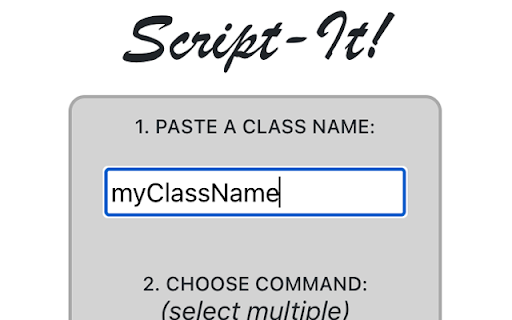
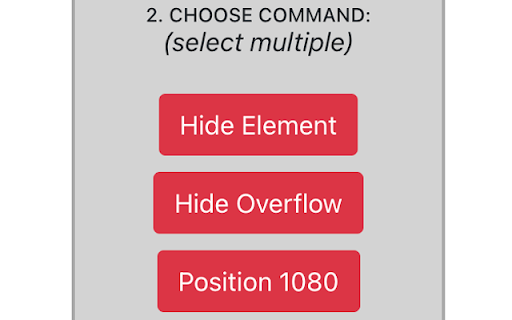

Extension for generating bookmarkable scripts in Chrome browser.

GAS IDE Enhancer
Provides enhancements for Google Apps Script IDE Allows you to improve the experience of interacting with Google Apps Script online IDE. Adds some visual enhancements and tools. In new version added auto enable dark theme if system them is dark. Improve performance.

Apps Script Libraries
This extension allows you to search for Apps Script libraries and install them directly from Apps Script IDE this extension will help you streamlines the process of discovering and installing Google Apps Script libraries right from the Apps Script IDE. With an integrated search functionality, you can quickly find libraries, view details, and install them into your project with ease. Save time and enhance your development workflow by managing external libraries without leaving the IDE.

Faro
Save pages with highlighted taglines - Bookmark manager ⨯ web highlighter Chaos in your bookmarks? Can't find what you want? They end up gathering dust? Or you don't even try and end up with 100s of open tabs? Faro is made to fix that! It's the simplest way to save & keep track of pages. With it, even thousands of saves don't get overwhelming. When saving, you highlight a sentence to act as a tagline. It helps you remember what the page is about and why you saved it. If unsure - just save whatever sentence you're reading. All saves appear on your dashboard. They come most-recent-first by default, so you don't forget what you recently saved. You can pick up your reading where you left off - no need for a separate reading list. You can also pin & archive to further arrange it. Organize them with tags. Since you're reminded what you saved and why, you can do it later. It makes your saves much easier to manage than bookmarks. Faro supports nested tags (eg: recipes/vegan), so combines the best of tags and folders. Clicking a save takes you right back to your highlight - especially useful for longer articles. Also: ➣ export to bookmarks to keep them if you uninstall Faro ➣ copy links to highlights and share them or paste into Notion, Obsidian, etc. ℹ️ About your data: When installing you can read: "it can read and change all your data on all websites" The only information that ever gets uploaded (when signed in) when you use it to save: ➣ Open page address ➣ Saved highlight/quote - what's visible in the sidebar ➣ Timestamp ➣ Debug info e.g. errors The extension also keeps track the currently open tab for each window - to update the sidebar as you navigate - but doesn't save or upload that data.

NotebookLM Source Uploader
Supercharge your research and learning workflow in Google NotebookLM! Are you tired of the tedious, one-by-one process of adding sources to your notebooks? The NotebookLM Source Uploader is the essential utility designed to eliminate repetitive clicks and save you valuable time. With this extension, you can add dozens of Website or YouTube sources to your notebook in the time it would normally take to add just a few. Simply paste your list of links, click one button, and watch as the extension automates the entire process for you. How It Works: Make sure you have a Google NotebookLM notebook open in a browser tab. Click the extension icon in your toolbar to open the uploader. Choose the source type (Website or YouTube). Paste all your URLs into the text field, with each URL on a new line. Click "Upload to NotebookLM". The extension will automatically find the correct tab and begin adding each source, one after the other, until the job is done. Key Features: Batch Uploading: Add an unlimited number of sources in a single operation. Supports Key Formats: Works seamlessly with both standard Websites and YouTube links. Automatic Tab Handling: Intelligently finds your open NotebookLM tab or opens a new one for you. Simple & Intuitive Interface: No complicated settings. Just paste your links and go. Built-in Guide: A clear and simple help section is included to get you started instantly. Privacy First: Your privacy is paramount. This extension operates entirely within your browser. Your URLs and any other data are never stored, collected, or sent to any external server. It's a simple, secure automation tool. Stop wasting time on manual data entry and focus on what truly matters: your research, learning, and insights. Install the NotebookLM Source Uploader today and streamline your workflow Save time by automatically uploading lists of Website or YouTube URLs to your Google NotebookLM notebooks. Automate adding multiple websites and YouTube links to Google NotebookLM. The fastest way to batch-upload all your research sources to NotebookLM.
