
aeojbjinmmhjenohjehcidmappiodhjm
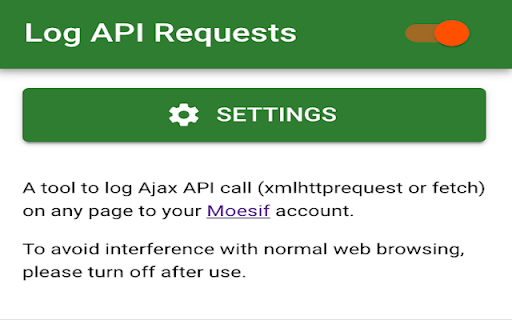

Capture and Log API Requests and Responses (XmltthtpRequest and fetch) for debugging, analytics, and sharing. This extension allows you to capture AJAX HTTP requests and responses made to an API from any websites such as from a React single-page app. Background: When debugging single-page apps by inspecting API network traffic, often developers need to manually copy/paste the JSON payload to share with others for help on API behavior. The Api Request capture tool allows you to do that much easier. Compared to other API request captures tools like Postman Interceptor, we actually captures the entire API call (i.e. both request and response and full headers and body) and make it easily sharable. What the current Update: - Now, the captured API request will be send to your Moesif Account to leverage all the advanced API analytics and sharing capabilities. Under 30,000 events/month is completely free. Moesif (https://www.moesif.com) enables API teams at UPS, You.com, Deloitte, and others to deeply understand customer API usage and ship better API products with user-centric API analytics and monetization, which enables you to: - Understand customer API usage with user behavior analytics. - Debug issues quickly with high-cardinality API logs and metrics. - Get alerted of problems that impact customers. - Track API KPIs with custom dashboards. - Meter API usage and set up billing meters with integrations with Stripe, Chargebee, and custom billing platforms. By using this extension, you agree to Moesif's terms of use (https://www.moesif.com/terms) and privacy policy (https://www.moesif.com/pravicy).

CSS Used
Get all css rules used by the selected DOM and its descendants. One click to get all the css applied to the selected web element and its descendants. -- Recent Update -- 1. Migrated to Manifest V3. 2. Resources are read from local caches, making it much faster and solves the cross-origin issue. 3. Optimized style parsing in a more efficient way. 4. Dropped support for some outdated CSS, mostly -o- and -ms- prefixed properties. 5. Implemented a new UI powered by Svelte, with some visual tweaks. -- Known Limit -- 1. For CSS rules like ".wrap p{...}", if only " " is selected, the result ".wrap p{...}" will not apply to " ". Either change the rule to "p{...}" or add a ".wrap" parent in the final HTML. 2. CSS custom properties (variables) and all the style inherit related features are not supported currently.

CrapApi Http Test
CrapApi is a plug for testing RESTful web services, like postman. ApiDebug is a browser plug-in for testing RESTful web services.A tool like postman and resteasy. It might be used for testing other HTTP communications too. Support interface debugging (POST, GET), support JSON, XML and other parameters. If you want to save data to you own database, use the API administration tool -CrapApi(a tool to admin interface and save ApiDebug data. CrapApi is open sourced, you also can use the online service, is free to all. The website url is http://api.crap.cn)

Chrome extension source viewer
View source code of Chrome extensions, Firefox addons or Opera extensions (crx/nex/xpi) from the Chrome web store and elsewhere. View the source code of any Chrome extension in the Chrome Web store without installing it. Features: - Button at the Chrome Web store - Download extension as zip file - View source - Configurable via context menu on button: Set one-click action via "primary action on click". - View source: - File name/type filter - Search in the file content (literal or regexp) - Automatic beautification (formatting) of code - Syntax highlighting - Show hashes (md5, sha1, sha256, sha384, sha512) of individual files - Image preview - View embedded zip files - View any zip file by URL or file chooser - View source of platform-specific extensions (such as Chrome OS-only extensions, or NaCl for a different architecture). - Permalink to file and search result within a zip or extension file. - Full support for incognito mode. - Outputs public key and extension ID to the console. Optional features (see options page): - View source of Opera 15+ extensions, Edge extensions, Firefox addons or Thunderbird add-ons. - "View extension source" contextmenu item on links to Chrome extensions - View source of Chrome extensions outside the webstore. The View source button becomes visible when you select a CRX file for download. Change log: - 1.2.3: Add "downloads" permission to make sure that the "Download" button always works as intended. - 1.2.4: Add extra parameters to the CRX URL to make sure that CRX files of extensions uploaded to the Chrome Web Store after July 2014 are correctly read. - 1.2.6: Sync options, use optionsV2, show numeric progress instead of dots, updated JSBeautifier, restore font size. - 1.2.7: Bugfixes (viewer height, checkbox filter). - 1.3: Support Firefox addons (also available as a Firefox addon!) Search within files Customize webstore download parameters View embedded zip files and any zip file - 1.3.1: Use correct URL for loading extension files. - 1.3.2: Bugfix to allow unusual extension URLs to be opened again. - 1.4: New syntax highlighter, improved search controls, improved word wrap. - 1.5: Calculate hashes, add link to Github project page, bugfix for case-sensitive search. - 1.6: Improved search highlighting & also search in beautified content. - 1.6.2: Configurable "primary action on click", open new tab next to current tab. - 1.6.4: Support the new CRX3 Chrome extension file format (#62). - 1.6.6: Permalink support, Firefox add-on finder. - 1.6.7: Fix broken extension due to bug with storage access and NativeCrxBindings. - 1.6.8: Support CRX3 file format from CWS; support some other AMO domains. - 1.6.9: Add option to add the context menu item to more links (#69), open new tabs via context menu next to current tab. - 1.6.10: Improve syntax highlighting (perf, highlighting of WebAssembly source), show sum of file sizes. - 1.6.11: Add "Extension ID" row at Analysis of manifest.json, improve CRX3 public key detection, improve zip fallback detection. - 1.6.12: Support source viewing of Edge and Thunderbird extensions, recognize CRX3 from Opera, update beautifier. - 1.6.13: Work around Chrome bug that broke the extension button (#120). - 1.7.0: Support new Chrome Web Store (#134), and migrate to Manifest Version 3.

HttpWatch
Works with HttpWatch software (versions 15 - 16) on Windows to show HTTP/HTTPS traffic generated by the Chrome browser PLEASE NOTE: This extension is designed to work with the HttpWatch software version 15 or later on Windows (see www.httpwatch.com). It is not intended to be a stand-alone Chrome extension. HttpWatch supports many additional features compared to the built-in DevTools network panel: - Supports multi-page debugging by grouping requests by page - Supports automatic recording and logging of network traffic in each Chrome tab without additional user intervention - Displays warnings about well know performance and security issues, e.g. ineffective cache settings - Advanced Find and Filter functions make it easier to locate requests or content - Built in summaries of page level statistics, e.g. bytes downloaded, network round trips, etc - Directly email HWL or HAR files from within the tool Currently the tool is Windows only and requires a separate download from https://www.httpwatch.com to complete the installation once the Chrome Extension is installed. HttpWatch acts as an in-browser HTTP sniffer and displays detailed information about HTTP(S) requests generated by Chrome. This information includes: - HTTP headers - HTTP cookies - Status codes and errors - Query Strings - POST Data - Content - image, textual and binary - Timings
