
aegbimnoohfodebkjojbabcfkinbjink

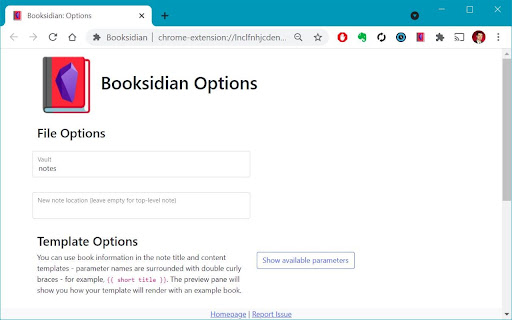
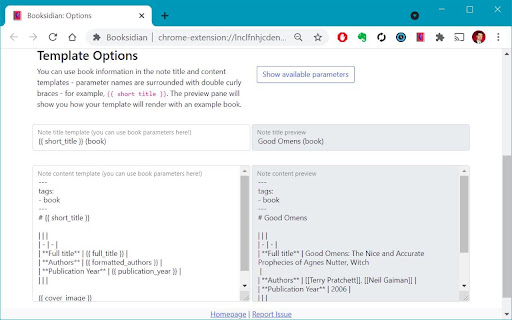
Create Obsidian notes for books (from the book's Goodreads page) or for YouTube videos This extension allows you to customize the note's title and content based on the book / video parameters (short and full titles, authors, channel, etc.)

obsidian-livesync-webclip
Webclipper for Obsidian LiveSync Clip web pages to markdown, and send them to Obsidian via Obsidian-livesync. You can keep online content as a local notebook, and reallege, collect, and add your comments as markdown. Images are also captured. Therefore, you can view the content while you are off the line. Self-hosted livesync and obsidian-live-sync-webcip are made in OpenSource. If you feel anything worries, check the repo. You can control all your data completely. Note: - Obsidian, and your own server or SaaS account are required. for more information, check the repo. - Your Cloudant or CouchDB instance should allow the CORS request from the URI you have clipped.

Search Obsidian in Google
A browser extension that allows you to search your Obsidian vault in Google. A browser extension that allows you to search your Obsidian vault in Google. Need to be used with plugin in Obsidian to take effects.

Obsidian Clipper
A small chrome plugin that let's you easily clip things to Obsidian This is an unofficial clipper for Obsidian that allows you to easily clip a selection to a note in Obsidian. Clip a selection in Chrome with or without markdown support to Obsidian.

Clipsidian
Clipsidian lets you capture in-browser selected content and send it directly to your Obsidian vault. Copy selected web page content to your Obsidian notes: - In your web browser, select the content you want to add to your Obsidian vault. - Right-click on the highlighted content. - From the context menu, select a clipping action. Obsidian should open (if it isn't already open) and your clipping should be saved! Configure your clipping actions: - Open the Clipsidian extension options in your browser and set up as many clipping actions as you need. Choose where to save each clipping, append them to existing notes or create new ones dynamically with placeholders like {date}. Customizable Web Clipping: - Easily collect clippings and keep them organized. Define your own clipping actions with Clipsidian, precisely choosing the destination for every web clipping within your many vaults. Dynamic Target Note Paths: - With the ability to use placeholders like {title}, {date}, and {time} in your target note paths, Clipsidian allows for seamless organization of your clippings. This dynamic functionality enables you to save clips to specific notes based on the clipped page or time of clipping. Enriched Clipping Templates: - Auto-embed valuable metadata with placeholders like {date}, {time}, page {title} and page {url} with every web clipping. Flexible Date and Time Formatting: - Customize how the {date} and {time} placeholders appear in your clippings. Clipsidian let's you change the format of your dates and times, including setting the locale to match your language. - Example: {date:LLLL dd, yyyy} turns into January 1st, 2000
