
adelhekhakakocomdfejiipdnaadiiib


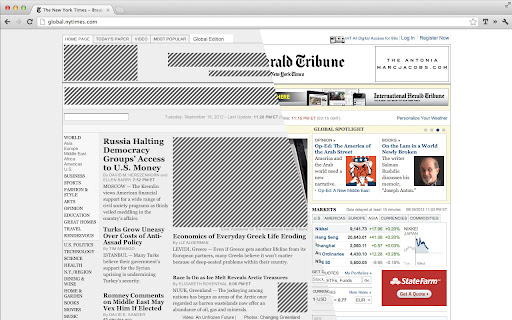

Browse the web without distractions via simple text based pages. Declutter the web by activating Text Mode. Pages load in text-only format, eliminating images, animations, and videos. This makes content easier to scan and read. ★ View text only pages ★ Images and video, are never loaded ★ Color-free pages are easier on the eye ★ Reduce page load ★ One-click easy access ★ Removes 99% of the ads with no extra software ★ No ads, no tracking, no nothing. Just text. ——— New in v0.6.1 - Enhancement per user feedback ★ New option to enable/disable video playback New in v0.6 - Improved Security and Performance ★ More customization options ★ Blocks even more formats (including Google Images results, SVG elements, figures, background images, videos, etc.) Previous updates: ☆ Options page ☆ Multiple image replacement options ☆ Requires even fewer permission from the user.

Holmes
Chrome Bookmark Search Extension Got bunch of bookmarks in Chrome? Never find the bookmark you're looking for? Holmes is here to search for your bookmarks! Omnibox integration is back! You users missed Watson so bad so we thought to bring him back! And he is faster than ever! As always, you find him from url bar. Just type * and press tab and you're ready to search! Holmes also activates by keyboard shortcut! Press Alt+Shift+H and you're ready to go! You can always change the shortcut for your liking. Go to Chrome Menu > Tools > Extensions. Scroll down to bottom, press "Keyboard shortcuts" link and add custom shortcut to Holmes! * Fuzzy search implemented both Holmes and Watson - big thanks to krisk's Fuse library -> https://github.com/krisk/Fuse * Holmes website link added to extension * Default shortcut wasn't working! Now it does! * Added guide to change default shortcut. See top of this text for more info. * When bookmark was added or removed Holmes didn't recognize the changes. Now fixed. *Blog link removed from the start. *FIXED a bug from clicking bullet page navigation. Now it works properly. Compatibility update for the upcoming browser versions *NEW - Watson, the Omnibox search integration - Type asterisk(*) and press tab in url bar *NEW - Logo typography change * NEW - Options added. Toggle from seach field right corner. * Remove bookmarklets from search (bookmarks that starts with 'javascript:'). * Save last state. Continue from last point. v.1.0.1 * Ctrl+D is deprecated. Preventing Windows users to create bookmark by pressing the combination.

Tabs Outliner
The Next Generation Session Manager; A Really Working Too Many Open Tabs Solution; And Your Browsing Notebook. Tabs Outliner is a powerful fusion of a tab manager, a session manager, and a tree-like personal information organizer. It features built-in tools designed to drastically reduce your open tab count by allowing you to easily annotate and "close-save" windows and tabs within their original context. Most importantly, it allows you to interact with these saved tabs practically in the same way as with open ones, freeing up valuable system resources. A Lifesaver for Cognitive Overload & ADHD Beyond just managing links, Tabs Outliner acts as a secondary brain. For people with Attention Deficit Hyperactivity Disorder (ADHD), or anyone who frequently experiences information overload, this extension is a game-changer. It drastically reduces mental load by allowing you to visually organize and safely tuck away your workflow without the anxiety of losing your train of thought. You can clear your screen to focus on the task at hand, knowing everything else is perfectly preserved exactly as you left it. It also provides one of the most reliable ways to recover from crashed sessions — an unfortunate reality for power users who naturally accumulate hundreds of open tabs. = FEATURES AND CAPABILITIES = ☀ Complete Overview - Get a bird's-eye view of all your open and saved tabs and windows, complete with your custom-added notes and marks. ☀ Flexible Tree Structure fully editable by Drag-and-Drop - Organize everything in a fully editable hierarchical tree into logical hierarchies and delimited groups. Unlike other tools, every node can be a parent to any other node, and all items can be freely reordered to specify priority or importance. This works not just with saved links, but with your currently open tabs and windows! ☀ One-Click Close & Save - Preserve any tab or window "in place" within its original context in the Tree with a single click. Saved items can be freely mixed with open ones. Because the Tabs Outliner window is designed to be kept active for observing your workspace, saved items never fall out of focus (a common issue with tools that banish tabs to separate lists). This makes the actual act of closing tabs to free up resources feel safe and mentally effortless. ☀ Innovative Tabs Outlining & Organizing - Annotate windows and tabs, add comments, summarize main ideas, or create to-do lists. Text notes can be dragged and dropped directly from web pages into the Tree. ☀ Tree-Style Tab Relations - Inspired by the famous Firefox extension, this feature automatically relates newly opened tabs to the tab they were opened from. This builds a strong, visual context for all your items and perfectly maps out your browsing trail. ☀ Intelligent Crash Recovery Done Right - No more panic after a browser crash or sudden system restart. Forget the default Chrome "all or nothing" choice—where you either lose all your tabs or reopen all the mess there was before crash and freezing your PC trying to load them all at once. Tabs Outliner lets you reopen only the windows or individual tabs you need NOW. Everything else remains safely saved in the exact context it was in before the crash, consuming zero resources until you are ready for it. ☀ Tabs List Exporter - Easily export and share an annotated list of your tabs via Google Docs, Word, Evernote, email, or messengers. Entire window hierarchies can be exported with a simple Drag & Drop, or you can save your entire tree as an HTML file (Ctrl+S in the main window). ☀ One-Click Procrastination Stopper - Instantly close-save all open tabs and windows while preserving their full structure and context. Regain system performance and mental clarity in seconds, and return to your work with a clean slate. = PAID FEATURES = Everything mentioned above is absolutely free to use. However, to support the ongoing development of the project, there are additional pro features available for a small, one-time payment. (Free users will only see an unobtrusive reminder about these features once every few weeks). ☀ Keyboard Shortcuts & Clipboard Support - Unlocks a whole new level of speed and efficiency for power users to navigate, edit, and manipulate the tree. ☀ Frequent Local Backups - Access automatic local backups saved every few minutes—perfect for restoring accidental deletions or reviewing recent changes. ☀ Automatic Daily Google Drive Backups - Not only this secure your data this also enables possibilities to access your tree remotely from some other computers Note: These paid features are completely optional, and the core application is highly effective without them. The tree constantly saves all changes locally, and manual backups or data exports can be done at any time for free.

Reeader - Minimal reader with speed reading
A simple and minimal way to read articles faster. Reeder - a minimal and open source reader extension for Google Chrome UPDATE: Now featuring a unique stop word fading feature to help you skim through articles faster. Skip the stop words while reading, allowing you to read less and absorb more information efficiently. Distraction-Free Reading Mode: Read any article in a distraction-free mode with a clean, ad-free layout. With just one click, open the reading view on top of any website, ensuring you stay focused on the content that matters. Customizable Themes and Fonts: Quickly toggle between white, yellow, and dark themes to suit your reading preferences. Improve your reading experience by easily adjusting the font size and line height to match your comfort level. Speed Reading Mode: Activate the speed reading mode for faster reading. Learn how it works and how you can enhance your reading speed by watching this informative video by Tim Ferriss: Speed Reading Video. Open Source and Developer-Friendly: The source code of Reeder is open source. If you are a developer interested in contributing, feel free to send a pull request. Join our community and help improve the extension. Distraction-Free Reading: Enjoy a clean, ad-free reading experience. Stop Word Fading: Skim through articles faster by fading out stop words. Customizable Themes: Switch between white, yellow, and dark themes. Adjustable Fonts: Modify font size and line height for optimal reading comfort. Speed Reading Mode: Enhance your reading speed with our speed reading feature. Open Source: Contribute to the development of Reeder on GitHub. Reeder is designed to help you minimize distractions and focus on the content that matters. Whether you’re reading for work, study, or leisure, Reeder provides a seamless and enjoyable reading experience. If you want a specific feature in the extension or just want to say hey, feel free to tweet me @paritosh_pundir.

EasyReader
EasyReader can customize and improve the readability of long web articles Usage: 1. Click extension button. 2. Select content on the page to read. 3. Enjoy. Features: ★ Table of contents for headings are provided to the left. ★ Color, size, fonts and more are fully customizable. ★ Print, will print selected content only. ★ Code highlighting for code segments without other style. Tips: ☞ Drag right edge of content to change width. ☞ Background can be customized using images, not only colors. Example for background color use: url("http://antonj.se/resources/css/images/paper-texture-warm.gif") ☞ Hovering lables in option page will give you the actual CSS property that is used. Updates: 1.63 - Maintenance update to upgrade to chrome manifest version 3, since that was required. Keyboard shortcut moved from options to standard extension shortcuts 1.62 - Removed tabs permissions, since it was not needed 1.61 - Minor bug fixes (no scrolling in original page) 1.60 - Minor bug fixes 1.50 – Keyboard shortcut to activate/deactivate EasyReader (set in extension options) 1.46-7 – Bugfix: Print width always 100 % 1.45 – Printing with EasyReader activated will only print selected content. 1.44 – Bugfix: Flash content temporary hidden, when ER is activated. Since Chrome7 Flash would otherwise always be above ER content. 1.43 – Bugfix: Google Dictionary (by Google) extension popup will be on top of EasyReader content. 1.40 – Syntax highlight for code segments of articles, using http://code.google.com/p/google-code-prettify/
