
acghhljehhigfeinngmggkpgbacpikfe

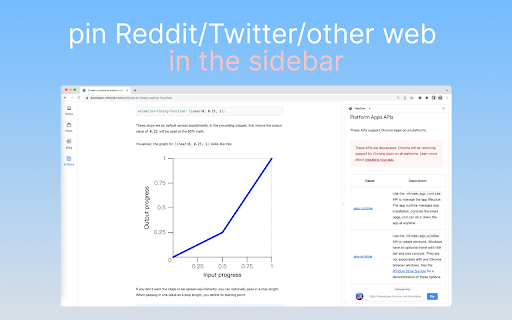
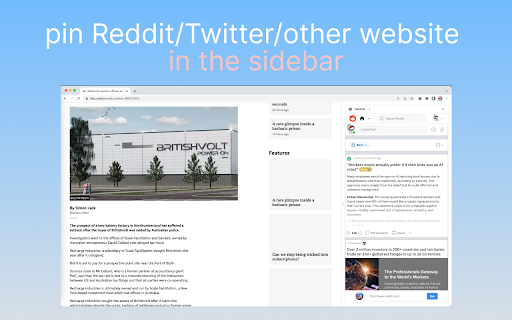
Open and pin any website in sidebar — such as ChatGPT, Gemini, Claude, Todoist, Notion and more. Open any website in Chrome's side panel — browse while you work! • Multi-Tab Support — Open up to 5 websites simultaneously in the sidebar • Quick Access Shortcuts — Your frequently visited sites, one click away • Distraction-Free Mode — Hide the address bar for a clean, full-height view • Draggable Toggle — Position the show/hide button anywhere you like • Auto-Save — Your tabs and shortcuts persist across sessions 💡 PERFECT FOR • ChatGPT, Claude, Gemini — AI assistants always at your fingertips • Todoist, Notion, Trello — Manage tasks without leaving your current tab • Slack, Discord, WhatsApp — Stay connected while working • Translate, Dictionary — Quick reference tools • YouTube Music, Spotify — Background music player 1. Click the extension icon to open the side panel 2. Enter any URL or use quick shortcuts 3. Switch between tabs, add new ones with "+" 4. Click "→" to hide the address bar for more space Works with ANY website. Simple, fast, and lightweight.

Side Panel
Vertical tab menu that searches, moves, and sorts. Vertical tabs. Search and sort. Click the extension icon to show the popup and each favicon. Press enter after searching. Press tab key then enter. Automatically scroll to the focused tab. Try the bonus side panel feature. Move tabs by dragging and dropping. Middle click to close. * Added beautiful color coded tab movement. * Restored side panel menu visibility, caused by regression listed below. * Side Panel was affected by the browser regression that broke setPanelOptions. * Middle click now closes the tab that was clicked on. * Move tabs by dragging and dropping. * Use images instead of text for the top row of links. * Added hover title for the top row of links. * Search input box now has a magnifying glass in it. * Search input box now has a placeholder. * Automatically scroll to the focused tab in view. * Only scroll when the focused tab isn't visible on screen. * Animate scrolling. * Faster image loading by exiting the event loop and lazy loading favicons.

Sidebar & App Launcher for ChatGPT, YouTube, Reddit & More - TabBuddy
Access ChatGPT, Reddit, YouTube, and more from a sidebar. Multitask and launch apps without switching tabs. Access your favorite apps like ChatGPT, Reddit, YouTube, and many more instantly from a convenient sidebar on any tab. TabBuddy puts your top apps right at your fingertips with a powerful sidebar you can open from any tab. Whether you’re chatting with ChatGPT, browsing Reddit, watching YouTube, or using custom apps, TabBuddy makes multitasking smooth and effortless. Boost your productivity and streamline your browsing with this flexible sidebar and app launcher. 💻 Open Apps in a Sidebar — Use your favorite apps without leaving your current tab. ⭐ Choose from Popular Apps — Quickly launch ChatGPT, Reddit, YouTube, and more. 🛠️ Create Custom Apps — Add any web app to the sidebar with a custom entry. 🌍 Seamless Access on Every Tab — Keep the sidebar available across all your tabs. With TabBuddy, everything you need is just a click away. Start multitasking smarter and enjoy a faster, more productive browsing experience!

Side Browser|Open page in side panel
Effortlessly open website in your side browser – streamline your workflow instantly! Effortlessly open website in your side browser – streamline your workflow instantly! Browser Extension Features: ◆ Browsing Experience: Seamlessly open any webpage using a powerful web browser sidebar view. Enhance your browsing experience by conveniently accessing ChatGPT, Gemini, DeepSeek, or any other AI in the sidebar, whether you're reading Wikipedia articles, watching YouTube videos, coding in a text editor, viewing your calendar in split screen, translating words, shopping, or replying to emails. ◆ Multi-Tab Sidebar: Easily open and manage multiple pages within the sidebar. For example, open Notion, Todoist, and Google Translate, and switch effortlessly between tabs.

Side Panel Viewer
Open web pages like Google Calendar and Gemini in a side panel. Provides a customizable sidebar to quickly launch and use favorite web applications and websites. This enhances user productivity by keeping essential tools accessible in a side panel, reducing the need to switch between browser tabs.
