
acehchockcmgigjilbjhecnepiohkfld
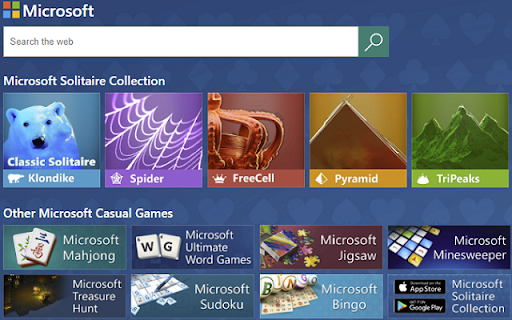


Your favorite Microsoft Solitaire Collection games powered by Microsoft Search Do you want to get rid of the annoying ads in your Solitaire game? Your favorite games just got better with this extension! By installing this extension, joining the Microsoft Rewards program and searching the web, you will be able to earn a voucher redeemable for Microsoft Solitaire Collection premium edition on Windows 10, which will give you: o No advertisements o Double coins for Daily Challenges o A boost for every game of TriPeaks and Pyramid This extension sets Bing as your default search engine so you can earn your reward points faster. From this extension you can also quickly launch and discover new Microsoft Casual Games. Microsoft Solitaire Collection games are free to play and bring together 5 different card games in one app: o Klondike o Spider o FreeCell o Pyramid o TriPeaks

MSN New Tab
Add the MSN New Tab for quick access to the latest news, your most visited sites, web search and more. Transform Chrome with MSN New Tab. Stay effortlessly informed with quick access to news, weather, and fast web search. Why Choose MSN New Tab? Stay Informed: Get real-time updates on the latest news headlines, sports scores, and stock market quotes from thousands of the web’s most trusted sources. Whether it's breaking news or game highlights, you'll always be in the know. Convenience at Your Fingertips: View deals from your favorite brands and check real-time traffic conditions in your area, all from a single, easy-to-navigate tab. Personalized Experience: Receive localized weather forecasts tailored to your location, ensuring you're prepared for any weather conditions. Features Include: - Trending News: Access top stories from the world’s most popular and reliable news sources. - Sports Scores: Stay updated on your favorite teams and games. - Stock Market Quotes: Monitor market trends with up-to-the-minute stock quotes. - Exclusive Deals: Discover the latest offers and discounts from brands you love. - Localized Weather Forecasts: Get precise weather updates for your area. - Real-Time Traffic: Check traffic conditions to plan your commute efficiently. - Fast Web Search: Enjoy a quick and comprehensive search experience. Enhance your browsing with the MSN New Tab extension and enjoy a seamless blend of information and convenience. Install today and experience the difference. By installing this extension, you agree to the Terms of Service at: http://www.microsoft.com/en-us/servicesagreement/ and Privacy Statement at http://www.microsoft.com/en-us/privacystatement/default.aspx

Maze
Just click on the maze extension icon in the top right corner of your browser and the game will start immediately in a popup! The maze is randomly generated and changes every time the game starts or restarts. Your goal is to move the red block from the top-left corner to the green block in the bottom-right corner within 20 seconds. Use either the Arrow keys or WASD keys to move. The bar at the top of your maze shows how much time you have left. When the game ends, press the Restart button or the Space/Enter key to begin a new game. Have fun with the maze game! If you'd like to play the next level or check the shortest path, simply click the corresponding links below the 'Restart' button. Additionally, we've added some of our featured game extensions to the game over page for extra enjoyment. CHANGELOG ========== Version 0.3.0 - 0.4.2 - Update the link of the shortest path - Add the link of playing the next level - Dynamic update of featured game list - Add WASD movement support - Prettify code and styles Version 0.2.0 - 0.2.9 - Add the link of bonus features - Add the link of the shortest path - Display featured products after game over Version 0.1.7 - 0.1.8 - Add the section on new games - Update the game list with time Version 0.1.0 - 0.1.6 - Initial release and feature updates

Rolling Ball Puzzle Game
In challenging levels, you have to make the right moves and get the ball to the finish line. Do you like puzzle games! Solve challenging puzzles and let the crazy ball find its way. How To Play Played with Mouse. Finally, you can enjoy these game for free (and more requests will be added)! Rolling Ball Puzzle Game extension does not contain any hidden ads. Help and Contact Contact with us at info@gamebol.com and share your thoughts and problems.

Classic Uno Game
When playing uno against your opponent, you must first run out of cards in your hand. Get ready for a crazy game of uno! Choose your avatar, play your best game and start the fun. How To Play Played with Mouse. Finally, you can enjoy these game for free (and more requests will be added)! Classic Uno Game extension does not contain any hidden ads. Help and Contact Contact with us at info@gamebol.com and share your thoughts and problems.
