
aafogiodioingpnldcbheakpcemomhek
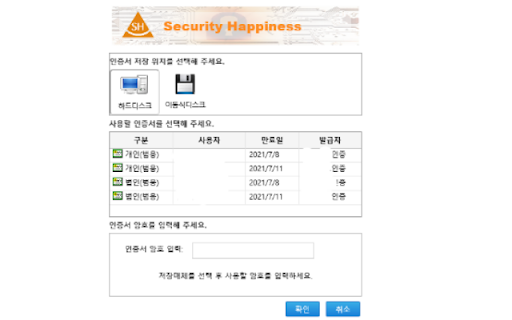
This extension connect the local resource. This extension is used to perform PKI functions (signatures etc.) using certificates stored on the Local Resource (USB HSM, Windows Cert Store, Hard Disk, USB Disk, etc.).

Android Terminal
Access your USB-connected Android terminal without installing ADB This extension establishes an ADB-compatible connection with your Android device, eliminating the need for any native applications to be installed. It's designed to operate across various desktop environments, whether you're on Windows, Linux, macOS, or Chrome OS. Remarkably, the extension is written entirely in JavaScript, making it free from any native executables. Here are some of the key functionalities offered by this extension: 1. Multiple Terminal Windows: Easily open multiple terminal views to connect with your Android device, facilitating efficient debugging and interaction. 2. File Transfer: Streamline sending and receiving files between your desktop computer and the Android device. 3. Screenshot Capture: Capture screenshots of the current screen view on your Android device and store them on your desktop computer. 4. Application Backup: Perform comprehensive backups of your Android device, including all or select installed applications and their associated data. 5. Debugging with "logcat": Use the "logcat" command to debug your Android device directly from your desktop, enhancing your development capabilities. This extension serves as a compelling alternative to traditional native ADB (Android Debug Bridge) applications, offering a more accessible and platform-agnostic solution. If you already have the native ADB installed and want to explore this extension, ensure there are no ongoing communications with the ADB server by executing the "adb -kill-server" command. Then, refer to the instructions on the extension's homepage to get started seamlessly.

my-odoo-webkit
Extension for Odoo development Odoo Webkit is a developer tool extension designed exclusively to enhance the development experience within Odoo applications. The extension provides developers with quick access to model information, debugging tools, and development utilities while working on Odoo applications. It does not collect, store, or transmit any user data, and its functionality is strictly limited to improving the development workflow within Odoo's interface.

Create bootable Windows10 USB on Mac-Tutorial
Easy 3 step interactive tutorial guide you through the process of making a bootable Windows USB.

NanoKVM-USB viewer
Access Sipeed NanoKVM-USB through a browser extension This extension is a re-packaged version of the Sipeed NanoKVM-USB web application (https://github.com/sipeed/NanoKVM-USB/tree/main/browser) for easy offline usage straight inside a chrome browser window, with no requirement for running a local web server. For documentation on using your NanoKVM-USB, please see the quick start guide on the Sipeed wiki: This browser extension is open source and the source code is available on GitHub: https://github.com/wandpackaging/nanokvm-usb-browser-extension
