
aacgdipdhmilcpcpbdcloifondogabco
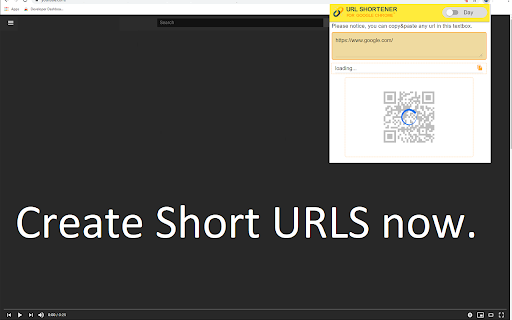

Just click our extension icon on toolbar to shorten the URL of current page with TinyURL.com url shortener service. Want to use a simple URL shortener service for Google Chrome? Simply install our software and you can shorten the website URL you are on to a short simple link. To begin using our URL shortener service, you need to install our extension. Click on our software icon Choose either the QR code option or the shortened URL to share the website you are on Its extremely simple to use and your privacy is guaranteed. Our software does not save any data/website URLs which you are on. Begin using our URL shortener service today! ================================================================ ★ Features of Url Shortener for Google Chrome™: ✔ Easily shorten any link of current page with TinyURL url shortener service. ✔ Easily shorten any link that you copied and put into a special textbox ✔ Automatically copies url to clipboard ✔ Сlick to shorten url and copy to clipboard ✔ Generate QR code for this website URL ✔ Light / Dark theme switcher for more comfortable use for night time Disclaimer: Please note this extension is NOT made by Google and is made by an independent development team. All copyrights belong to their respective owners. Google doesn’t endorse or sponsor this Chrome extension. URL Shortener for Google Chrome™ is not owned by, is not licensed by and is not a subsidiary of Google Inc.

Firelinks URL Shortner
The most efficient and simple URL shortening service since 2009. TOP Features Includes: - Absolutely FREE - No sign-up or login required - Just one-click to get short URL - Auto-copy the short URL to clipboard - Sharing over social networks - Context Menu for direct links and selected text(auto-extract first link) - Notifications to sharing critical updates - All links are 100% safe and secured For any issues, errors, bugs and enhancements, please reach us at - http://tiny.cc/extsupport

Reurl.cc
Extension to shorten URL This extension lets you shorten your current website URL with the service provided by reurl.cc (https://reurl.cc/), and automatically copies the shortened link to your clipboard. This extension need you LOGIN reurl account to use

URL Shortener & Automatic copy
Generate a shortened URL from the URL of the current page with just one click. - Shorten a long URL with a single click. - Shortened URLs are automatically copied. - Access analysis function is provided. - No membership registration is required.

URL Shortener - TinyURL Extension
Shorten URLs with ease. The only URL Shortener Extension that doesn't open a popup. Clicking the Extension Icon is all you need to do to shorten and copy the current URL, with no extra clutter to distract you from your browsing. The same functionality is added to Chrome's Context menu for links, right-clicking a link gives you the option to shorten and copy the clicked link with just one click. An 'OK' or 'ERR' badge is displayed on the Extension Icon to notify the user about a successful shortening and that the shortened URL is now copied to the user's clipboard, or to notify the user of an error. This extension uses TinyURL's URL Shortener Service to shorten the URLs. This extension does not store user data at any point. The current URL (or the URL from the clicked link) is the only thing that gets sent to the TinyURL API. The original URL or the shortened URL is not stored by this extension.
