
aabmjkifgbojihkngmahcjjkcoeklaoe
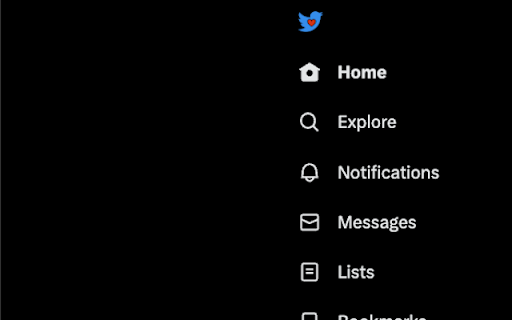
Change X logo to the old Twitter logo Change x logo to the old Twitter Logo

Old Roblox Logo
Replace the new Roblox logo with the old one. Replaces the new Roblox logo on most Roblox websites with the (2018-2022) logo using CSS and JavaScript

LogoSwap: Twitter X Logo Changer
Twitter logo swap - change to the twitter bird and different Twitter X logo designs! Change the twitter logo back to a bird, or a range of different X logos made by the design community. When Elon changed the Twitter logo to an X, lots of people wanted to go back to the old version, or try out their own logo. Well now you can! Install the plugin and choose which logo you like best for twitter. It will change the logo when you're logged in and on the main app. You can toggle it on and off if you want to switch back to the current X too! It also changes the favicon on the Chrome tab back to the blue bird.

Freebird - X (Twitter) Logo Replacer
Restores the twitter logo/favicon to X (twitter) & brings back the original Twitter experience. Freebird is a Chrome extension designed to bring back the classic Twitter logo and favicon. This extension restores the classic Twitter logo, bringing back the nostalgia and familiarity of the original design. Free the bird. Logo Restoration: The extension replaces the new X (twitter) logo with the classic one, restoring the familiar look of your Twitter interface. Favicon Restoration: Not just the logo, but the favicon (the small icon you see on the browser tab) is also replaced with the classic one. Tweet Button Restoration: Changes the "Post" button text to "Tweet," bringing back the traditional Twitter terminology. It also restores the "Retweet" button as well. Home Button Restoration: Restores the original birdhouse icon for the home button. Header Title Restoration: The extension changes the Chrome Tab's title from "X" to "Twitter," maintaining the consistent appearance of the platform. Seamless Integration: The extension works smoothly and does not disrupt your Twitter browsing experience. Locates the Logo: The extension identifies the X (twitter) logo by targeting the SVG path of the logo. Replaces the Logo: Once the logo is identified, it is replaced with the classic Twitter logo. The same process is repeated for the favicon. Tweet Button Restoration: Changes the "Post" button text to "Tweet," bringing back the traditional Twitter terminology. It also restores the "Retweet" button as well. Changes Header Title: The extension changes the Chrome Tab's title from "X" to "Twitter," maintaining the consistent appearance of the platform. - Icon restored again (twitter changes broke it) (apologies for the delay on this one!) (tab headers will be fixed shortly the developer is aware and working towards a solution) - support re-added for both x.com and twitter.com domains - New extension icon added - Bug fix for accounts with "X" in tab title - Bug fix for "Undo Retweet" text - Hover tooltip for tablet sidebar tweet button restored to "Tweet" - In For You tab bubble "posts" text changed to "tweets" - "tweets" text restored on blocked accounts - "tweets" text restored on account that have you blocked - "tweets" text restored in trending tab - "These tweets are protected" text restored - "Save tweet" text restored - V1.1-2 changelog notes moved to changelog.md file for brevity [~This extension is made by an independent developer in their spare time and is offered at no cost. Like you, the developer wishes to restore X back to Twitter. Please keep this in mind and be kind when leaving a review :)~]

X (Twitter) Auto Refresher
Auto refreshes X (Twitter) home page Enhance your browsing on X (Twitter) with this extension that automates your feed refresh. Tailor your X (Twitter) experience with customizable intervals, ensuring you're always up-to-date with the latest tweets. - Set Your Own Refresh Rate: Choose how frequently your feed updates - Simple Toggle Control: Easily switch the auto-refresh feature on or off - Lightweight Design: Runs smoothly without slowing down your browser - Privacy-Focused: Operates without collecting personal data - Install the extension from the Chrome Web Store. - Click on the 'X (Twitter) Auto Refresher' icon in your browser toolbar to set your preferred refresh interval and start/stop it - Go to X (Twitter) and ensure you're at the top of your homepage. - Enjoy an automatically updated X (Twitter) feed based on your set interval! Let me know how I can improve this extension! - Be cautious when setting a very low refresh interval, as you might hit the API limit. v1.2.5 - Improved refresh functionality for Lists and Notifications v1.2.3 - Various small fixes and improvements v1.2.2 - Fixed min and sec input bug v1.2.1 - Fixed refresh functionality for Lists - Added more error logs v1.2.0 - Refresh functionality now extends to Notifications and Lists - See "Target Pages" setting. - Implemented error logs – share them with us when encountering issues for faster support. v1.1.0 - Redesign - Added option for refresh when on top of page only or always - Added floating button to X / Twitter to activate / deactivate the interval - Added option for displaying floating button - Added Stats for total refreshes and session refreshes
