
pcfflnmlgphemomedafckbgmeakoflic

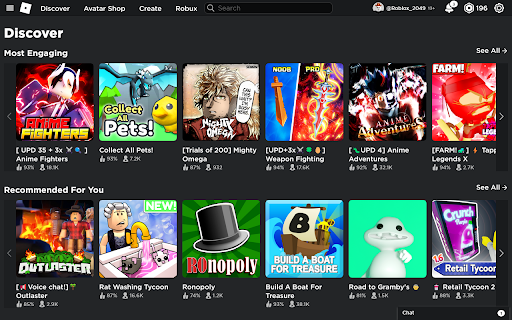


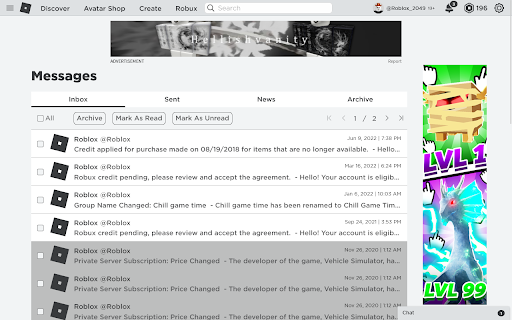
Replace the new Roblox logo with the old one. Replaces the new Roblox logo on most Roblox websites with the (2018-2022) logo using CSS and JavaScript

YouTube Redux
Replicate old YouTube look and features within the modern layout! Tired of looking for working alternatives to restore old Youtube layout? Embrace the current one modified in order to replicate multiple old styles while still actually using the modern Youtube interface. Features include: ★ Customizable settings! ★ Classic video page layout along with its alternative version that mimics even older layouts ★ Small video player with size presets and pillarboxing ★ Disabling infinite scrolling for comments and related videos ★ Custom number of videos per row on the home page (from default 4 to 1-10) ★ True fullscreen mode ★ Automatic video unpausing during long sessions ★ Ability to restore classic YouTube logo and favicons ★ Precise, non-truncated values for likes/dislikes on the video page ★ Dark theme for playlists that matches old design ★ Hide the 'Autoplay' or 'Play on TV' button ★ Visual changes to home page, search results, channel page, explore pages and others ★ ...and more!

CustomTube - Restore the Old YouTube Layout
Choose your own YouTube layout, and more! What if you could just choose your YouTube layout? Well, now you can! CustomTube lets you choose between recreations of any YouTube layout from 2008-2021, all with a single click! Outside of the layout selector, CustomTube has even more options, including: -Ability to loop videos by default (with an option to exclude playlist videos) -Choose the size of the video player -Make search better by hiding some irrelevant results -Hide the "Shorts" button on the sidebar -And more, with even more options planned for future updates!

Old Google Logos And Icons
Brings back old Google apps logos and icons for Gmail, Drive, Calendar and Meet. Replaces new Google Workspace logos and icons with old design. Changes are applied to the logo in the top-left corner of a page as well as to the favicon (tab icon).

Roblox 2019 UI
Use this Extension to Restore Roblox UI to its 2019 appearance Miss the classic Roblox interface? With the Roblox UI 2019 chrome extension, you can effortlessly restore the 2019 layout of the Roblox website. Experience the familiar design and navigation you love, all with a single click. No complicated settings just install and enjoy the nostalgic look of Roblox's 2019 era. Classic 2019 Layout: Reverts the Roblox website to its 2019 interface. One-Click Activation: Easily restore the old UI with a single click. Simple Installation: Quick and straightforward setup process. No Technical Skills Required: Enjoy the classic look without any hassle. Download the Extension – Install and add the Roblox UI 2019 extension from the Web Store. Open Roblox Website - Navigate to Roblox.com in your browser. Observe Default UI - Initially, the website background appears white, the chatbox background is white, and hovering over game thumbnails doesn't change their appearance. Activate the Extension - Click the extension icon in your browser toolbar and refresh the page. The background will turn blue, the chatbox background will change to blue, and hovering over game thumbnails will display a hover effect. Roblox UI 2019 extension is ideal for the user who just loves the time-honored look and design of Roblox's 2019 interface. It provides nostalgia, enhancing navigation to the familiar and welcoming level. Irrespective of whether you've been playing Roblox for decades or are using the platform for the first time, this extension is a stress-free means by which to replay the vintage look of Roblox. This add-on is perfect for Roblox users who yearn for the 2019 interface. It's also helpful for users who experience the present layout as less intuitive and want to use the old design.
