
pplocadbndpadfenglgleehcfjaciobg


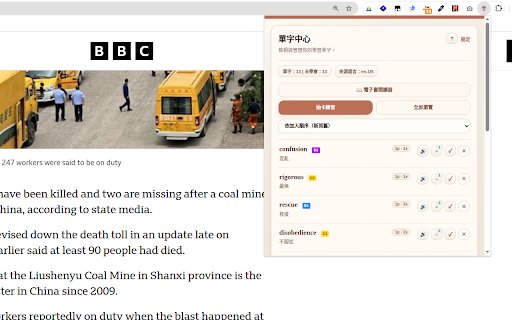

Highlight, save, translate, review words, auto-collect examples, use dictionary support, and practice while browsing. Language Annotator: Your Immersive Reading-Based Learning System Forget traditional translation tools and fragmented vocabulary memorization. Language Annotator is an innovative reading system that transforms your everyday reading experience into an efficient vocabulary acquisition process, helping you truly remember new words. Now, Language Annotator fully supports e-book readers, allowing you to seamlessly learn and manage vocabulary while reading e-books in PDF, EPUB, or MOBI formats. Most people forget words immediately after looking them up because lookup and memory are disconnected. Language Annotator uniquely integrates them into one continuous flow, making learning happen naturally within your reading: Instant Translation & Vocabulary Saving: Select text on any webpage or e-book to translate it directly in place, without switching tabs or breaking your reading flow. Encounter a word you want to remember? Save it instantly, preserving its original context. Contextual Learning: The system automatically collects example sentences from the pages you read, providing the real context in which a word appears. You don't just learn what a word means; you learn how it's actually used. Repeated Exposure & Memory Reinforcement: Saved words are automatically highlighted in your future reading. You won't see them only once; you'll encounter them again in new articles and contexts. This natural, repeated exposure is often more effective than isolated memorization. Personalized Vocabulary Management: Through the word manager, you can search, edit, and organize all your saved words, then enter practice mode for deeper review. Language Annotator is not just a translation tool; it's a personal vocabulary system that becomes more valuable the more you read, turning reading itself into the place where learning happens. 1. Instant Translation While Reading: * Simply select any text on a webpage or within a supported e-book (PDF, EPUB, MOBI). * A translation will appear directly on the page, allowing you to understand the content without interruption. 2. Adding New Words to Your Vocabulary: * When you encounter a word you wish to remember: * Select the word on the page. * Right-click (or long-press on touch devices). * Choose "Add Word to Annotator Vocabulary" from the context menu. * A popup will appear. Confirm or enter the meaning of the word. * Click "Save". * The word, along with its context, is now saved directly into your personal vocabulary library. 3. Seeing Saved Words Highlighted in Future Reading: * As you continue browsing foreign-language websites or reading e-books, any words you've previously saved will be automatically highlighted on the page. * This repeated exposure in new contexts helps reinforce your memory. 4. Collecting Real Examples Automatically: * Language Annotator automatically saves the sentence where you encountered and saved a word, providing you with real-world examples of its usage. 5. Reviewing Your Word Library: * Access the full word manager to search, edit, and organize your saved vocabulary. * Utilize the practice mode for in-depth review and memory consolidation of your collected words.

One-Click Resumes - AI Resume Builder
Companies are using AI to screen your resume before a human ever sees it and applicant tracking systems filter out up to 75% of applicants automatically. One-Click Resumes helps you get past those filters — using AI to tailor your resume to each job posting so it's optimized for both the screening software and the hiring manager reading it. Build your base profile once, then generate a polished, job-specific resume with a single click — directly from the job page itself. ✨ **HOW IT WORKS** 1️⃣ Build your profile once — or use AI Import to parse an existing resume instantly. 2️⃣ Browse jobs normally on LinkedIn, Indeed, Glassdoor, or any supported career page. 3️⃣ Click the "Generate Resume" button that appears on the job posting. Done. Our AI analyzes the full job description, maps your experience to what the employer is looking for, rewrites your bullet points to highlight the most relevant accomplishments, and delivers an application-ready PDF in seconds. 🌐 **WORKS WHERE YOU WORK** Integrates directly with the job sites and ATS platforms you already use: • LinkedIn, Indeed, Glassdoor • Lever, Greenhouse, Workable, Workday • iCIMS, Taleo, SmartRecruiters, Ashby, BambooHR, Jobvite 🤖 **SMARTER THAN A KEYWORD SWAP** Powered by the latest AI from Anthropic and OpenAI, One-Click Resumes doesn't just find-and-replace keywords. It understands the role, maps your experience to what matters, and generates a professional resume that reads like you wrote it yourself — keyword-optimized for ATS screening and polished enough to impress the person behind the desk. You can even add custom instructions to fine-tune how your resumes are generated. 📄 **PROFESSIONAL, CUSTOMIZABLE TEMPLATES** Three ATS-friendly templates — Classic, Professional, and Compact — each with customizable fonts, accent colors, spacing, and layout options. Your resume, your style. 🌍 **BUILT FOR A GLOBAL JOB MARKET** Generate resumes in 11 languages with country-specific formatting and wording for 18 regions. Whether you need a US-style resume or a European CV with photo and personal details, we've got you covered. 📁 **ORGANIZE & SHARE** Every resume you generate is saved and ready to download. Track your application status, customize the template or styling anytime, or share a public link with recruiters. 💰 **START FREE** Get free credits when you sign up — no credit card required. Earn more through referrals and feedback, or purchase additional credits when you need them. **Ready to land more interviews?** Install One-Click Resumes and generate your first tailored resume today.

Web Scraper Lite
Point-and-click web scraping. Extract data to JSON/CSV in seconds. Upgrade to Pro via Zovo for unlimited exports. Web Scraper Lite extracts data from any website without writing code. Point, click, and select exactly what you want to scrape — tables, lists, text, links, emails, images, prices — then export to CSV or JSON in one click. POINT-AND-CLICK EXTRACTION: • Visual Selector — Click on any element to select it, no CSS selectors or XPath needed • Table & List Scraping — Extract entire HTML tables and structured lists with one click • Multi-Element Selection — Select multiple data fields per item for structured extraction • Link Extraction — Pull URLs, anchor text, and structured link data from any page • Side Panel Mode — Scrape without leaving the page using the built-in side panel DATA EXPORT: • Export to CSV — Download data ready for any spreadsheet application • Export to JSON — Structured JSON output for developers and data pipelines • Copy to Clipboard — Instantly copy extracted data for quick pasting • Saved Templates — Save your selectors and reuse them on similar pages • Error Detection — Smart validation catches empty or broken selectors before export Your scraped data stays on your device. No external servers, no analytics, no tracking.

n.writer - AI Writing Assistant
AI-powered writing assistant: grammar check, text improvement, plagiarism detection, citation verification, AI content detection, and Google Docs integration. NoorWriter is your intelligent AI writing companion that transforms how you write on the web. Get instant suggestions, improvements, and content verification across Gmail, LinkedIn, Google Docs, and any website you visit. Writing & Grammar Tools • Improve Writing: Enhance clarity, flow, and readability while preserving your voice. • Grammar Checking: Catch errors and mistakes that other tools might miss. • Smart Rewrite: Transform text with different styles and tones. • Content Generation: Create new content from simple prompts. • Text Summarization: Instantly condense long documents into key points. • Length Adjustment: Expand or shorten text to fit your exact needs. • Tone Selection: Choose from 10+ tones (Professional, Casual, Friendly, Formal, Persuasive, Academic, Creative, Confident, Empathetic, Neutral). Academic Integrity Suite • Plagiarism Detection: Check for copied content and ensure originality. • AI Content Detection: Verify whether text was AI-generated. • Citation Checker: Validate citations with support for APA, MLA, Chicago/Turabian, IEEE, Harvard, ISO 690, and Vancouver styles. • Citation Suggestions: Get intelligent recommendations for proper attribution. Google Docs Integration • Ghost Text: See AI suggestions appear in gray as you type—press Tab to accept. • Floating Widget: Access all features from a convenient bottom-right corner widget. • Smart Text Insertion: Reliable text insertion that works with Google Docs' unique rendering engine. Universal Compatibility • Works Everywhere: Gmail, LinkedIn, Google Docs, social media, and any website with text fields. • Preview & Edit: Review and modify AI suggestions before applying them to your text. • Multi-language Support: Full interface in English, French, and Spanish. User Experience • Keyboard Shortcuts: Quick access with Ctrl+Shift+N (open) and Ctrl+Shift+T (toggle). • Theme Options: Light, dark, and system theme support. • Privacy-First: Your data stays secure with local processing and encrypted connections. • Usage Tracking: Monitor your AI requests and plan usage. 🎯 Ideal For • Professionals: Writing emails, reports, proposals, and business communications. • Students: Working on essays, assignments, and academic papers. • Educators: Checking student work for academic integrity and proper citations. • Content Creators: Ensuring originality across blogs, social media, and publications. • Researchers: Validating sources and maintaining citation accuracy. • Non-native Speakers: Improving writing quality in a second or third language. • Anyone: Who wants to write more effectively and confidently. • Free: 10 AI requests to get started—perfect for trying out core features. • Premium: Unlimited AI requests, advanced writing features, plagiarism detection, AI content detection, and citation verification. 1. Select Text: Highlight any text on any webpage or type in a text field. 2. Choose Action: Click the NoorWriter icon to access writing tools—Improve, Rewrite, Summarize, Change Tone, and more. 3. Preview & Edit: Review AI suggestions in a preview modal—make adjustments before applying. 4. Apply: One click inserts improvements directly into your text. 5. Academic Checks: Run plagiarism, AI detection, and citation checks for comprehensive content verification. Maintain authenticity and credibility with our complete verification suite. Detect AI-generated content, check for plagiarism, validate citations across multiple academic styles, and ensure your work meets the highest standards of originality and proper attribution.

Moult-AI-Enterprise
Orchestrate assistants with simplicity! Multi-AI tool with transparent, draggable UI, light/dark mode, multilingual, history. Moult-AI is a powerful and elegant multi-AI orchestrator designed for professionals who want to maximize their productivity with artificial intelligence. Send a single query and instantly receive responses from multiple leading AI models all opened automatically in separate tabs with intelligent prompt injection. Key Features: • Elegant transparent floating interface, fully draggable and resizable • True multi-selection: choose exactly which AIs will respond • Complete search history with timestamps • Automatic light and dark mode support • Multilingual interface (English & French) • Extremely lightweight and privacy-focused, no API keys, no servers, no tracking Moult-AI is ideal for researchers, writers, developers, analysts, and anyone who regularly compares AI responses or needs fast, parallel insights. Enterprise Product Key license available for unlimited use and professional deployment. Streamline your AI workflow. Work smarter with Moult-AI. New Features & Integrations in the V4 • Expanded other AI Model Support: Added integration for 5 other AIs. • Prompt Injectors: Introduced new prompt injection capabilities for enhanced query customization. • PDF Export: Added functionality to save search history as PDF files, accessible via a dedicated save icon. Onboarding Experience: • Implemented an elegant welcome page for first-time installations, including screen dimension verification. Users with insufficient screen real estate are now prompted to uninstall for optimal performance. Multilingual Expansion: • Added support for Greek, Swedish, korean and Italian in the Welcome and Help sections. UI/UX Enhancements: • Refactored the AI selection list (15 models) for improved visual scaling and scrolling behavior. • Smoothed drag-and-drop interactions on the main panel for better fluidity. • Minor font adjustments for improved typography consistency. License Management: • Restructured product key validation logic. • Usage days are now counted continuously from the first activation date, rather than being segmented. Documentation: • Updated help files and added FAQ entries covering the newly supported AI models. Bug Fixes & Technical Corrections • Process Management: Fixed a critical issue where disabling the extension contextually did not terminate background processes. The UI bubble and panels now correctly disappear across all tabs when disabled, ensuring complete memory cleanup. • Context Menu: Resolved a bug where the "Disable Moult AI" option in the right-click menu incorrectly displayed the status or failed to hide the bubble. • Corrected the prompt injection mechanism an AI.
