
ppdakpfeaodfophjplfdedpcodkdkbal
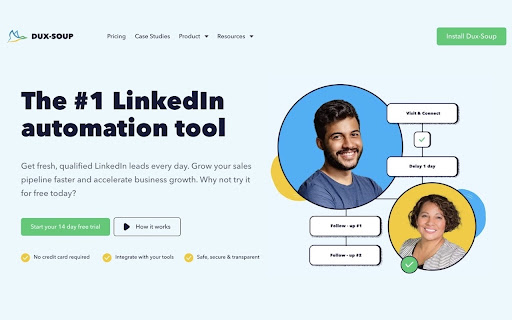
Get fresh, qualified LinkedIn leads every day with Dux-Soup for LinkedIn Automation. Create scalable LinkedIn outreach campaigns that connect with prospects, nurture relationships and consistently deliver leads. Let Dux-Soup do the legwork, whilst you focus on converting your leads to sales. How the magic works 1. Install Dux-Soup 2. Get a free 2 week trial when you first install Dux-Soup 3. Find your perfect LinkedIn audience Dux-Soup works on your regular LinkedIn, Sales Navigator or Recruiter account. With no third party access required, we guarantee optimal safety of your LinkedIn account, whilst keeping all activity in LinkedIn so you never lose any data. 4. Connect and engage with prospects Create intelligent campaigns that automatically send LinkedIn connection invitations, view, follow and endorse profiles, send InMails and messages. All personalized and scheduled with custom delays. Share campaigns across multiple team members for collaborative LinkedIn lead gen. When a prospect responds, they drop out of your campaign and into your pipeline for you to close. 5. Generate and manage leads Follow-up your responses directly in LinkedIn or send new leads to your CRM system via our easy integrations. Benefit from multi-channel strategies, centralized prospect management and clever team prospecting. You’ll find all the campaign statistics you’ll need to optimize your LinkedIn lead generation in the Dux-Dash. It’s easy with Dux-Soup. With Pro, Turbo and Cloud plans, plus Team and Agency licenses you’ll be able to find the right LinkedIn automation plan for you. For more information: • Website: https://www.dux-soup.com • Features and Pricing: https://www.dux-soup.com/pricing/plans • Support site: https://support.dux-soup.com • Dux-Soup YouTube channel: https://channel.dux-soup.com • Blog: https://blog.dux-soup.com • Webinars: https://www.dux-soup.com/webinars • Facebook: https://www.facebook.com/DuxQuack/ • Facebook User Group: https://www.facebook.com/groups/duxsoup/ Recognized as having the best customer support on the web via live chat support, responsive email, 1-on-1 support calls and an account-managed customer success program for High Flyers. Happy prospecting! If you like Dux-Soup please leave a happy review on the Chrome Store.

Waalaxy - LinkedIn Automation Tool
Make LinkedIn your No. 1 acquisition channel with Waalaxy. Automated prospecting and recruitment made easy Waalaxy’s mission is pretty simple: Make LinkedIn your No. 1 acquisition channel. Our goal is to make automated prospecting and recruitment easier than ever. With our intuitive extension, you can easily import prospects directly from LinkedIn and set up your prospecting campaign with just a few clicks - no technical skills required! Here’s a glimpse of what you can achieve with Waalaxy: Automate your LinkedIn outreach and email follow-ups effortlessly. Extract profiles from LinkedIn People Search, Sales Navigator, and Recruiter Lite with just a few clicks. Set up personalized prospecting campaigns in minutes and let Waalaxy handle the rest, freeing up to 70% of your time to focus on.. well, whatever you want. Enrich vital prospect data instantly and sync it with your favorite CRM like Hubspot, Pipedrive and 2000+ apps through Zapier/Make. Stay organized and ensure that no lead slips through the cracks. Manage multiple LinkedIn accounts seamlessly within a unified workspace. Collaborate with your team, share leads, and analyze performance statistics, making Waalaxy ideal for sales, marketing, and recruitment teams. Streamline your LinkedIn conversations with Waalaxy's integrated inbox. Create message templates, schedule timely follow-ups and much more, all within one intuitive interface. Waalaxy is directly integrated into LinkedIn interface. It’s like activating the hidden god mode. Find your prospect’s email, schedule messages, create reusable message templates & more, directly in LinkedIn. Start using Waalaxy for 0€, for as long as you want with our freemium plan. Give a try to our premiums plans risk-free with a free trial. Our expert team is ready to assist you 5/7 day directly on the chat, ensuring you get the most out of every feature (and without having to wait days that someone replie to your emails). Join over 100,000 professionals who have revolutionized their LinkedIn prospecting with Waalaxy. Transform your outreach and experience accelerated lead generation today! Begin your journey with Waalaxy and turn multi-channel prospecting into a money-making game.

Email Finder by Snov.io
Find email addresses on any website. Our Email Finder lets you collect leads and grow sales on the go. This is an easy to use email finder with an inbuilt email verifier, email drip campaigns and a lot of free tools. With Snov.io Email Finder for Chrome you can find your prospective leads’ emails, put them into mailing lists to get replies and nurture leads automatically. ✓ Spare countless hours by saving email addresses and prospects from most popular professional networks, google search or any website you need using Snov.io. ✓ Check email addresses instantly, without being charged for invalid emails; the email verification feature will make your bulk email lists bounce free. ✓ Send email drip campaigns from the application panel with a handy yet powerful drag-and-drop editor. Add an email account and design triggered email sequences to follow up your prospects, save templates, and send emails to lists of found contacts from the web application. ✓ We also provide you with a boolean-string search queries generator for Google, LinkedIn, Github, Facebook, and others. Snov.io is a great email finder for many types of professionals. It makes things just easier for many people: - Recruiters can extend their sourcing resources - Sales managers can do better prospecting finding more email addresses and sending triggered email sequences. - Marketers can find and research bloggers, journalists, websites owners and contact them in a few clicks. ✓ Besides email addresses we provide you with other structured information, enhancing your data so you can target specific positions within companies. ✓ Surfing websites and searching email addresses is easy with Snov.io plugin. Visit any website, open our plugin and see email addresses along with extra information like names or positions (if available). ✓ Does not interfere with other email addresses lookup chrome extensions including most popular clearbit, hunter.io, rocketreach, scrapp and works alongside with them. Before using our Email Finder be sure to read and agree to Snov.io's Privacy Policy https://snov.io/privacy-policy.html Email Finder permissions 1."tabs" - is using the chrome.tabs API (getting bookmark links, creating new tabs with our link, reloading open pages of app.snov.io) 2."http://*/" - access to all sites to get page content (alternative to all_urls) 3."https://*/" - access to all sites to get page content (alternative to all_urls) 4."cookies" - session recovery via cookies from app.snov.io 5."notifications" - to show push notifications (completion of background tasks) 6."webRequest" - for automated information collection from web pages without direct opening of the pages by the user 7."contextMenus" - to create a new item 'Background tasks' in the context menu of the extension Join Snov.io right now for a free plan and get 50 credits every month! https://app.snov.io/register There are huge efforts behind Snov.io. We hope you will enjoy the app and would like to encourage you to express your thoughts and let us know about any issues via the website chat window or on help@snov.io. 💜 https://snov.io Hope to see you onboard!

Email Finder - GetProspect
LinkedIn Email Finder – Look up emails for free. Find email address in seconds – free email finder. Search emails on website. Extract emails with GetProspect. Our plugin is the fast and easy-to-use LinkedIn email finder tool that helps to get accurate business email addresses in seconds. ✔ Email Finder It is the best solution to find email addresses of your connections for free or any people from LinkedIn search. With GetProspect Chrome extension you can easily find anyone’s email address and generate LinkedIn leads by clicking just one button in users’ profiles. - Easily search for email addresses of your 1st, 2nd and 3rd+ Linkedin connections; - Find business email addresses of any person from the basic LinkedIn or Sales Navigator search based on your specific search filters; - Save leads with emails in bulk from Sales Navigator lead lists or LinkedIn group members; - Get all the obtained email addresses verified for FREE. ✔ Bulk email finder Save hundreds or thousands of contacts at once with our batch email finder by clicking «Select all» → «Save prospects» in LinkedIn search, LinkedIn group members, or LinkedIn events attendees. Add the number of pages you want to save leads from. Our bulk email tool will automatically find and add their verified emails to your list. ✔ Email finder by name and by domain You can generate LinkedIn leads from basic search or with Sales Navigator. You just fill in your search criteria on LinkedIn, then extract hundreds of potential clients into a spreadsheet. You not only get an email address – but also other data from LinkedIn: - first and last name - position - location - summary - company name - industry - company website and address - LinkedIn profile URL ✔ Find email address by name with GetProspect email extractor extension This is how to search email by name in 2 minutes. To look up email addresses by name you enter the first and last names of the person of interest in a LinkedIn search. Go to their profile and click «Get email». The email and other information about the prospect will be saved to your GetProspect account. ✔ CRM contact management software All your saved leads from LinkedIn you will find in GetProspect contact management software. The web-based CRM allows you to: - group your leads in relevant folders; - segment your prospects with dynamic lists; - create custom filters; - cooperate with team members; - export your lists in the necessary format; - integrate GetProspect with Gmail or other sales tools. ✔ Our email finder is ideal for: - Sales teams - Founders and owners - Freelancers - Consultants - Project managers - Digital marketers - Email marketers - Growth marketers - Recruiters - Outbound marketers ✔ Main advantages GetProspect email extractor: - FREE monthly credits - Online human support - Email verification at no additional cost - Compatible with free LinkedIn, Sales Navigator and Recruiter - Pricing beginning with 49$/month - Exporting LinkedIn leads with the data in .csv or .xlsx - Saving numerous LinkedIn pages at once - Integrations with other services ✔ How to use the email address finder plugin? Step 1. Install the GetProspect email extractor Chrome extension. Step 2. Go to any LinkedIn profile and click on the «Get email» button. You will see the GetProspect banner indicating that the email is found and saved. Step 3. Or make a search on basic LinkedIn or Sales Navigator, click «Select all» → «Save prospects» and get multiple pages of leads with emails. ✔ FAQ 1. Can I use GetProspect email finder extension for free? Yes, email extractor plugin is free, but you can use it only in the Google Chrome browser for now. 2. How to find email addresses on LinkedIn? To find email with the GetProspect extension, open any LinkedIn profile and tap on the «Get email» button. The email will be automatically saved. If you want to save many emails, open the list of LinkedIn profiles in LinkedIn search, LinkedIn group, or LinkedIn events and click «Select all» → «Save prospects.» 3. Can I find email address owner with GetProspect? You can find email addresses owners in your GetProspect account with the enrichment feature. Go to the «Enrich» page, choose «Email lookup section», and enter the email of interest. 4. How can I use email extractor software for business? You can use the GetProspect extension to find emails of potential clients to reach them without reputation risks to your email account. 5. Can I extract emails from websites by GetProspect? Yes. Go to the tab with the website and click on the GetProspect icon among your extensions. You will see the panel and field to enter the name you want to find the email for. 6. Which payment methods can I use for GetProspect subscription? You can pay for the GetProspect subscription through the Fondy payment gate or BlueSnap payment gate. By default, our system offers to pay through Fondy. In case you are unable to pay by this method, try to use BlueSnap. 7. How to cancel my email finder subscription? Go to the Settings icon in your GetPropsect account. Choose the Price and billing section. In the Subscription tab, find your plan and click Cancel subscription. For any further questions about email finder, feel free to contact us support@getprospect.com

LinkMatch For Pipedrive
Seamless lead generation for Pipedrive Seamless Pipedrive Integration for your browser – Now with AI Insights LinkMatch helps you capture and manage professional networking profiles in Pipedrive without manual copy-pasting. Designed for sales professionals, recruiters, and business developers, it keeps your CRM up-to-date while you focus on building relationships and closing deals. - Instant Visibility: See which profiles from supported professional networking sites are already saved in Pipedrive. - Work Without Switching Tabs: View and edit Pipedrive profile details right from your browser. - Save Time with Automation: Add leads and contacts directly to Pipedrive in just one click. - AI Insights: Use AI-powered suggestions to identify high-priority leads, refine outreach, and improve your sales process. LinkMatch is a third-party tool that works with Pipedrive. It is not affiliated with or endorsed by any professional networking platform or other third-party service.
