
pobhfamaabhkicbacihdcfgeghelokhf

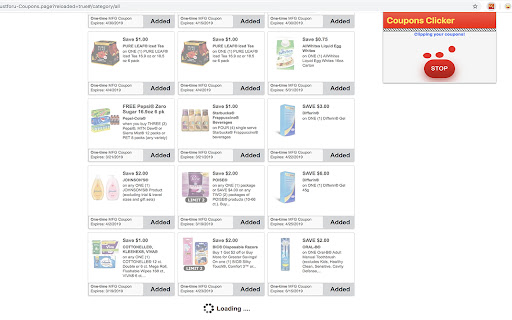
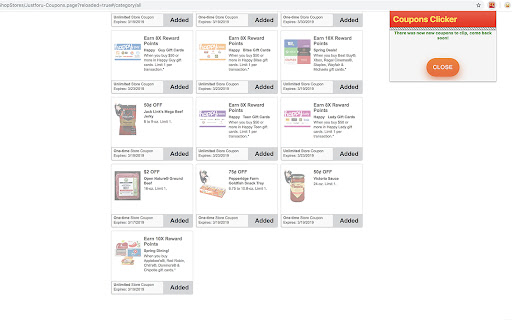
Your favorite store has a reward program that requires you to add each coupon one by one? Do you want to just enter your reward… Your favorite store has a reward program that requires you to add each coupon one by one? Do you want to just enter your reward number and get some $ off? This extension is what you need! Go to your favorite reward program, click on the extension, click start, wait, and boom! All the coupons are loaded to your account. Next time you checkout, enter your reward number, and if there is any coupon matching what you bought, see your bill decrease! Note: This extension is intended to the people who don't want to spend time looking at coupons and buying the products depending on the available coupons. Currently supported reward programs: - Just For U (Jewel Osco, Safeway, ...) - (Experimental) CVS, Hannaford, H-E-B This application is still in development, feel free to reach out to me at corentin.leman.apps@gmail.com if you would like your favorite reward program to be added to this list! Update 0.3.0: - Added support for most of the stores using Just For U. Feel free to contact me for a full list, Google doesn't let me enumerate it here. Update 0.4.0: - Fixed all the stores as of 03/09/2024 - Updated to Manifest V3 Update 0.4.3: - (Experimental) Added support for CVS, Hannaford, and H-E-B Update 0.4.4: - Fix for For-U, stores like Safeway might still take a while to clip everything, will improve the loader to indicate when it's actually done in next version. Update 0.4.5 & 0.4.6: - Fix for CVS (tentative) Update 0.5.0: - Added support for Publix and ShopRite.

Amazon Discount Filter Search
Save money with this free Chrome plugin. Find the best deals on Amazon. This plugin adds a discount filter to find hidden discounts. Just visit Amazon, search and and choose how much percentage you want to save(0-99%) Works with: ========== United States, United Kingdom, Germany, France, Espania and Italy

Amazon Deals Finder
Find hidden discounts on Amazon. It helps you to find best deals upto 90% discount. Amazon is really the best online shopping site, and often it offers 75% and better reductions, yet it directs people to other areas, sending them to higher profit margin products instead. There's a geeky way to manipulate Amazon's web links to display all heavily-reduced bargains. All you need to do is fiddle with Amazon web addresses to bring up lists of knock-down prices. The problem is these are a faff to make yourself. So we built the Amazon Hidden Discount Finder. It creates your own bespoke super-specific pages in seconds, where you choose the discount. Our Discount Finder manipulates Amazon web-links to create customized bargain basement pages. Just select the percent off the list price & the category you want, eg, TVs 30%+ off or DVDs 90%+ off. We would love to hear any feedback on the answers it gives, any new categories you'd like added and other suggestions. It would also be fab if you could add any top Amazon discount links you find and other Amazon buying tips that we haven't included in the guide below the tool. -------------- * HOW TO USE * -------------- 1. Select the Amazon store (country) in which you want to search for the product; 2. Select a category, if you want to search for discounted products within a selected category; 3. Or enter a keyword (keyword) and find the best deals, by clicking the "Search" button. 4. The keyword is not really necessary if you want to explore only the products available in the selected category. --------- * Tips: * --------- • When searching for treasure, don't just look at the first page of bargains, try a few. Don't assume that just because it's discounted, it must be a good buy. Try higher percentage discounts for cheaper, smaller items and lower percentages for niche, expensive ones. Just because something is listed with a huge discount, it doesn't automatically make it a bargain (or worth buying). ------------- * Features: * ------------- 1. Provides advanced search options on Amazon. 2. Available for all countries: US, Canada, UK, Germany, France, Italy, Spain, Japan and China. 3. Research on the basis of a keyword inserted. 4. Search according to the range set off: you can search all products with discounts from 1% to 99%. 5. Search results optional sorted by: • Bestsellers • New and Popular • Price: Low to High • Price: High to Low • Average Customer Review 6. By price range: the user can set a range of prices for which you want to see results.

Cashback Comparison
This extension will check if there is any cashback for the store a user is visiting. This Cashback Comparison Chrome Extension (plug-in) is provided by CashbackHolic.com to facilitate an easy cashback search and comparison for the online retail store that a shopper is visiting. Simply click the icon on the top right corner of your Chrome Browser, available cashback offers will be displayed for you in a second. No login, no typing, no search button, just one click! This tool will save you time and money for over 10,000 online stores without visiting our cashback comparison site. Disclaimer: The store you are visiting will be known to this plug-in for cashback search purposes only. No visiting data will be stored on the server or anywhere else. Your privacy is safely protected.

Simply Best Coupons - Cashback and Coupons
Top Coupons, Top Stores, Your Account Information and Cash Back are all just one click away. Reminder to earn cash back when you visit online stores. Please see our website and browser extension privacy policy here: https://www.simplybestcoupons.com/Privacy/
