
pnpapokldhgeofbkljienpjofgjkafkm
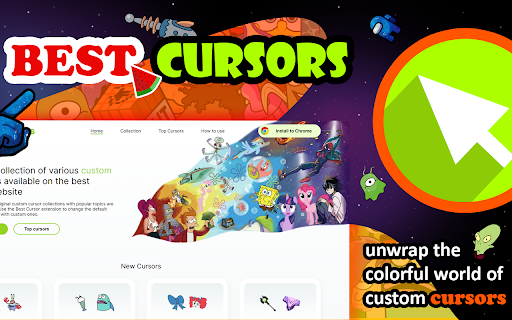


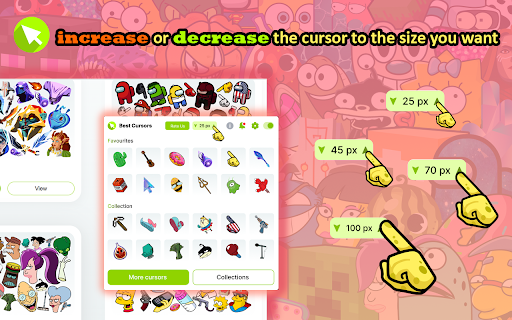

Funny, cute and original custom cursor collections with popular topics. Use Best Cursors to change the default pointer with custom Do you like to customize your Chrome browser experience? If you do, then you will love the new Best Cursors extension for Chrome. This neat extension allows you to customize the look and feel of your mouse pointer within the Chrome browser. You can choose from a variety of options to make your mouse arrow look just the way you want. The Best Custom Cursor extension can be found within the Chrome web store. It is a free extension and can be quickly added to your browser. Once added, you can find the extension’s settings menu when you open it and navigate to extensions. In the settings menu, you can browse through a selection of different cursor styles. You can choose from illustrated mouses and pointers such as a hand, a laser pointer, a star, and more. In addition to changing the look of your cursor, you can also set different sizes. This feature allows you to have your mouse pointer bigger or smaller depending on the screen. The Best Cursor extension for Chrome is a great way to bring a personal touch to your browsing experience. Whether you are a fan of the characters arrows or you just want to add colors, this extension has something for everyone. Plus, it is free and easy to install and set up. Give it a try and let your personality shine through your cursor today!

Custom Cursor for Chrome™
Get custom cursors for Chrome. Replace your default mouse cursor with a cool custom cursor. Have fun with custom cursors for Chrome. The custom cursor extension for Chrome is a browser extension that allows users to change the appearance of their mouse cursor. The extension provides a collection of custom cursor images that users can choose from to replace the default cursor image. Once the extension is installed, users can easily activate it and browse through the available custom cursor images. They can preview each cursor image before selecting it and applying it to their browser. The custom cursor will then appear whenever they move their mouse within the browser window. This extension offers users the ability to personalize their browsing experience and add some fun or creativity to their cursor. It can also be useful for people who have difficulty seeing the default cursor or want a cursor that is easier to see or track on their screen. Overall, the custom cursor extension for Chrome is a simple and straightforward tool that adds a fun and personal touch to the browsing experience. Make your web surfing experience more enjoyable with this custom mouse cursor. It is suitable for people of all ages. Note. Please note that according to Google's rules, extensions can not work on chrome web store pages and internal pages of the Chrome browser, such as the home page, settings, downloads, etc. Also, the extension cannot customize the cursor on the browser navigation bar, such as tabs buttons, URL bar, toolbar, etc. Please open any other website (for example, google.com) after installing this extension and check how the extension will work on it.

Pixel.me - color by number game
Color by number to melt your stress away with coloring games. Relaxing game for Chrome. Paint online dozens images. Pixel.Me– Color by number images designed to melt your stress away! Dive into relaxing coloring games created by top developers. Explore dozens of beautiful pixel art artworks or create your very own masterpieces. Relax, paint by number, and enjoy the soothing experience of Pixel.Me. Designed by gaming experts and beloved by coloring book fans worldwide, Pixel.Me invites you into a calming world of coloring meditation. Choose from a diverse range of captivating pixel art pieces and have fun coloring by number! Wave goodbye to stress and unwind with Pixel.Me, your new favorite coloring book app. Simply fill in each pixel by number and watch stunning pixel art come to life. Dozens of beautiful images await—from adorable pixel art cartoons to intricate, detailed scenes—Pixel.Me offers something special for everyone! Even better, grow your coloring book collection by adding new pixel art whenever you want. 👏 Discover a pixel art coloring book loaded with addictive color by number images! Melt away stress and anxiety with our engaging coloring by number games. And the best part? All coloring book images are completely free! 🆓 👇 **We Offer:** 👆 A huge variety of coloring book pages to suit every taste, including 🦄 unicorns, 🐼 animals, 🍰 delicious food, 🐦 birds, 🌻 flowers, 🏰 scenic places, and so much more! 🎨 Pixel.Me is the brand-new coloring book game designed for both adults and kids! 😊 Coloring by number has never been this easy, fun, and addictive. Art lovers, assemble! Create beautiful digital pixel art—pixel by pixel, all for free! Yes, FREE! 📣 💡 **How to color by number?** It’s easy! Zoom in using your mouse scroll or touchpad until numbered tiles appear clearly. Select a color from the palette, and start coloring by number, pixel by pixel. It’s simple, relaxing, and satisfying—start your color by number adventure today! Enjoy stress-free coloring by number in our addictive coloring book game. Choose your favorite pixel art, follow the numbers, and see the pictures come alive. Coloring by number has never been simpler! **Key Features:** • Easily color any image and uncover a delightful surprise at the end! • Perfect relaxing coloring book activity—happy coloring! Watch your stress melt away as time flies by! Escape life's pressures with unique pixel art pieces from our coloring book. Coloring by number is so easy and fun that no artistic skills are needed—just follow the numbers! A convenient color palette at the bottom guides you every step of the way. **Additional Benefits of Pixel.Me:** • Great for developing fine motor skills.

Cool Cursors - Custom Cursor for Chrome™
Customize your experience of using the Chrome browser with cool free mouse cursors. Just click on the cursor you like and it will replace the default cursor. You can resize the cursor of your choice from 16x16 to 128x128 px. ✅ Minecraft cursors ✅ Sweet cursors ✅ Fun cursors and others. ------------------- ! After installing this extension, refresh the previously opened tab if you want to use it on this page. ! According to the rules of the Chrome Web Store extension can not work on the store pages and home page. Please open any other website (for example, google.com) after installing this extension and check how the extension will work on it. -------------------

Tiny Tycoon
Tiny Tycoon is a casual-clicker game where you gather resources by clicking materials. The more you gather, the greater your tycoon becomes. Tired of clicking? Hire a workforce to do it for you! Assign tasks to workers to gather enough resources to build your rocket ship. Launch your rocket to start a new mission. Features: - Play offline (no internet needed) - Unlimited procedurally generated worlds - Easy controls - Retro 2D/3D artwork - Rewarding gameplay - Stats to track your progress - Option to save laptop battery life Updates: v1.0.8 - Added a "time" statistic (useful for speedruns) - Fixed a bug where you could build on clouds. v1.0.6 - Added option to create new records. - Added option to delete records. - Fixed FPS drop by limiting text on screen. - Fixed stats not updating when starting a new record. v1.0.5 - Reduced cost of worker to 50 wood, 50 stone, and 50 iron v1.0.0 - Added rocket ship to complete the mission
