
pnlphjjfielecalmmjjdhjjninkbjdod

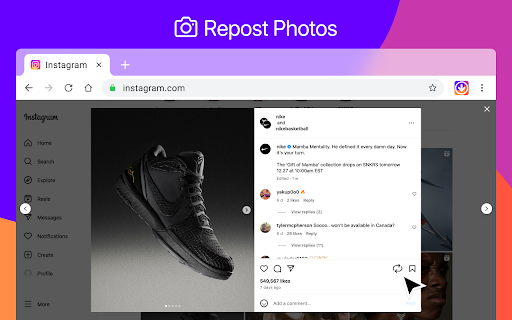


Repost Instagram stories, save video, photo and Reels. Browse Instagram site like a mobile app. FastSave is a convenient browser extension that lets you save any content from Instagram. Everything is saved in original quality! It's your reliable Instagram downloader for saving your favorite IG content directly to your device. Don't waste your time searching if everything you need is here: ✔ Download Instagram photos and videos in high quality; ✔ Save Instagram Reels, Stories, Highlights, and IGTV; ✔ Works right in your browser! ✔ Free to use - no login or registration required; ✔ Compatible with Windows, macOS, and Linux; ✔ Two viewing modes: Desktop & Mobile Open any Instagram page you want to save (post, story, video), then click the extension icon that appears below the post to download your selected content. Our tool provides advanced downloading functionalities to give you a complete solution for offline content access. We’ve added a smart adaptation feature, so if Instagram updates its design or layout, you don’t have to wait long for the extension to work again. If you find this tool helpful, please give us 5 stars!

IMDownloader | Download story reels highlight image and video
Download original (high resolution) image, video, reels, story and highlight for Instagram™ with one click, free and unlimited. IMDownloader is an extension to help you to download original image, video, reels, story and highlight for Instagram™ with one click, free and unlimited. ▣ You can download by using this extension: ● Image ● Video ● Story ● Highlights ● Reels ▣ The extension adds a download button to a suitable place on instagram interface. You can find the button; ● Under the image/video on homepage page. ● Top-right corner on story/highlight page. ● Hover image/video on profile detail page. ● Under the comments on post/reels detail page. ● Right side of reels page. ▣ Besides; if you right click over any image/video, You will see a menu item "Download | Downloader for Instagram™". You can start downloading by clicking this menu item. To see how you can download, please take a look the extension images and video. ▣ After installing, please reload all tabs for the extension to take effect. For issues/suggestions

Web Downloads For Instagram™ website
Enhance the website experience by extending its functionality to save images, video and Storie In today’s digital age, web downloads from popular websites are becoming increasingly popular. With the rise of streaming services, downloading content from the web has become a convenient way to access media. Whether it’s stories, image, or video, the tool are a great way to get the content you want without having to wait for it to be delivered.

FastSave & Repost for Instagram
Download Instagram stories, save any IG video and photo. Make repost instagram reels to your feed. InSave is the ultimate tool designed to simplify and enhance your Instagram experience. With its comprehensive set of features, InSave empowers you to download and repost Instagram content seamlessly, all within a single platform. Download Feature: With powerful downloading functionality, you can effortlessly save videos, photos, and stories from Instagram. Repost Feature: Makes reposting Instagram content a breeze, allowing you to share your favorite posts with your audience while giving credit to the original creators. User-Friendly Interface: InSave features a user-friendly interface that prioritizes simplicity and ease of use. Seamlessly navigate between the download and repost functionalities, ensuring a smooth experience throughout. Organize your downloaded content, schedule reposts, and manage your Instagram library efficiently, all with InSave's intuitive interface. Created with love Kurluk

InstaNote: Video Downloader for Instagram™
Download Instagram™ videos, reels, and photos. Summary with ChatGPT from OpenAI. InstaNote - The best video downloader allows you to download videos, reels, and photos on Instagram™, enabling you to save your favorite content anytime, anywhere. Additionally, you can obtain summaries of Instagram™ videos, saving time and accelerating learning. Features: ● Easy to use: Save videos, reels, and photos from Instagram™ with one click. ● Powerful functions: Download the highest definition photo and video resources to your machine, so that you have the best viewing experience. ● Get the summaries of Instagram™ videos without watching the videos. ● Super Safe: We only provide you with convenient and efficient download functions, you can rest assured to save any videos and pictures. Quickly understand the content of the Instagram™ videos. How to use: ● Visit instagram.com. ● Find the Video, Reels or Picture you want to save. ● Click the download button to save video or image. ● Your favorite photos and videos are automatically downloaded to your computer. ● Click the View Chat GPT Open AI Icon. If you already logged in chat.openai.com, we will get the video summary. Q&A Q1: What is ChatGPT? A1: ChatGPT is an OpenAI-developed language model that utilizes a large pre-trained Transformer-based neural network to generate human-like text in response to user prompts. With its diverse range of training on internet text, ChatGPT can provide responses on various topics, such as general knowledge, conversations, and creative writing. Q2: What is an Instagram™ video summary? A2: It is a summary generator to write an overview of the content in a video. The summary tries to provide a quick way to understand the video's topic and important information. Q3: Why did I choose this video downloader? A3: If you are looking for an extension that can conveniently and efficiently download Instagram™ reels videos, InstaNote Extension is your best choice. This downloader can download all the videos or pictures you are interested in, and you can review these videos at any time. Or you can download some videos to kill boredom and protect yourself from network fluctuations or outages. Q4: Is this extension free? A4: Although our extension is currently free, we are exploring the possibility of introducing a small paywall to sustain the service in the future. By upgrading to the paid service, you will enjoy faster response times, unrestricted access, and high-priority customer support. Our ultimate goal is to provide you with the best possible service in a way that is affordable and accessible to everyone. Q5: Do I need to create a ChatGPT account to use this extension? A5: Yes, to access the summary feature, you must create a ChatGPT account at chat.openai.com.
