
pmgpnamlibffaaigdcohddlnokolfgnc
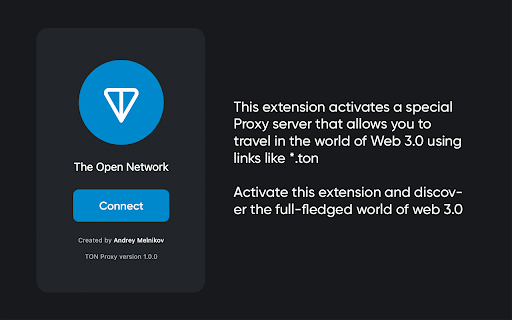
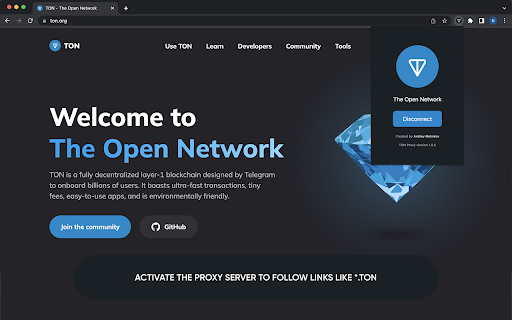
An extension that allows you to activate a Proxy for clicking on links of the *.ton type. With this extension, you can activate a proxy server to follow links like *.ton This type of links is part of TON DNS and opens up a new world of Web 3.0 There is no need to download third-party wallets and log in to them in order to use TON Proxy. Now just click on the "Connect" button and you will immediately activate the proxy server to access the sites of the network *.ton

VPN unlimited, free VPN with private browsing
Free VPN to Browse online and protect privacy. Change your IP and unblock any websites for free - Unlimited time, Unlimited data, Unlimited bandwidth - No registration or login required - Simple, one tap connect to VPN - Protect your security and privacy - Support for multiple devices for the same account ■ What can I do with a VPN? - Enhance your online privacy and enable you to safely and anonymously browse the Internet - Protect you when using a public WiFi hotspot - Allows you to create a secure connection to another network over the Internet Our team is always at your service. Whatever troubles or questions you have, feel free to contact our customer support.

TON.SKI
Get access to the private TON network Use this browser extension to access the private TON network with a public or encrypted proxy of your choice. You can also set your own proxy address for maximum security.

TON Wallet
Set up your own TON Wallet on The Open Network Secure and private way to access the new, decentralized Internet. Install this extension to integrate The Open Network into your browser. Use TON Wallet to store, receive and send your coins within TON blockchain. Create your wallet or import existing one just in one click. Our extension allows your browser to interact with decentralized applications. Dapps can communicate with the blockchain and do some magic. Click on ⋮ menu to enable TON Magic and transfer coins using Telegram Web. Start a one-to-one chat with a friend and choose ‘Send Toncoins’ in the 📎 attachment menu. 100% free and open. The source code is available on GitHub. You can always review the extension and open an issue in our repository https://github.com/toncenter/ton-wallet. Explore the Internet anonymously and securely. Open the gateway to the decentralized Web3 and allow your browser to interact with TON DNS, TON Proxy, and TON Sites.

Proxidize Proxy Extension
Best Proxy Extension: Top Rated & Featured by Chrome The Best Proxy Extention - Top Rated & Featured by Chrome For Both HTTP(s) and SOCKS Proxies. Manage and switch between multiple proxies quickly and easily with the Proxidize proxy extension. The Proxidize proxy extension has been designed from the grounds up to be the best the easiest to use proxy extension. Adjusting proxy settings has never been more convenient. Consider the Proxidize proxy extension as an updated and modernized version of the traditional "Proxy Settings" interface, crafted to be more straightforward, faster, and significantly more efficient, with a special focus on optimizing for Chrome. Forget about navigating through the complex advanced section in Chrome's settings. Avoid the repetitive process of filling in and clearing the proxy configuration dialog in your operating system. Simply configure all your proxies with the Proxidize proxy extension, and switch between them effortlessly with just a single click. Features: 1. HTTP(s) proxies support 2. SOCKS v4 and SOCKS v5 support 3. Auto detect of backconnect IP 4. Auto detect proxy country 5. Test proxy before connecting 6. Easily import manually or bulk import via paste 7. Import via CSV file 8. One-click switching between proxies 9. Easy search and filter 10. Display custom columns 11. Auto detects HTTP(s) or SOCKS proxies 12. And more!
