
pmdbddifeclnlbgjjablcbhbgfbbhfeh

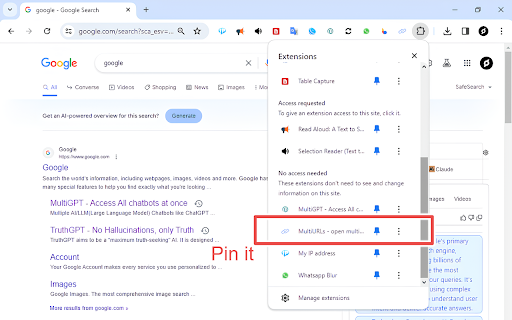
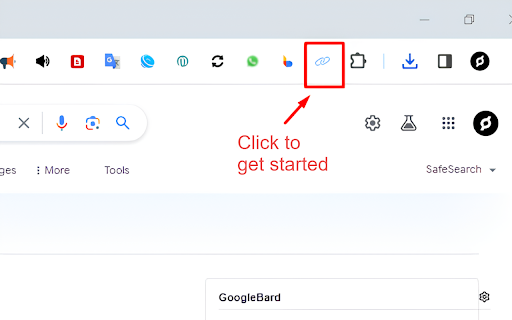

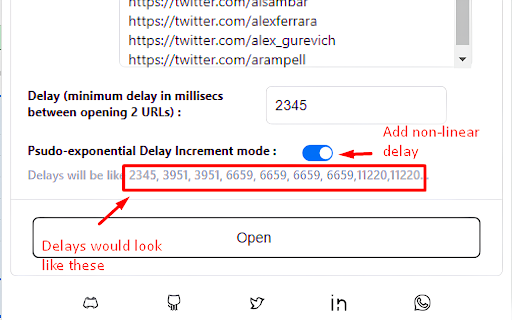
MultiURLs is a A simple and easy to use extension which allows the user to open a list of URL's in one click with ability to impersonate as human behaviour such that the site owners dont block you. -Ability to further customise delay so that sites don't detect you are a bot (this may happen if you try to open multiple links of same site) - Delay customisation also prevents your browser from freezing in case of dealing with lots of links at once.

Bulk URL Opener Extension
Bulk URL Opener Extension just lets you open multiple URLs at once (in new tabs or windows). Usage: Enter each URL in new line (you can paste the list or import urls from file) and click the "Open All" button. The app will the open all the pages in separate tabs or windows (depending on your settings). Some of the options: * Load URLs from file; Export links to file * Extract urls from text (the tool will try to find valid links in whatever text you provide) * Open in tabs, windows or group by host (to group your links in separate windows for each domain) * You can set delay (in seconds) between opening pages * Open part of the current list The difference between this extension and other similar extensions is that if an URL doesn't include scheme, it will default to HTTPS. In other words, you may skip the protocol part for "http(s)://" sites and enter only the meaningful part. For example -- if you type "domain.com" it will be automatically translated to "http://domain.com". All similar extensions that I tested required fully qualified URL which wasn't very convenient for me and that's actually the main reason I made this tool.

Open Multiple URLs
Extension opens a list of URLs. Bulk URL Opener extension. "Open Multiple URLs" extension takes a list of web pages in plain-text format and opens them all in new tabs. Paste the list into the text area (one website address per line), click [Open] or [ Open in Incognito]. You can load URLs from .txt file. You can download your URLs as .txt file. Can create folder with urls as bookmarks. Permissions: - "Storage" permission in order to save user input; - "Tabs" permission in order to get all opened URLs; - "Downloads" permission in order allow you to download URLs as .txt.

Bulk URL Opener – Open Multiple URLs/Links
Open multiple URLs/links instantly with a one-click mass URL opener. Open multiple URLs/links instantly with a one-click mass URL opener Transform your browsing with our powerful Bulk URL Opener! This extension is designed to effortlessly open multiple URLs/links at once—acting as your ultimate tool for bulk, mass, and all links opening. Perfect for digital marketers, researchers, and power users, it streamlines your workflow with a single click. Boost your productivity and take control of your online experience with the ultimate Bulk URL Opener. Download now and start opening your links faster than ever!

Multiple URL Opener
Open multiple URLs in new tabs. Best bulker URL opener chrome extension Chrome extension to open multiple urls with single click. A useful and easy to use extension which allows to open a list of links in single a click. - Opens multiple URLs in one click - Ability to preserve input links - Load URLs in random or reverse order - Open the link when tab is selected This extension collects no user data. "Read your browsing history": This permission allows the extension to create tabs. It also allows the extension to get the URL's and preserve the input for the next time.
