
pmbneaajfhcoecedlmkfkdnjemmebbcb
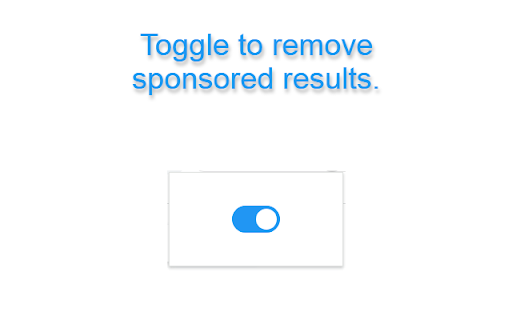
Important Notice: Some users have misunderstood the intended functionality of this extension. To clarify: This extension does NOT block or prevent ads from loading in Google searches. Instead, it uses DOM manipulation to hide 'sponsored' links after they have been loaded. Sponsored results will still be present in the page source and initial search results. Recent Update: Added support for removing sponsored results from map view shortlists. Unsponsored: Enjoy an ad-reduced browsing experience as UnSponsored hides sponsored results, providing a cleaner and distraction-free view. Customise your web search by toggling the extension on or off with a simple switch. UnSponsored is open-source, released under the MIT license, and designed to enhance your online search privacy. Features: Removes sponsored results from Google searches. Toggle extension on or off for a personalized experience Open-source code under the MIT license How to Use: Install UnSponsored from the Chrome Web Store. Click on the UnSponsored icon then you can toggle the extension on or off. Enjoy an ad-reduced searching experience! Open Source: UnSponsored is an open-source project. Feel free to explore, contribute, or report issues on GitHub. The code is released under the MIT License, promoting transparency and collaboration. https://github.com/dumbross/UnSponsored Feedback: We welcome your feedback and contributions to make UnSponsored even better.

Disable AI Overview | Turn Off AI Overview
The Problem Google Search now shows AI Overview panels above traditional links. Many users find these summaries distracting and want their classic Google search results back. If you’ve wondered can you turn off AI Overview or searched for how to remove AI Overview from Google Search, you've found that Google does not currently offer a built-in option. But this Chrome extension is the solution you've been waiting for. The Solution Disable AI Overview is a lightweight browser extension that automatically hides the AI Overview section on Google Search. This chrome extension to remove AI-Overview works instantly and requires no setup, making it a simple for everyday use. Q: Can you turn off AI Overview on Google? A: Not natively, but this chrome extension lets you turn it off permanently in less than 15 seconds. Q: Is this a browser extension or a website setting? A: It is a fast browser extension that works directly in your browser, no Google account changes required. Q: How to turn off AI Overview? A: Install the extension and it immediately removes AI Overview from search pages. Q: How to remove AI Overview from Google Search? A: The extension removes the section entirely so only standard links appear in your search results. - Turn off AI Overview on Google automatically - Remove the section without affecting other results - Lightweight, fast browser extension - Works instantly after install - Works on Google Search - Works on Chrome, Edge, Brave, and Chromium browsers - Works on macOS, Windows, Linux, ChromeOS

Google Search Ad Remover
A simple chrome extension that removes advertised result from google search. A simple chrome extension that removes advertised result from google search.

Hide Google AI Overview, Sponsored results and Snippet
Clean Up Your Search Experience! Tired of cluttered Google search results filled with distracting sections? Say hello to the ultimate extension that gives you control over what appears on your search pages. 🧼✨ Whether you're a student, professional, or just someone who prefers a clean interface, Hide Google AI Overview, Sponsored results and Snippet helps you focus on what really matters: the search results. With a few simple toggles, you can instantly hide unwanted sections and create a distraction-free browsing experience. 🚫🔍 🎯 What You Can Hide ✔️ Google AI Overview – Don’t want AI-generated summaries cluttering your top results? Easily hide them with a single checkbox. 🤖❌ ✔️ Video Results – Prefer text results only? Remove video previews and carousels with one click. 🎥🔇 ✔️ Sponsored Ads – Say goodbye to paid ads and focus on organic content. 💸🚫 ✔️ People Also Ask – Tired of expandable Q&A blocks? Hide them for a cleaner layout. ❓📉 ✔️ Featured Snippets – Remove the large answer box that takes over the top spot. 📦🔒 ⚙️ Features 🧩 Easy-to-use interface – All options are displayed clearly with checkboxes. 🔛 On/Off toggle – Quickly enable or disable all hiding rules. 🔄 Refresh Button – Instantly reload your search page with your latest preferences. 💾 Settings saved – Your selections are remembered automatically. 🌐 Works on most country-specific Google domains (google.it, google.com, google.co.uk, etc). 💻 How It Works After installing the extension, open it from your Chrome toolbar. By default, all hiding options are enabled ✅ and the main switch is ON. You can manually turn off specific sections, or disable the entire cleaner with a simple switch. Once your preferences are set, click Refresh Page 🔄 to see the cleaned-up search results. 🌟 Why Use Google Cleaner? Avoid distractions and information overload Browse faster with less visual clutter Focus only on the results that matter to you Save time during research and professional tasks Install Google Cleaner today and take back control of your Google searches! Less clutter. More clarity. ✅🔎

Unsponsored Search
Remove sponsored items from search results on Amazon and Google. Unsponsored Search provides you with an ad-free search experience on popular platforms like Google and Amazon. Tired of sponsored ads cluttering your search results? With Unsponsored Search, you can focus solely on genuine search results, without the distraction of sponsored content. Enjoy a cleaner and more streamlined search experience, free from ads that may skew your search queries. Install Unsponsored Search today and regain control of your search experience!
